
Assign cleaning tasks and record completion
A template defines responsibility; a daily assignment records a specific completion.
Before you start
Everyone can see the work, but the responsible person and current progress are unclear.
Choose a person in the template
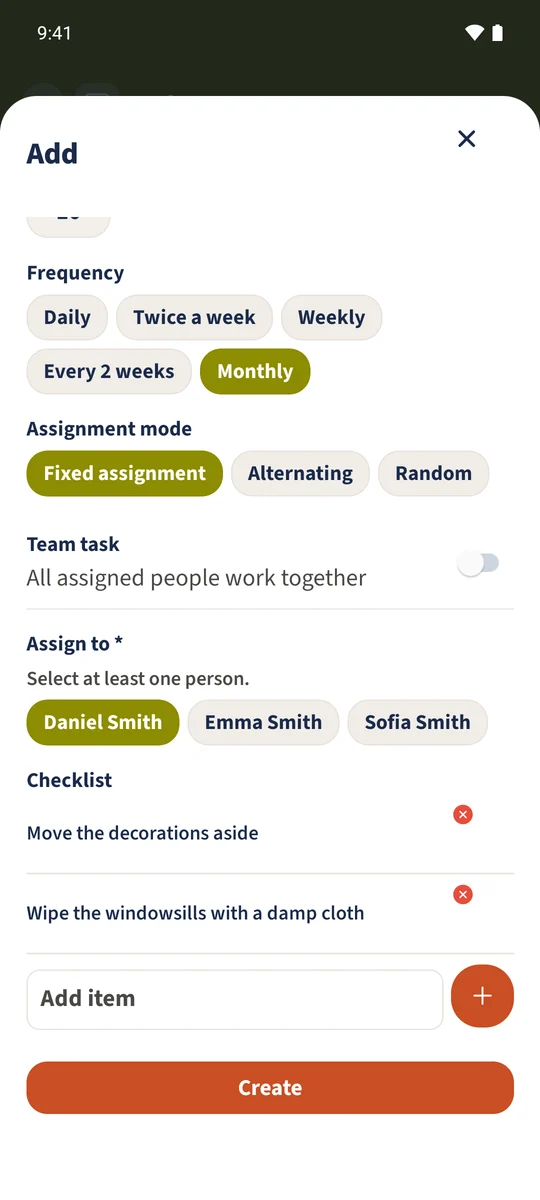
Select Fixed assignment. Daniel is selected for the windowsills example; the daily table task belongs to Emma. Save the template.
Generate the daily assignment and read the steps
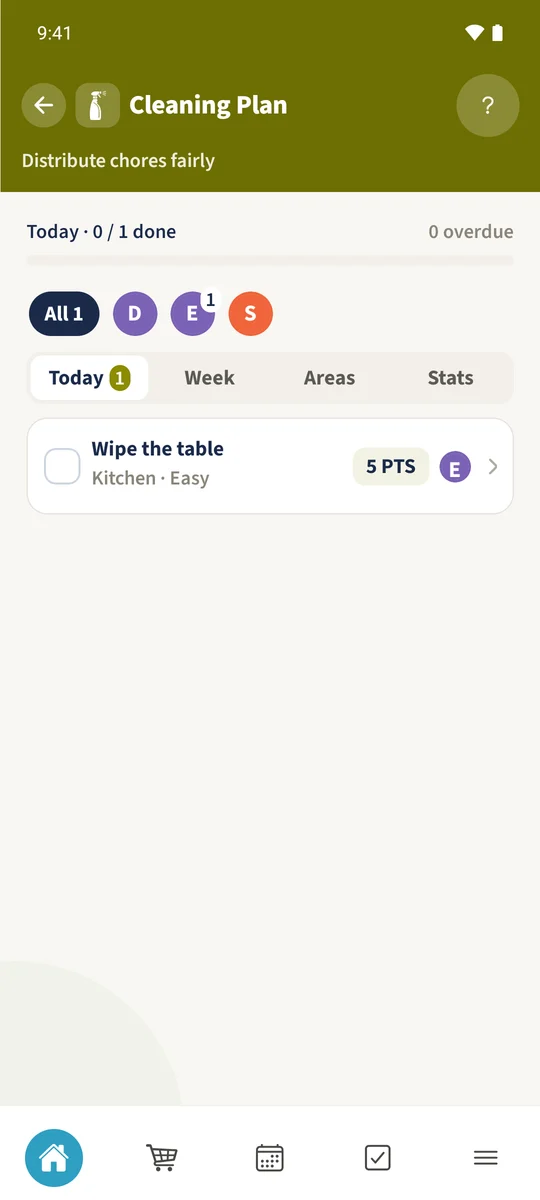
Choose Generate tasks in Cleaning Plan. On the example day, Wipe the table appears with Emma’s initial and five task points. Open the card or expand its preview with the arrow. The checklist contains Clear the table and Wipe the surface. Here it is a readable set of instructions.
Complete it from the assigned account
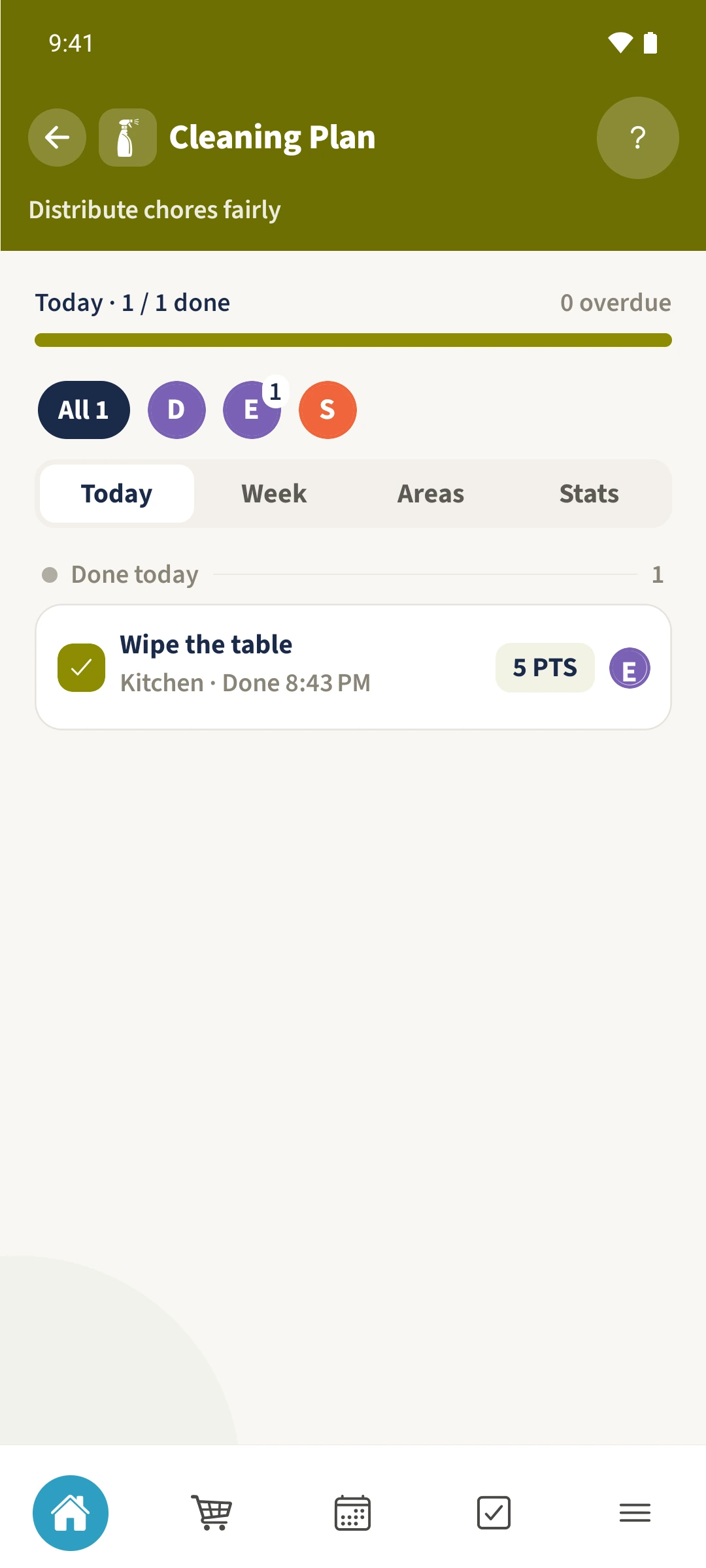
After doing the work, Emma taps the large checkbox. The overview shows one of one completed and lists the task among today’s completed items.
All done
In the task template, choose Fixed assignment and select the person. Save, then generate tasks due today in Cleaning Plan. The daily card shows the title, area, points and person. The assigned family member opens it or uses its large checkbox to complete the whole task.