
Set a frequency for recurring cleaning tasks
Without an agreed routine, the same cleaning job can be forgotten or planned more often than needed.
See the exampleFrom a daily problem to a clear plan
The starting point
Without an agreed routine, the same cleaning job can be forgotten or planned more often than needed.
A practical next step
The template stores the frequency; the week view shows assignments that have already been created.
Cleaning Plan with Best4Family
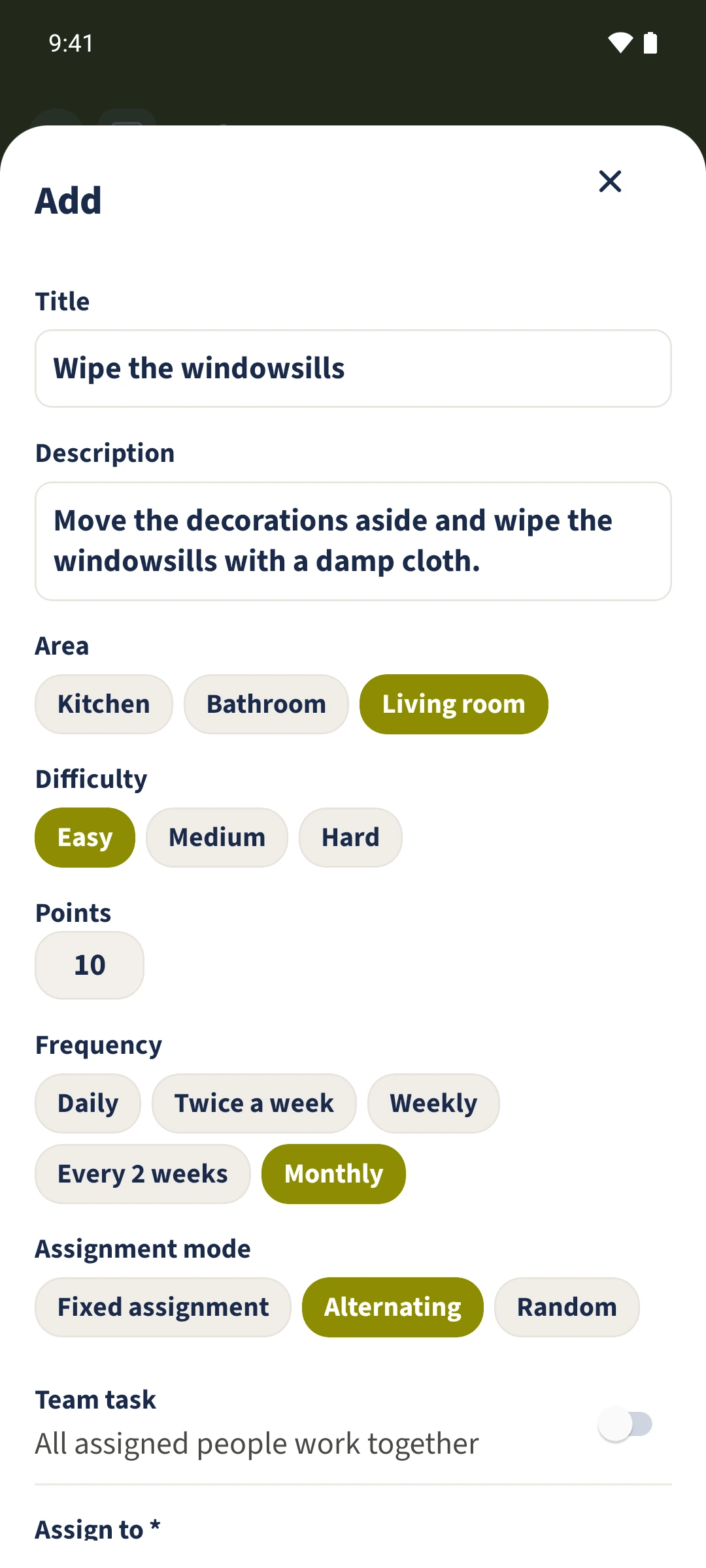
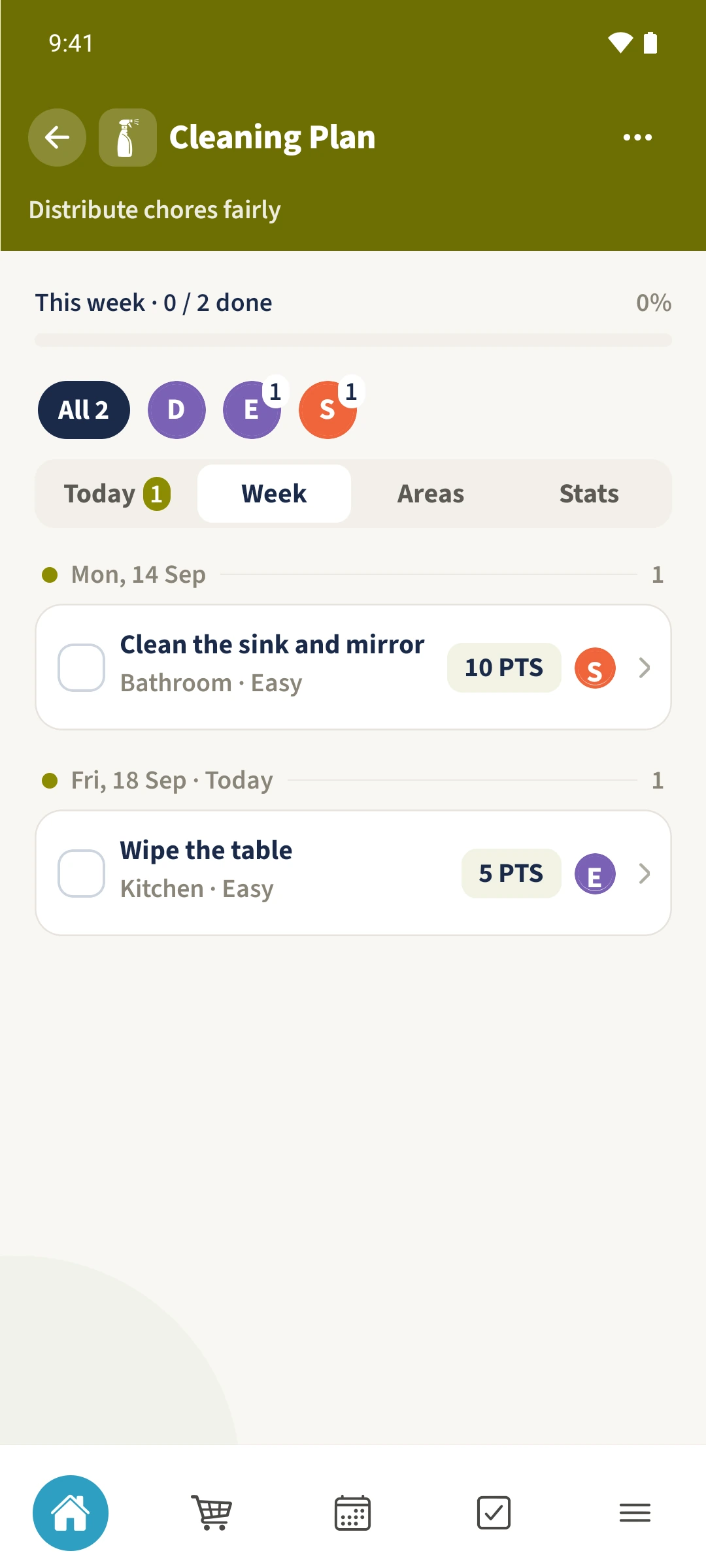
In the task form, choose Daily, Twice a week, Weekly, Every 2 weeks or Monthly. Back in Cleaning Plan, Generate tasks creates assignments due today. Week shows existing assignments in the current week. Monthly scheduling still has a known issue, so check monthly entries yourself.
Get organised in a few steps
- 1
Select a frequency
Open Tasks & Areas, choose Tasks and open the task form. The windowsill example has Monthly selected. Read the limitation for that frequency.
- 2
Save an assigned person
Also choose an area and person. In this example, wiping the table is assigned to Emma daily and cleaning the bathroom to Sofia weekly.
- 3
Generate tasks due today
Return to Cleaning Plan and choose Generate tasks. On Friday, 18 September, the example creates the daily table assignment.
- 4
Check the existing week
Open Week. It shows the prepared Monday assignment and the newly generated Friday assignment. Empty days do not confirm that every future task has already been planned.
The essentials at a glance
Part 01
Task templates offer five frequencies.
Part 02
The Android action generates assignments due today from active templates with selected people.
Part 03
The week view arranges existing assignments by date.