
Best4Family help · Shopping listDraft · publication pending
Put shopping items in the right category
Keep fruit together and chilled food together so you can find items quickly while shopping.
Before you start
An ungrouped list makes you check every item again at each shelf.
1Step 1
Open the item editor
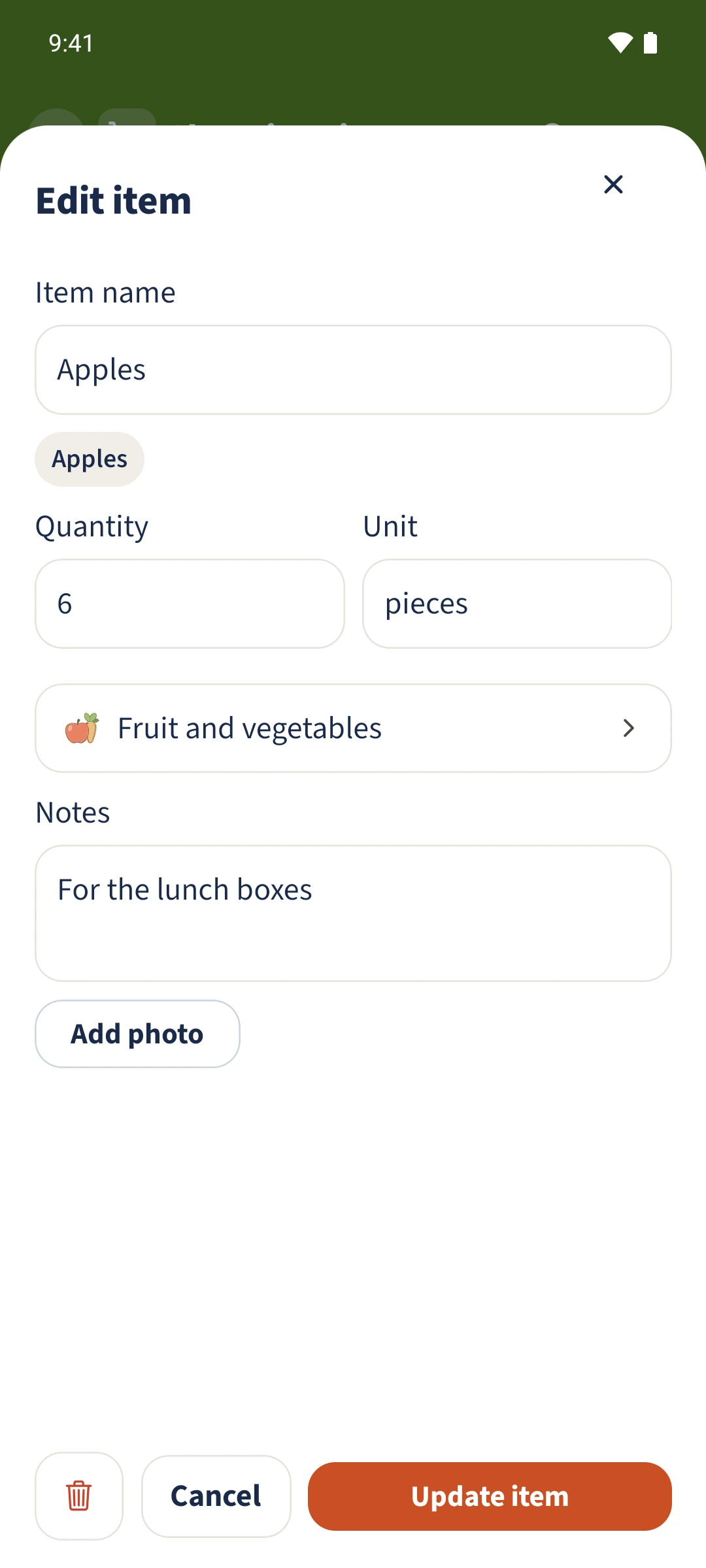
Open Shopping and tap the item’s name. The editor shows the current quantity, unit, category and notes.
2Step 2
Choose a category
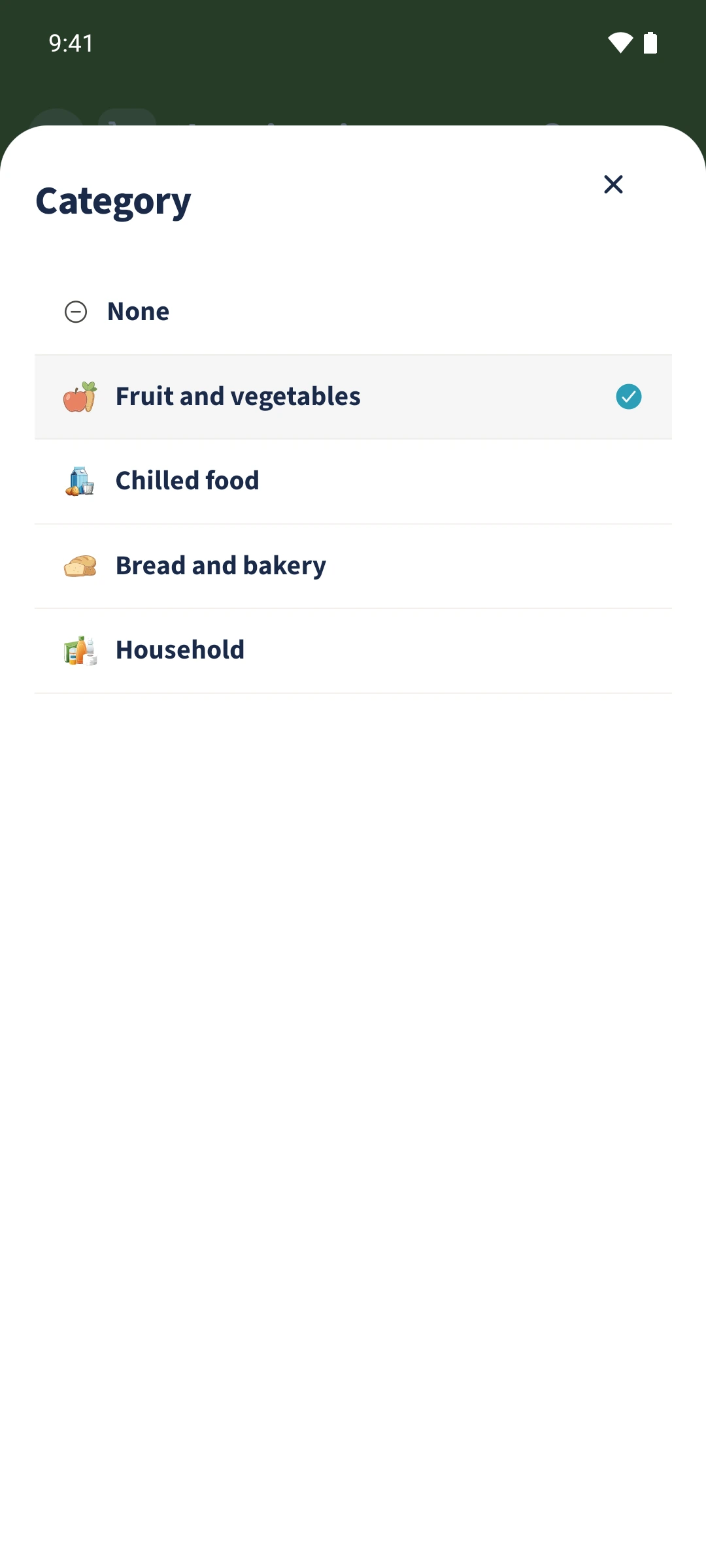
Tap the current category and choose a group such as Fruit and vegetables. None removes the category assignment.
3Step 3
Save and check the group
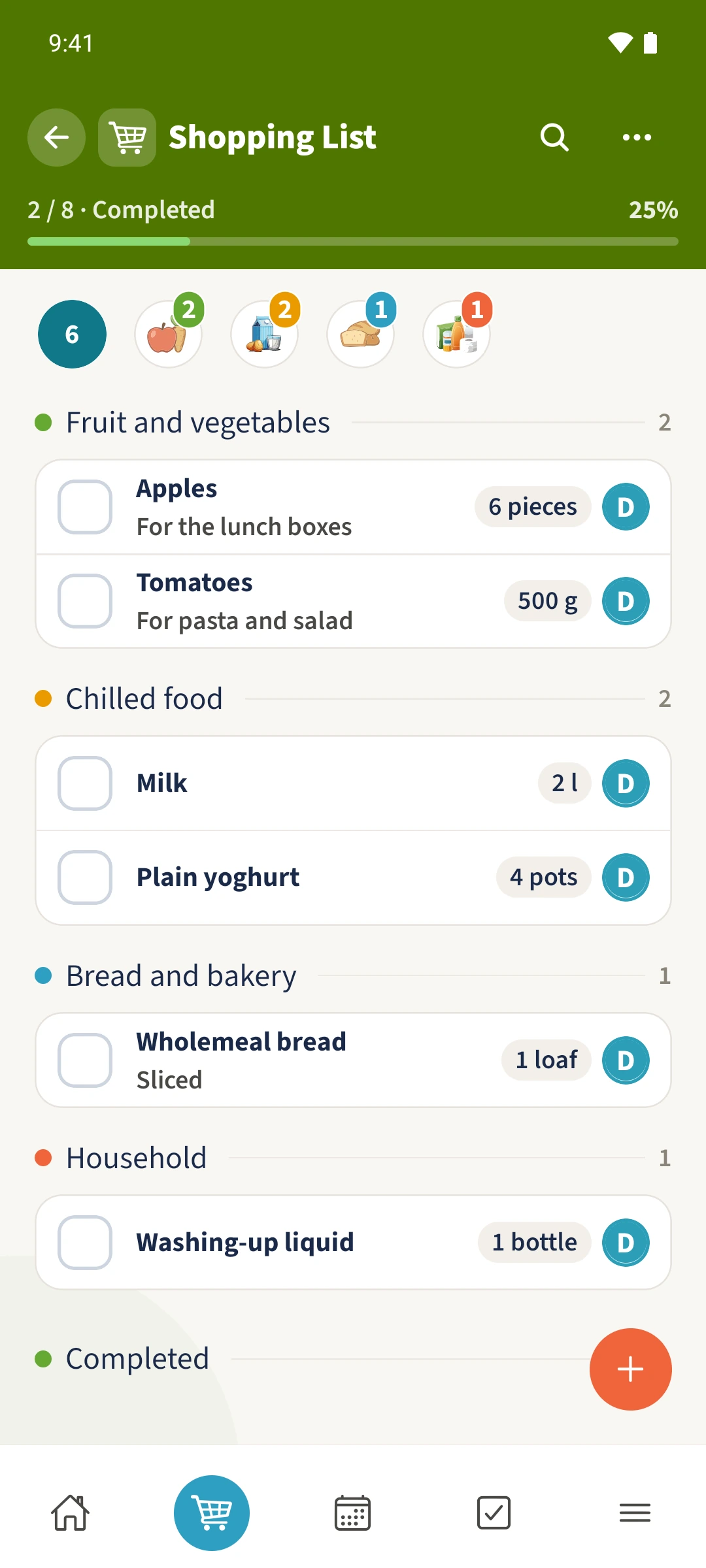
Tap Update item, then find the item under the selected category in the shared list.
All done
Tap an item’s name, open its category selection, choose the appropriate group and save. The shared list then shows the item in that category.