Manage timetables for several people
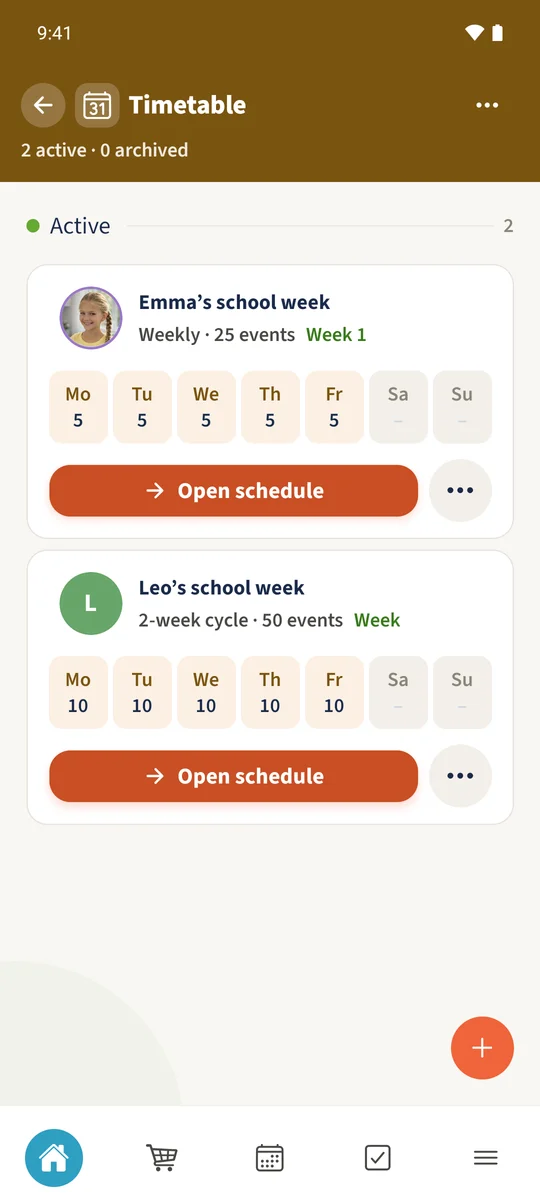
Emma and Leo each have a school plan clearly assigned to them.
Your family plans in one place
Similar lesson times should not need to be entered from scratch for each person.
 How Best4Family helps
Choose Add timetable, select the person and enter a name. Copy an existing plan can provide a starting point. Check the copied lessons and adapt them for the new person.
Get organised in a few steps
- 01
Choose the person and name
Open Add timetable, select Leo and tap Continue. Enter Leo’s school week.
- 02
Copy the starting plan
Choose Copy an existing plan and select Emma’s school week. Check Valid from and Preserve its rhythm, then tap Copy plan.
- 03
Check both timetables
The new plan opens after saving. Return to the overview and check that both plans are present and assigned to the right people. The example overview also includes Leo’s later A/B-week changes, so its lesson count is higher than Emma’s.