
Change one timetable occurrence
Leo’s reading lesson on 21 September takes place in the school library for one day only.
Before you start
A one-off change should not change every future lesson.
Choose the dated occurrence
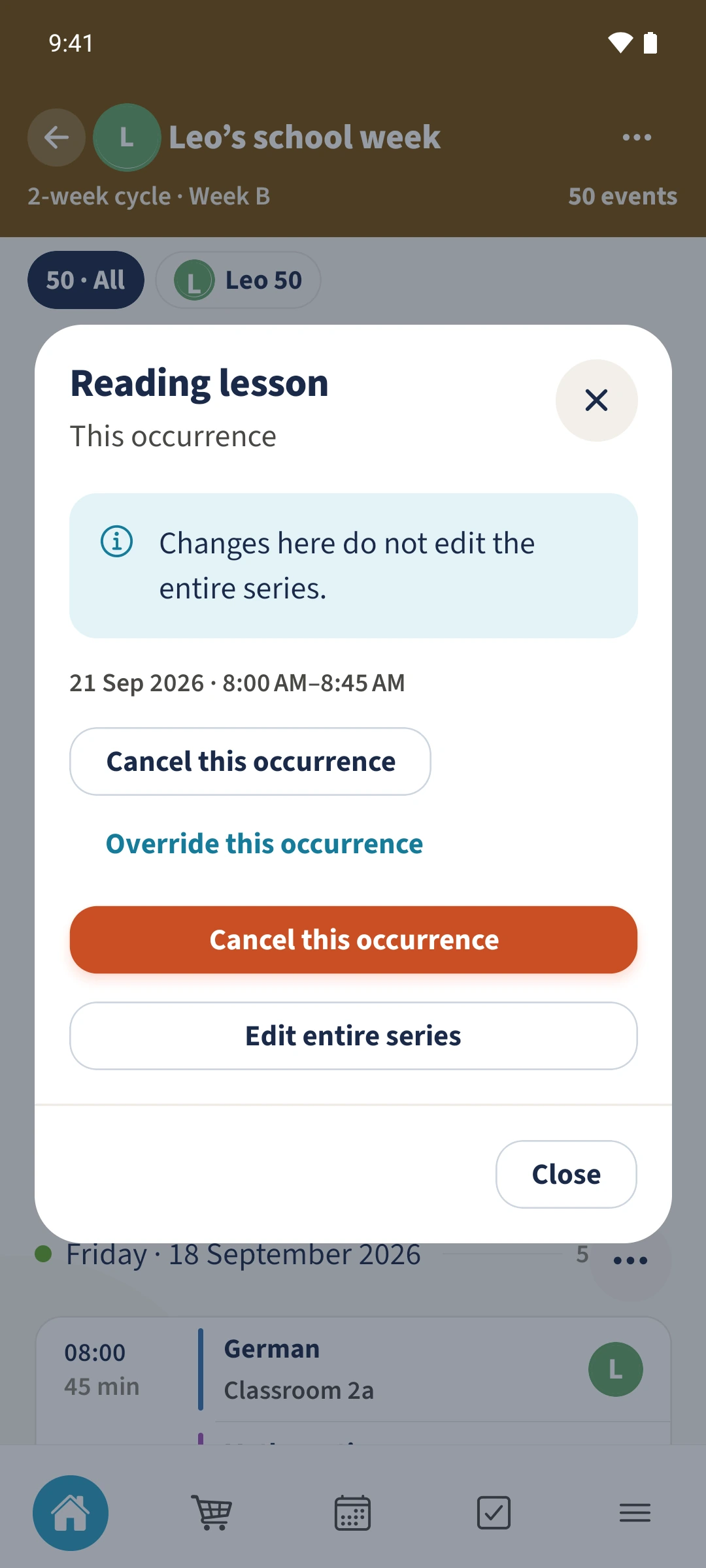
Scroll to Upcoming occurrences and open Reading lesson on 21 September 2026, 08:00–08:45. Check the date in This occurrence.
Enter the one-off change
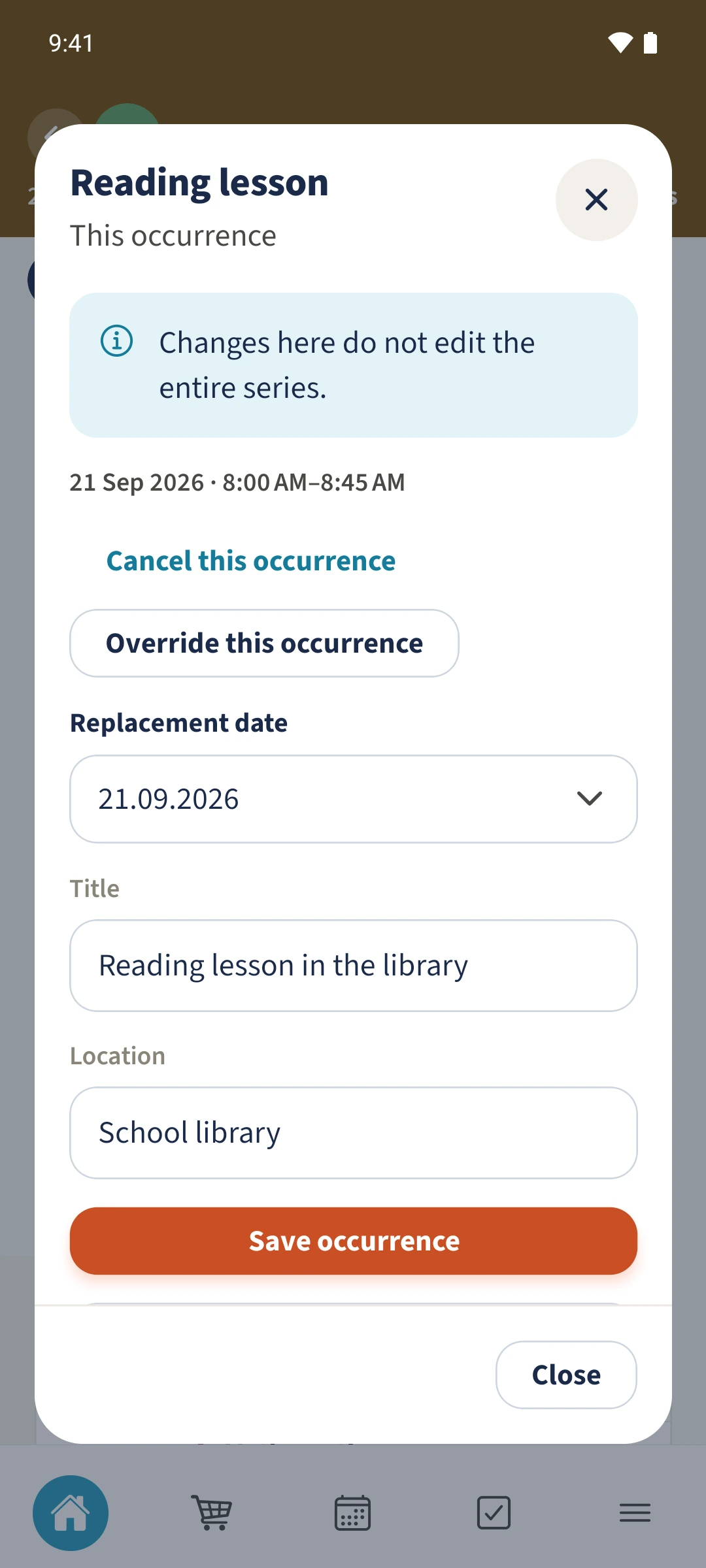
Choose Override this occurrence. Keep Replacement date at 21.09.2026 and enter Reading lesson in the library with School library as the location.
Save the exception
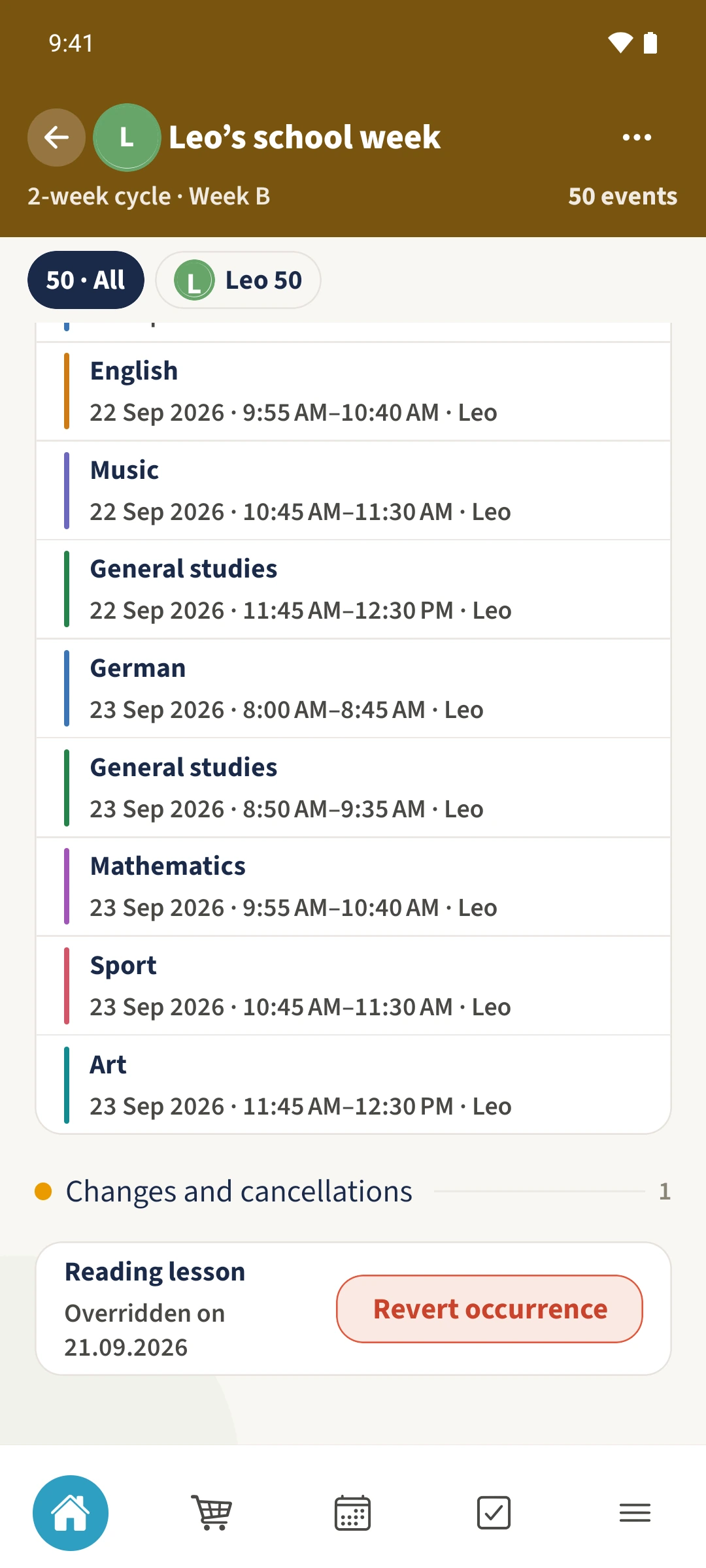
Tap Save occurrence. Changes and cancellations lists the lesson as overridden on 21.09.2026.
Open the result again
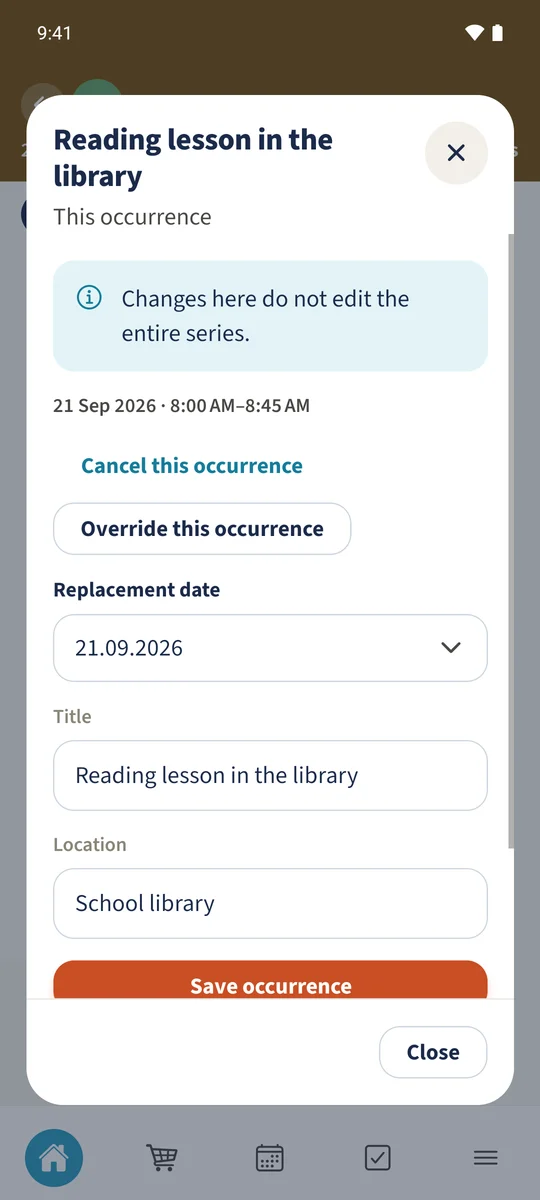
Reopen the changed occurrence to check the saved title, location and date. The regular lesson in week B is still called Reading lesson.
Intended result
Under Upcoming occurrences, open the entry for the required date. This occurrence separates an individual change from Edit entire series. Choose Override this occurrence, update its title and location, then tap Save occurrence.