
Set up alternating weeks in a timetable
A single repeating week cannot represent lessons that alternate between weeks.
See the exampleFrom a daily problem to a clear plan
The starting point
A single repeating week cannot represent lessons that alternate between weeks.
A practical next step
Leo’s Monday begins with a reading lesson every second week.
Timetable with Best4Family
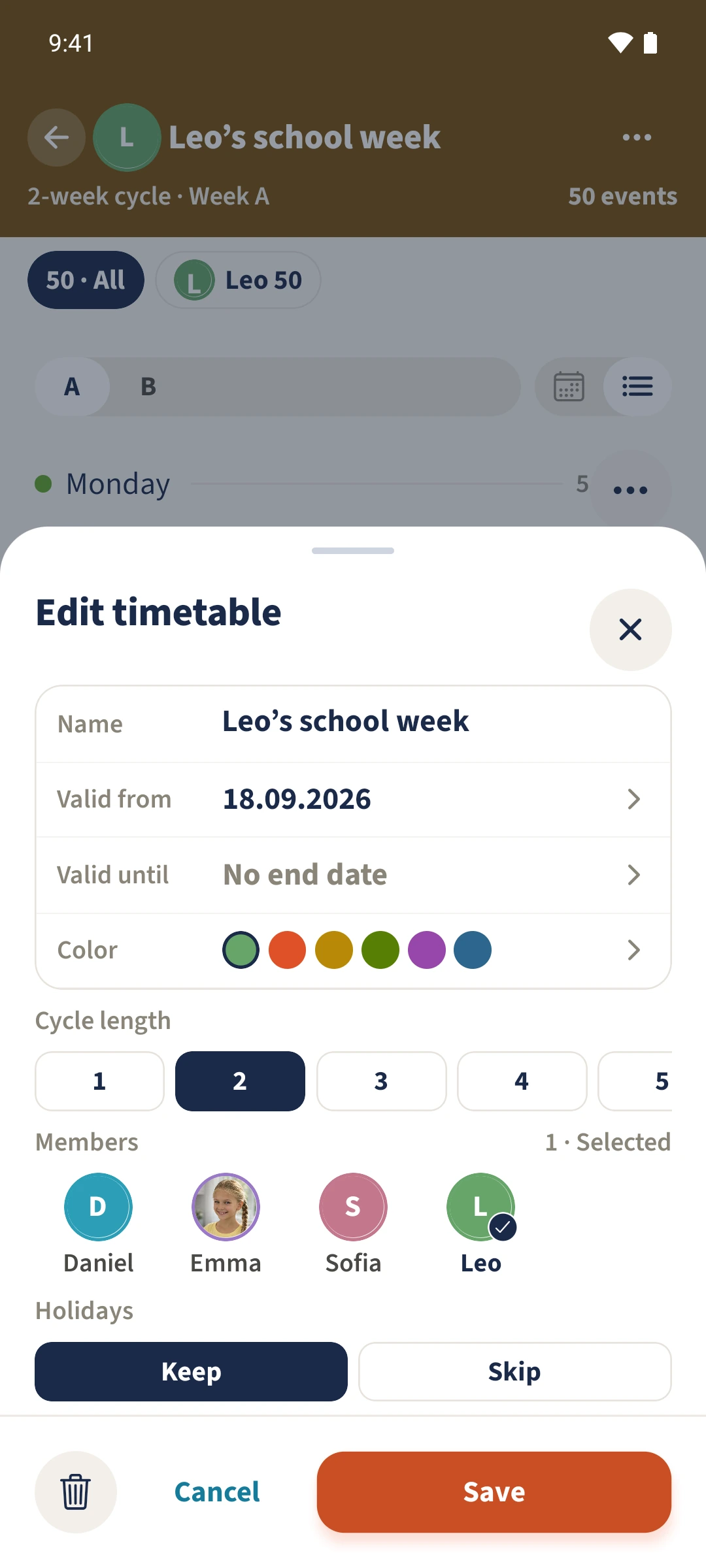
In the timetable, open Actions, choose Edit and set Cycle length. A two-week cycle appears as A and B in list view. After saving, use Actions to copy a week, then change individual lessons in the other week.
Get organised in a few steps
- 1
Open the plan and check week A
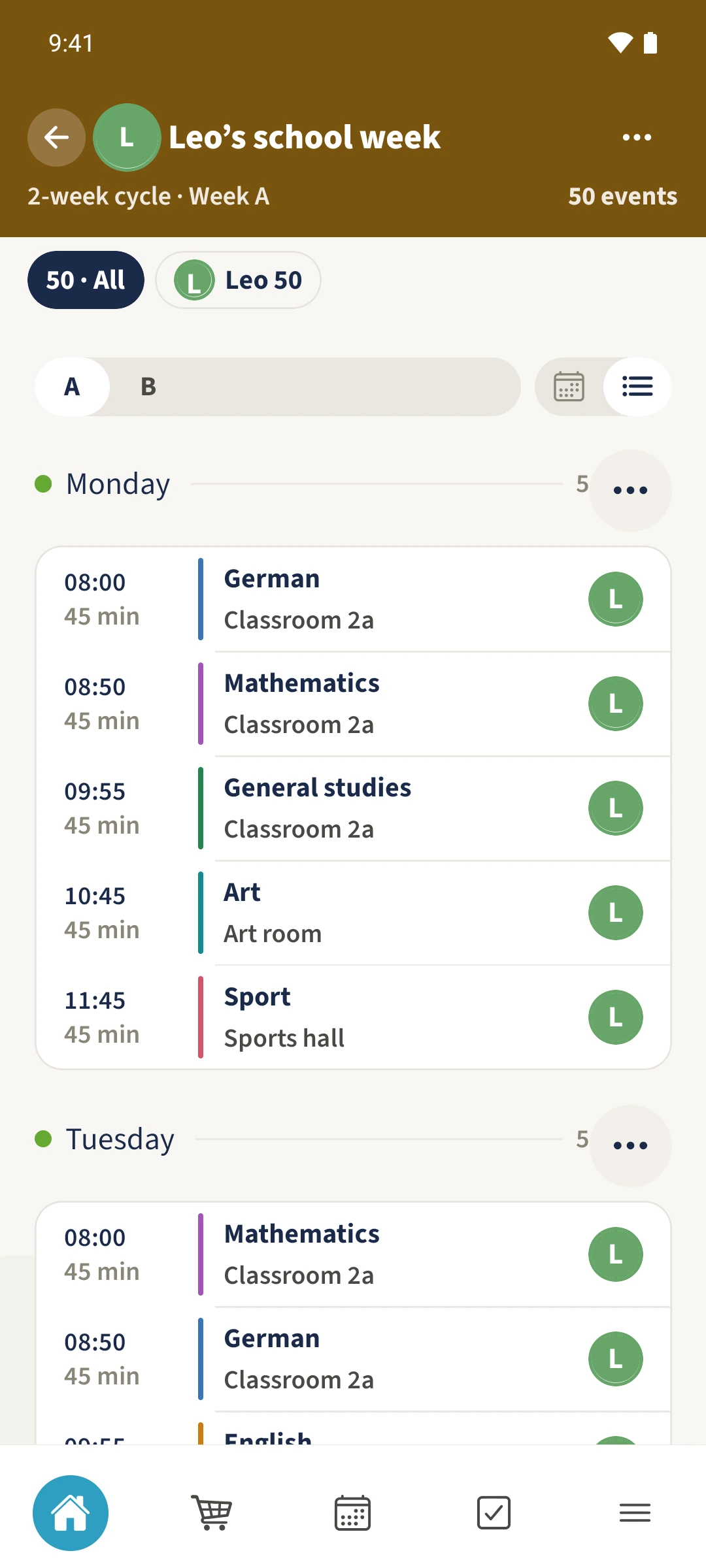
Open Leo’s school week and choose week A. Monday starts with German in this example.
- 2
Save the cycle and copy a week
Under Actions and Edit, set Cycle length to 2, or keep it if already selected, and save. To fill an empty week B, choose week A, then Actions and Copy current week. Select Week 2 and Copy. If B already contains your completed plan, review it instead of copying again.
- 3
Adapt week B
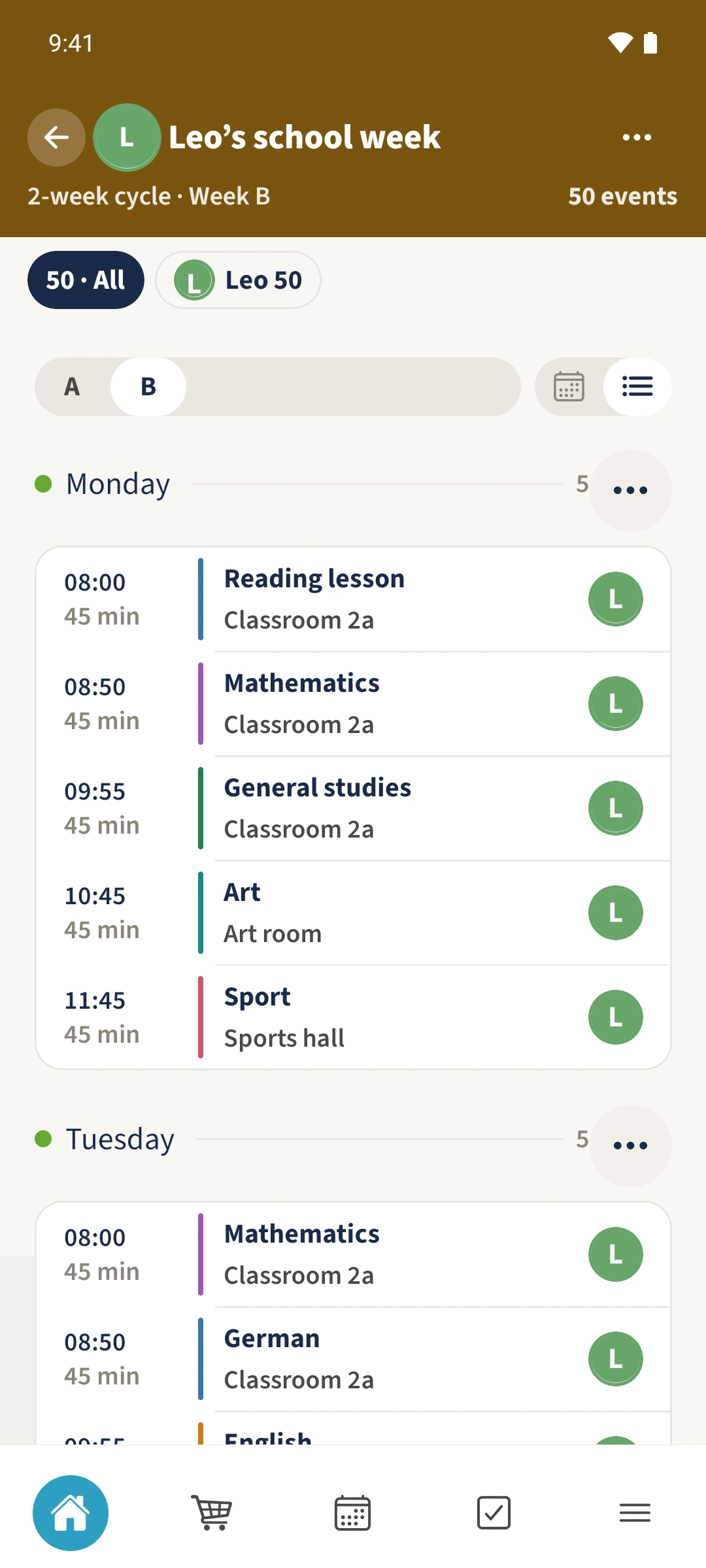
Choose list view and B. Open Monday’s first lesson, change its title from German to Reading lesson and save. The view now shows the saved week B.
The essentials at a glance
Part 01
The editor offers cycle lengths from one to eight weeks in a horizontally scrolling selection.
Part 02
For a two-week cycle, list view switches between A and B.
Part 03
In the example, Monday in week A remains German while week B begins with Reading lesson.