
Check earned points and minutes
A task’s offered reward is easy to confuse with the amount later approved.
See the exampleFrom a daily problem to a clear plan
The starting point
A task’s offered reward is easy to confuse with the amount later approved.
A practical next step
After a parent’s review, you can see which points and minutes were actually credited.
Kids Rewards with Best4Family
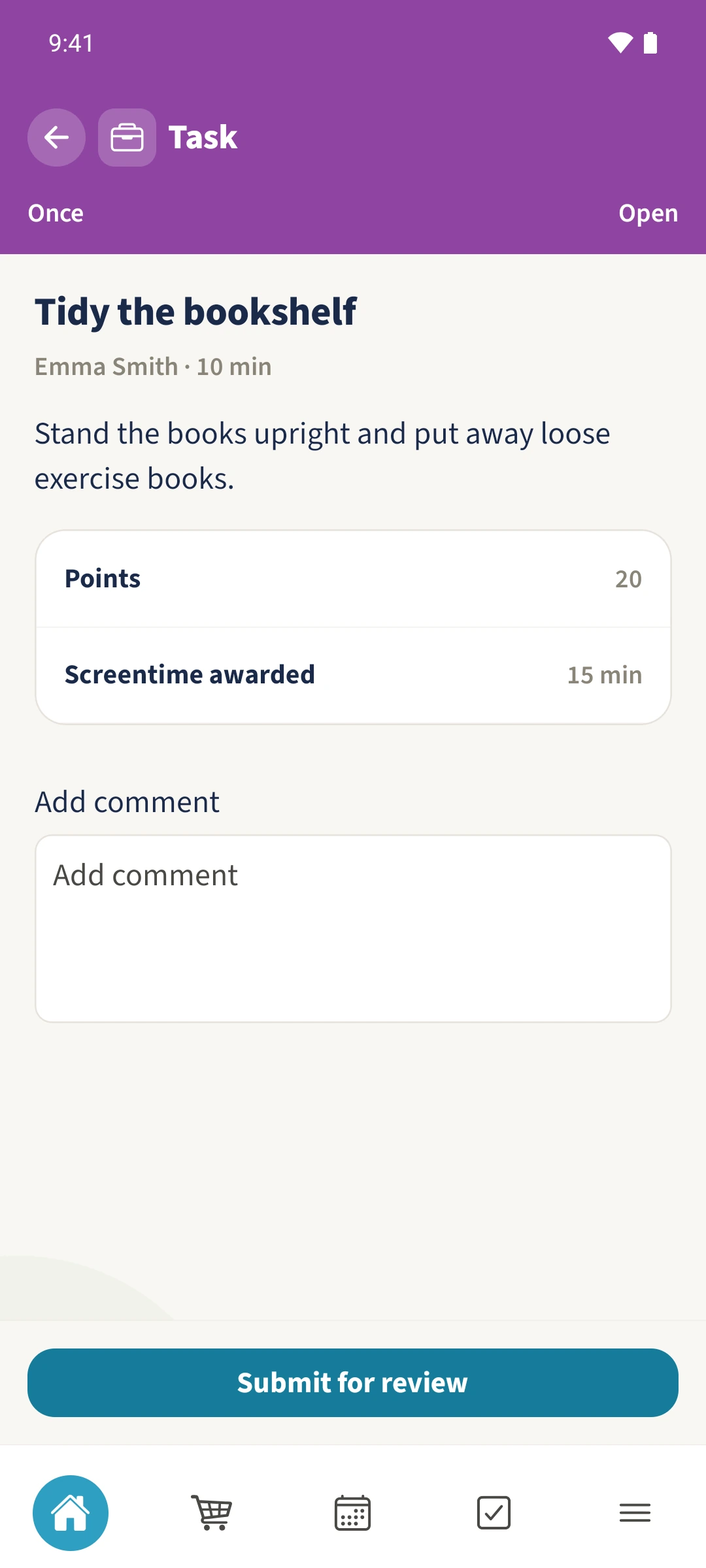
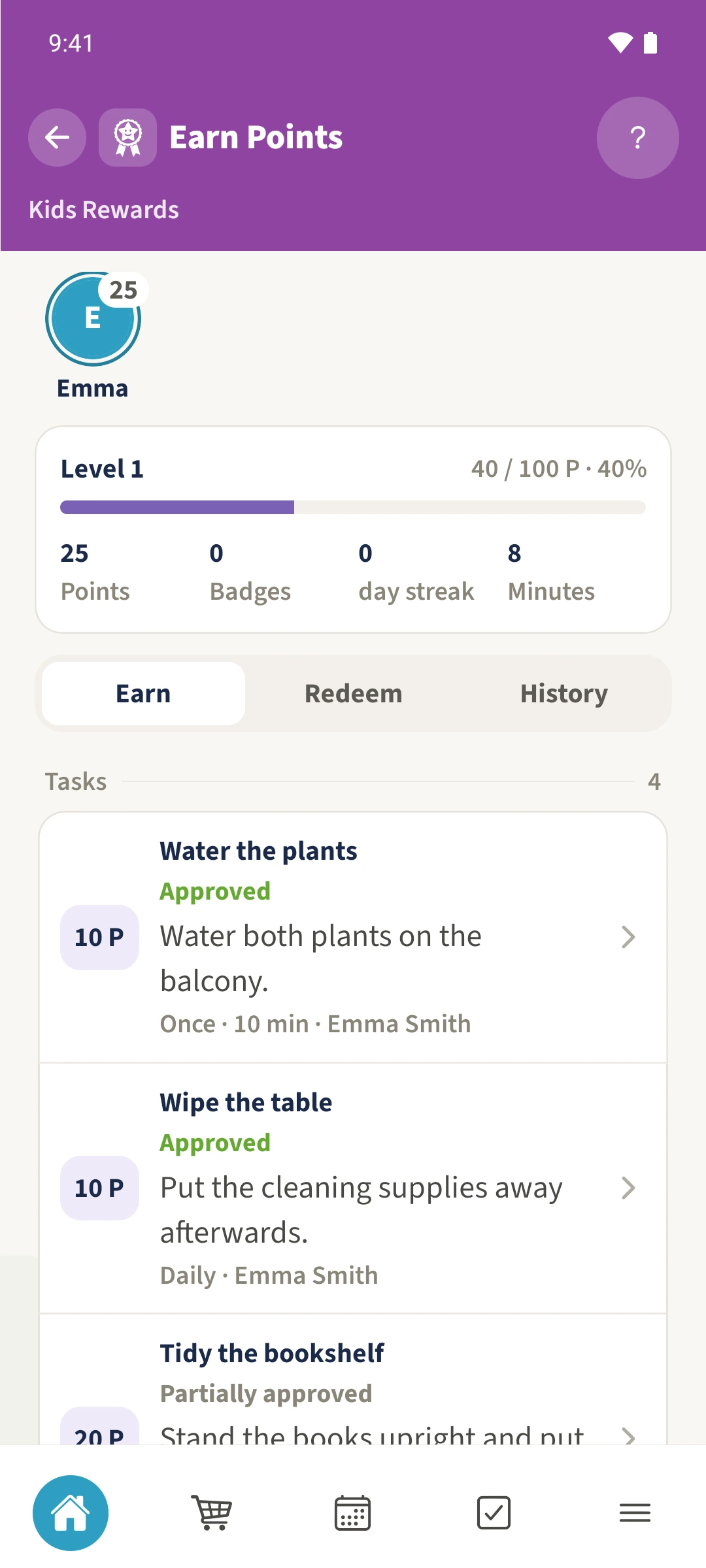
Agree on points and, if useful, minutes for the task. After manual parent approval, Earn shows the current totals and History shows point transactions. Partial approval can credit less than the offer: 50 percent of 20 points and 15 minutes becomes 10 points and eight rounded minutes in this example.
Get organised in a few steps
- 1
Read the task’s offer
Open Tidy the bookshelf. It offers 20 points and 15 minutes. Estimated working time is a separate value.
- 2
Approve the completed share
Daniel checks the submission in Inbox and chooses Partial, enters 50 percent and confirms with Accept. The app rounds points and minutes to whole numbers.
- 3
Compare the balance
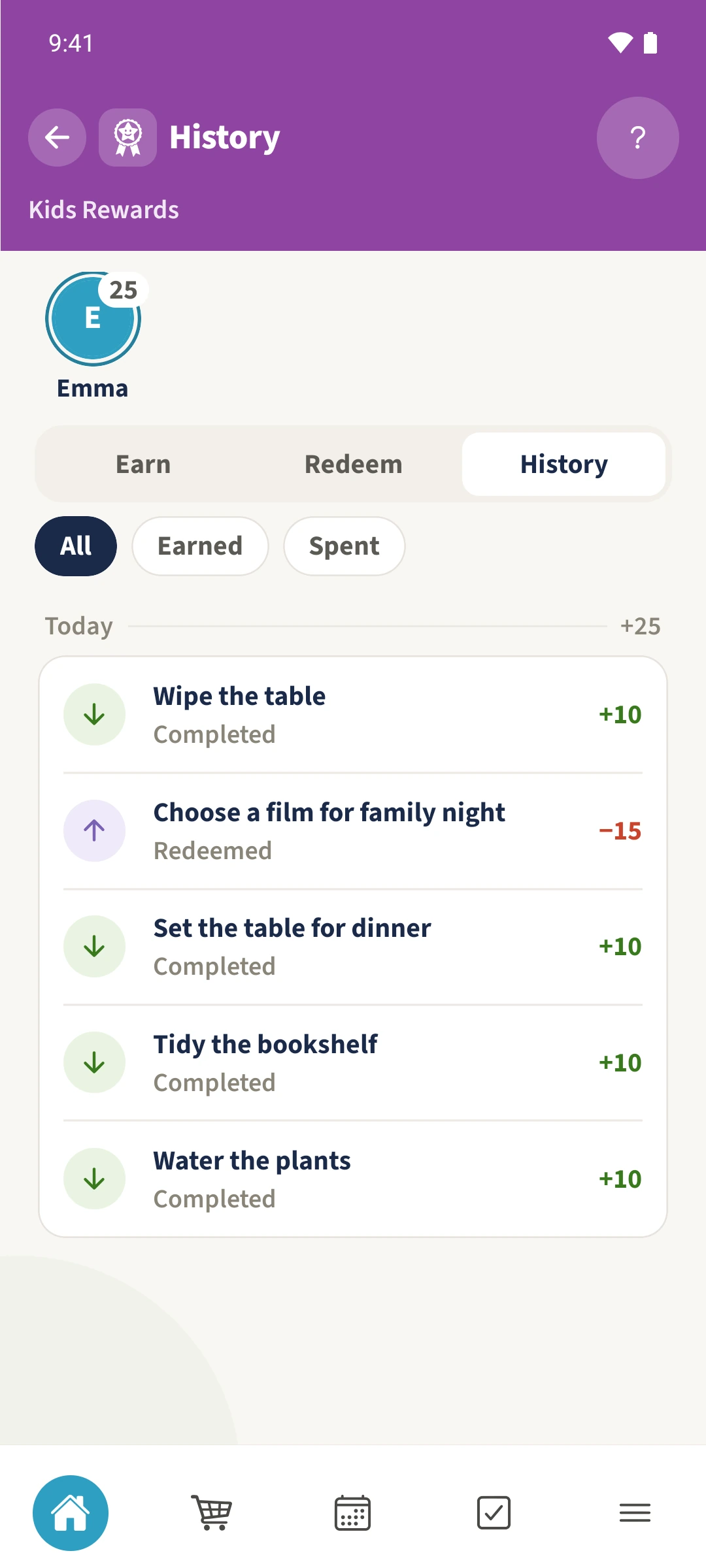
The plant, bookshelf and table tasks contribute ten points each. The pictured final state also includes ten cleaning points and a 15-point film redemption, leaving Emma 25 available points and eight minutes under Earn. Badges and streak are separate.
- 4
Read the point transactions
Open History and compare credits with redemptions. The original three credits are ten points each; later entries explain why available points differ from that subtotal. Use Earned or Spent to narrow the list.
The essentials at a glance
Part 01
A task can offer points and minutes together.
Part 02
Full or partial manual approval credits the approved amounts.
Part 03
History shows positive and negative point transactions with task or reward names.