
Best4Family help · WishlistDraft · publication pending

Use a shared purchase status to avoid duplicate gifts

A shared purchase status helps everyone coordinate, including the person whose wish it is.

Before you start

Several relatives may buy the same gift before they hear about one another’s plans.

1Step 1

Open a wish you can manage

Open the active wish. In the example Daniel, a family admin, opens Sofia’s Walking ideas book.
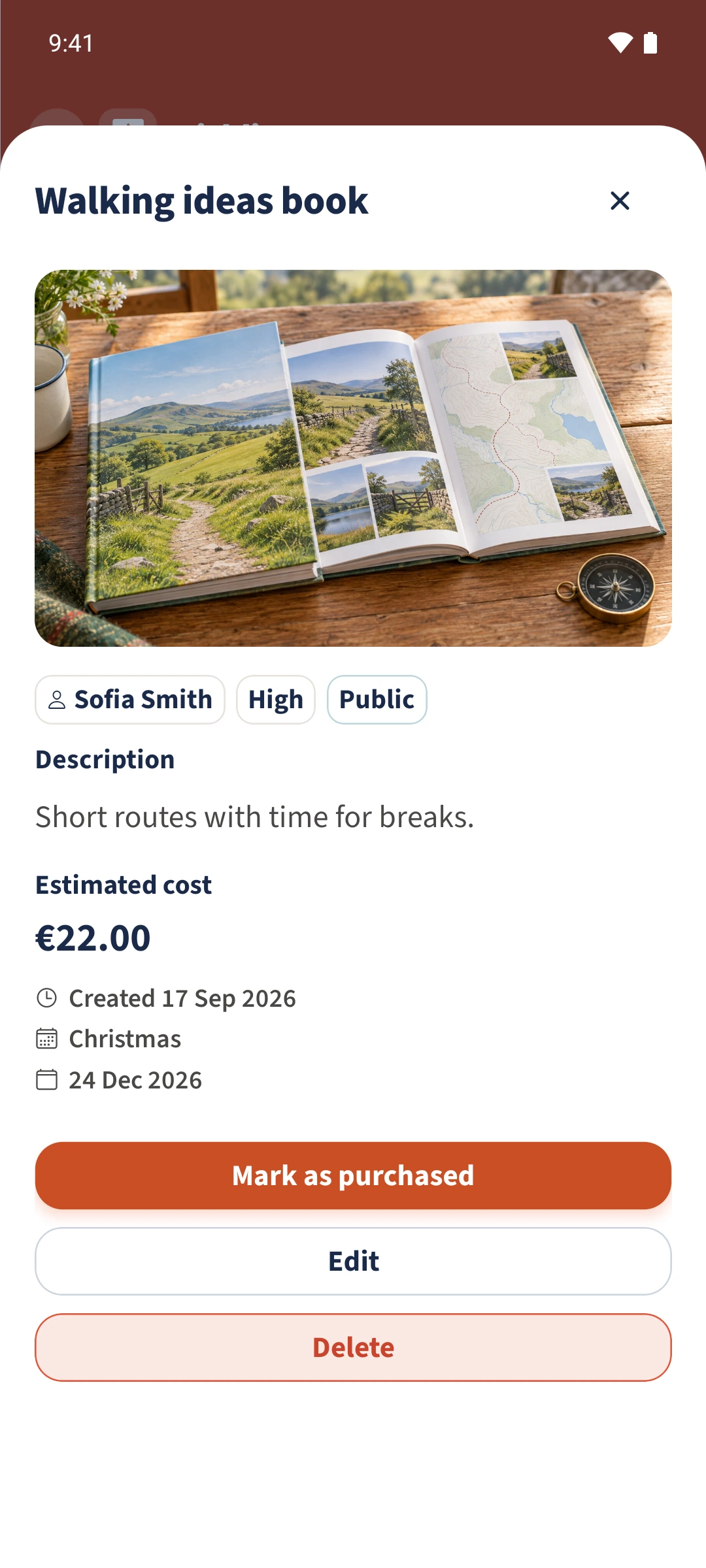
Daniel opens Sofia’s active book wish with Mark as purchased available.
2Step 2

Confirm the purchase status

Tap Mark as purchased and confirm the dialog. Use this when the shared status should actually change.
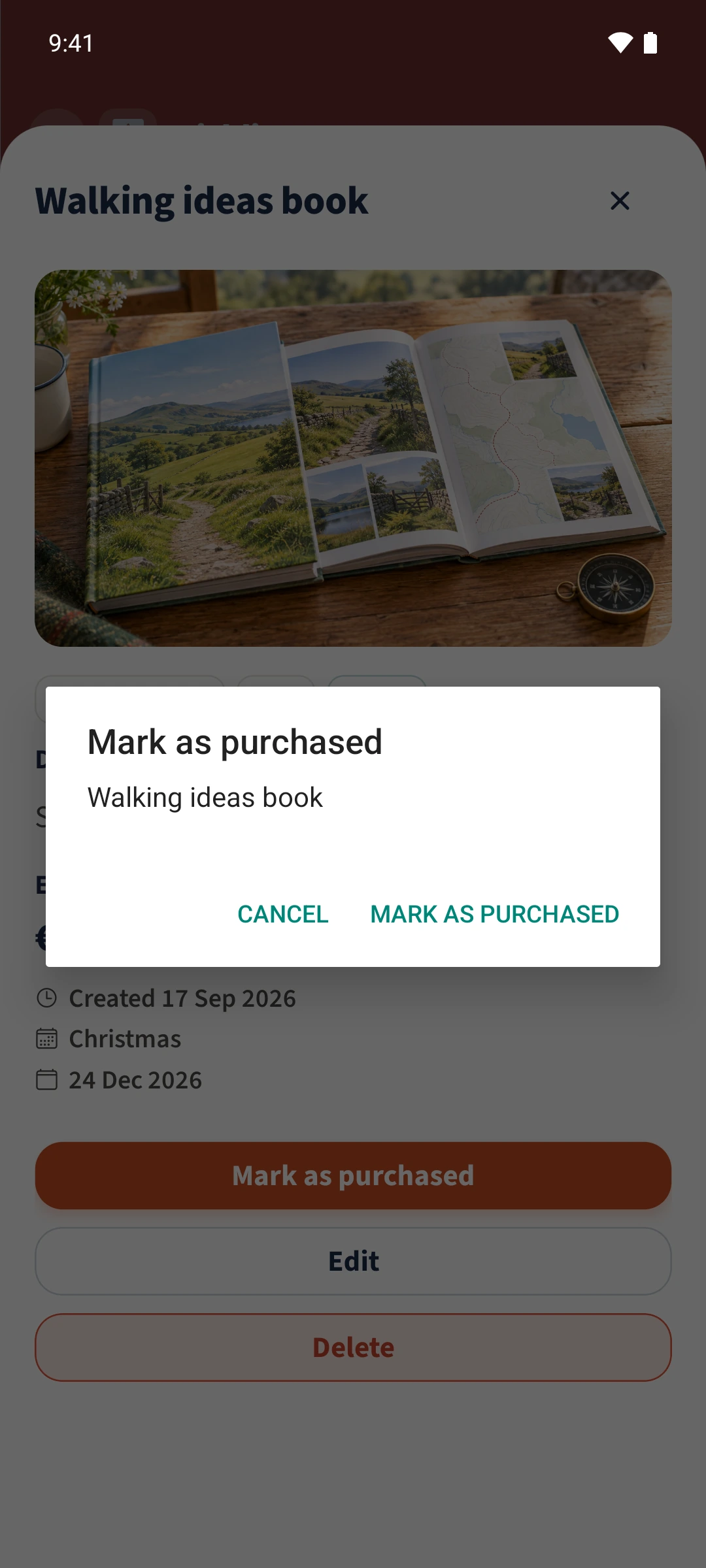
The confirmation dialog identifies the wish before changing its status.
3Step 3

Check Purchased

Close the detail view and open Purchased. The book now appears there instead of in Active.
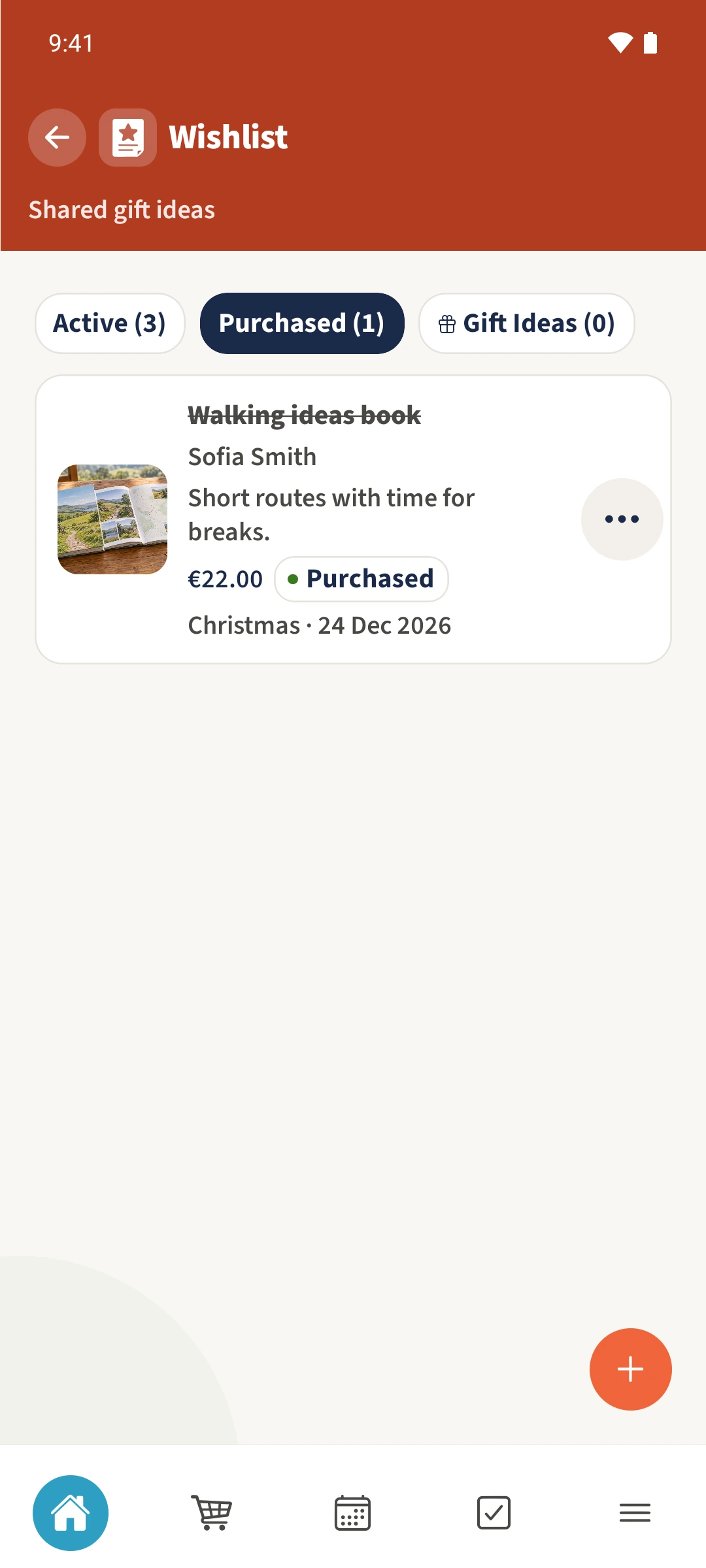
After confirmation, the book appears under Purchased.
4Step 4

Read the buyer and date

Open the book again to see Daniel Smith as the buyer and the recorded date. The final view uses Sofia’s account to show that the wish owner sees the same details.
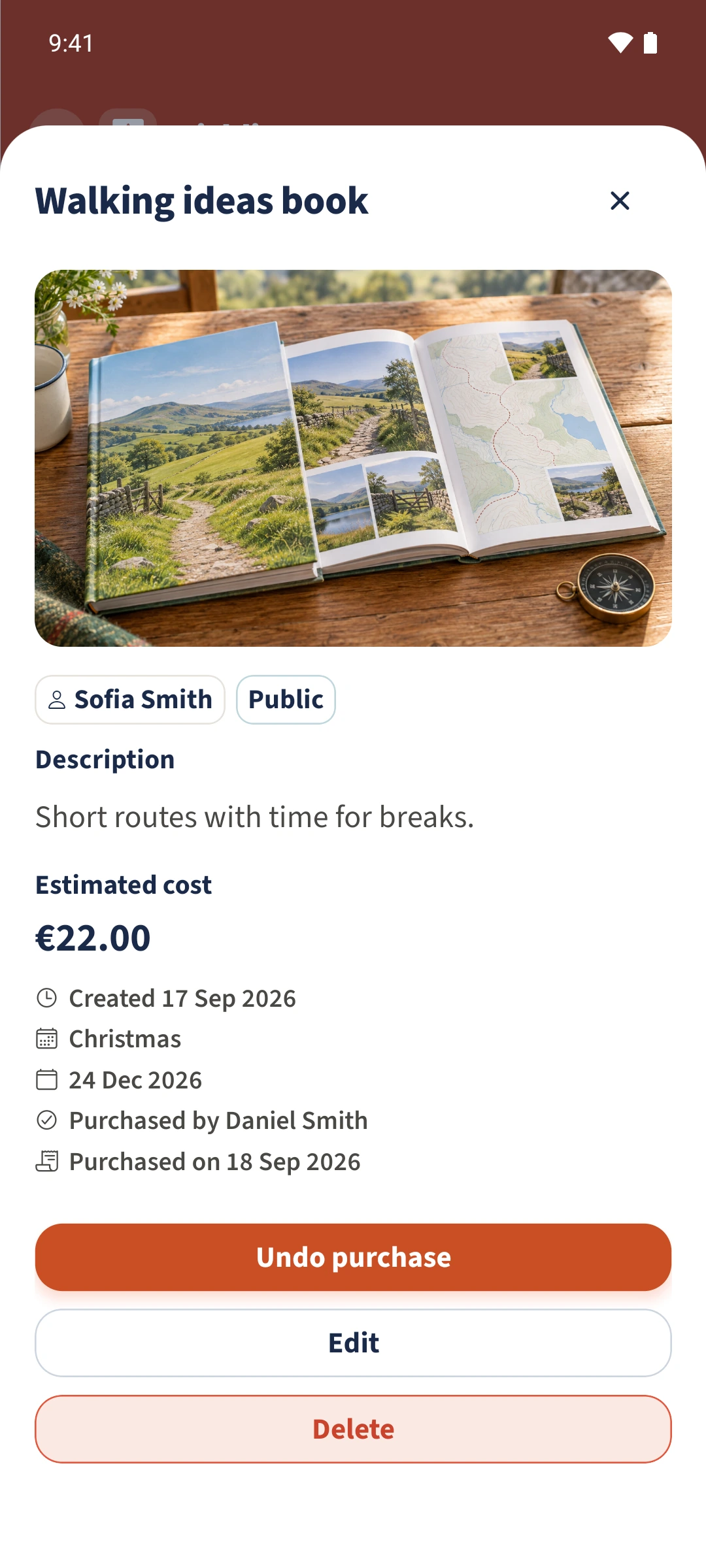
Sofia can also see Daniel as the buyer and the purchase date on her wish.

All done

As the wish owner or a family admin, open the item and choose Mark as purchased. Confirm the dialog. The item moves to Purchased and records the signed-in person as the buyer, with the date. The owner can also see these details, so this does not keep a gift secret.

If something looks wrong

Mark as purchased is missing.

First check whether the item is already under Purchased. To change someone else’s active wish, you need the family admin role; ordinary members cannot change another person’s purchase status.

Related guides

About this article

Written by Best4Family editorial team. Content reviewed: . Updated: .

The screenshots show the Android app. The layout and controls are largely the same on iOS. The examples use fictional family data.