
Save wishes for birthdays and Christmas
You collect wishes throughout the year but later forget which were meant for a birthday or Christmas.
See the exampleFrom a daily problem to a clear plan
The starting point
You collect wishes throughout the year but later forget which were meant for a birthday or Christmas.
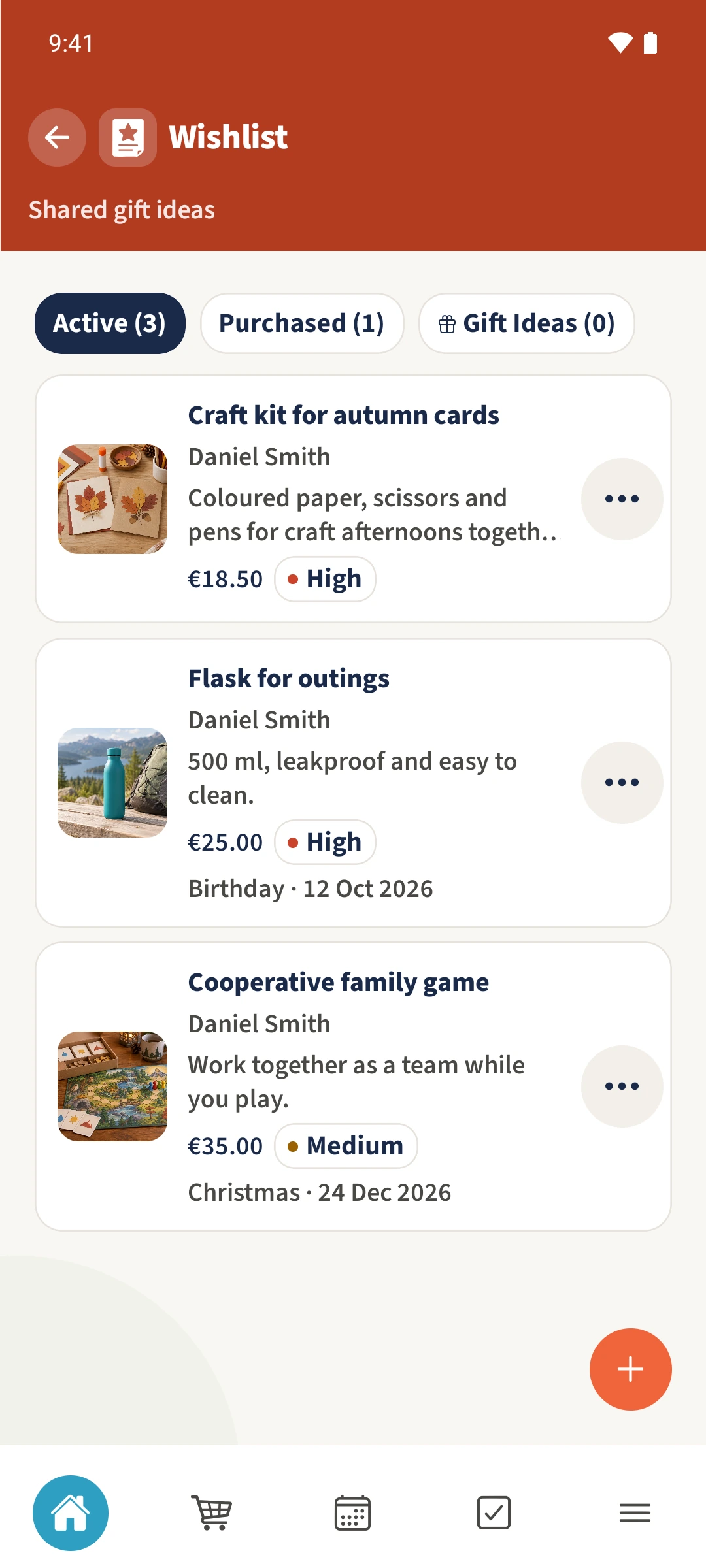
A practical next step
Keep a good idea before the occasion gets close. Its date and event type show what it is for.
Wishlist with Best4Family
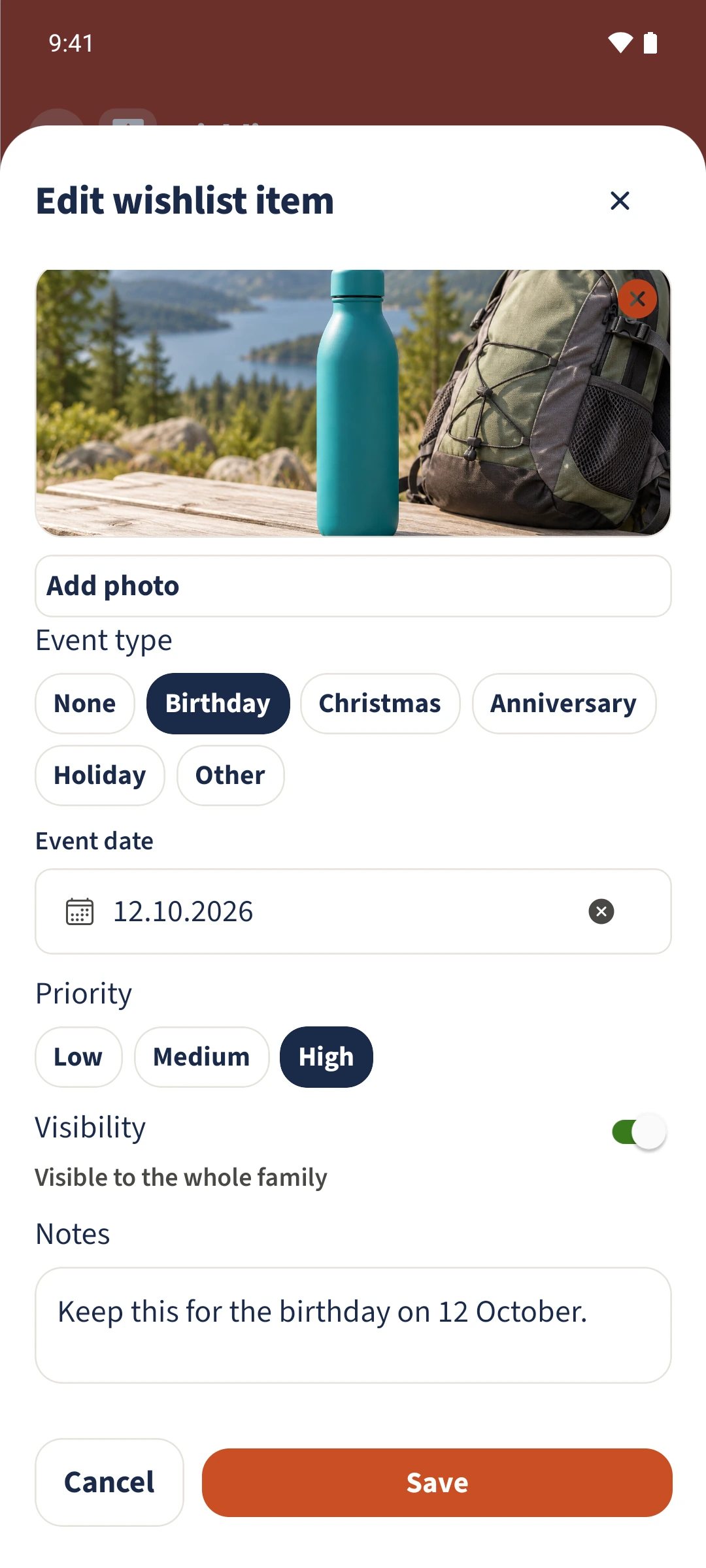
Open your wish and tap Edit. Choose Event type, add Event date and set Priority. Notes can hold any extra details. After Save, reopen the wish to check its saved occasion and date.
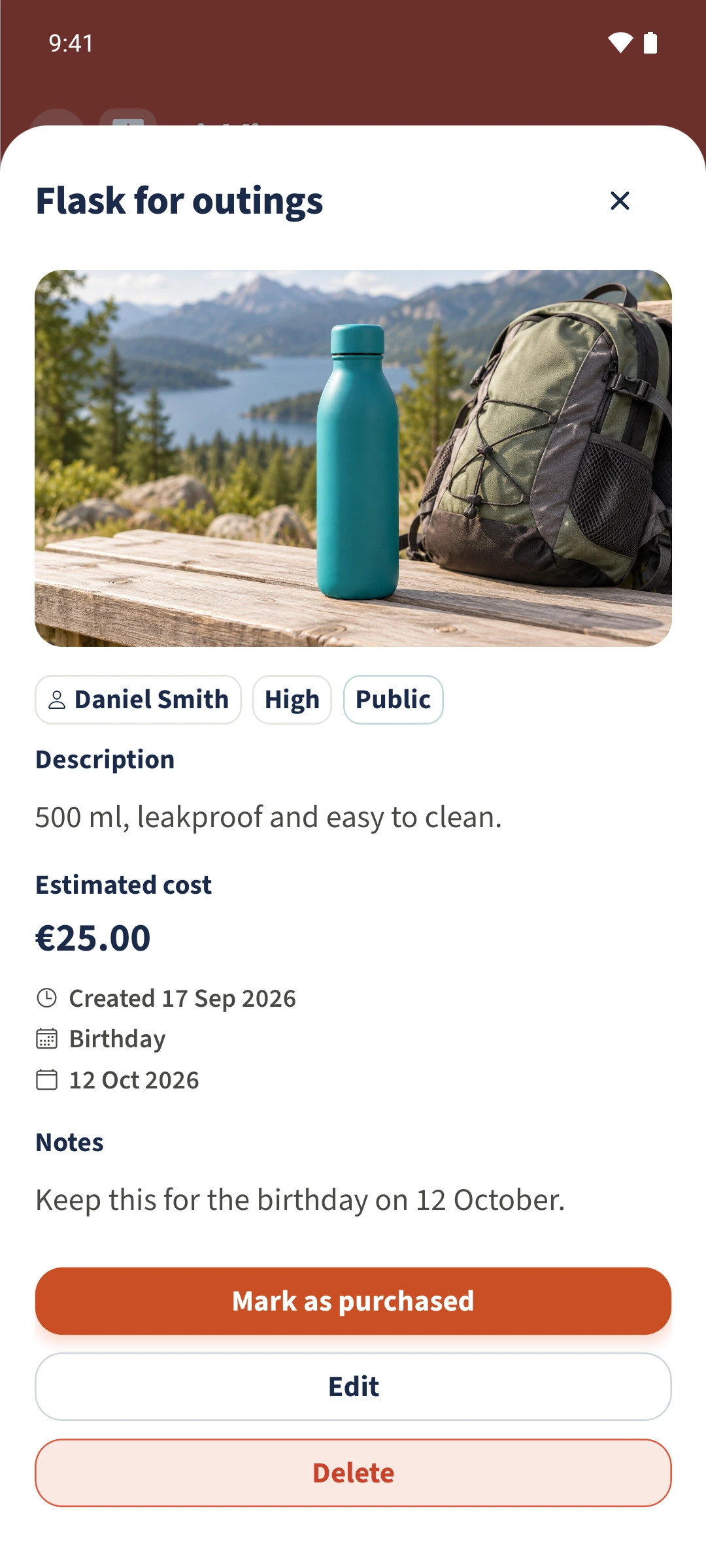
Get organised in a few steps
- 1
Open the right wish
In Active, open your wish and tap Edit. The example uses Flask for outings.
- 2
Choose the occasion and date
Scroll to Event type and choose Birthday. Set Event date to 12 October 2026. For a Christmas wish, choose Christmas instead.
- 3
Set priority and add a note
Set Priority to High and add a note that the wish is being kept for the birthday.
- 4
Check the saved details
Tap Save, then reopen the wish. Check High priority, Birthday, the date and your note.
The essentials at a glance
Part 01
A wish can store an event type and event date.
Part 02
Priority shows how important the wish is.
Part 03
A saved note adds personal details to the occasion.