
Lists in detailDraft · publication pending
Label list items with categories
Equipment, Food and Documents help you recognise what each packing item is for.
The main features at a glance
- 1
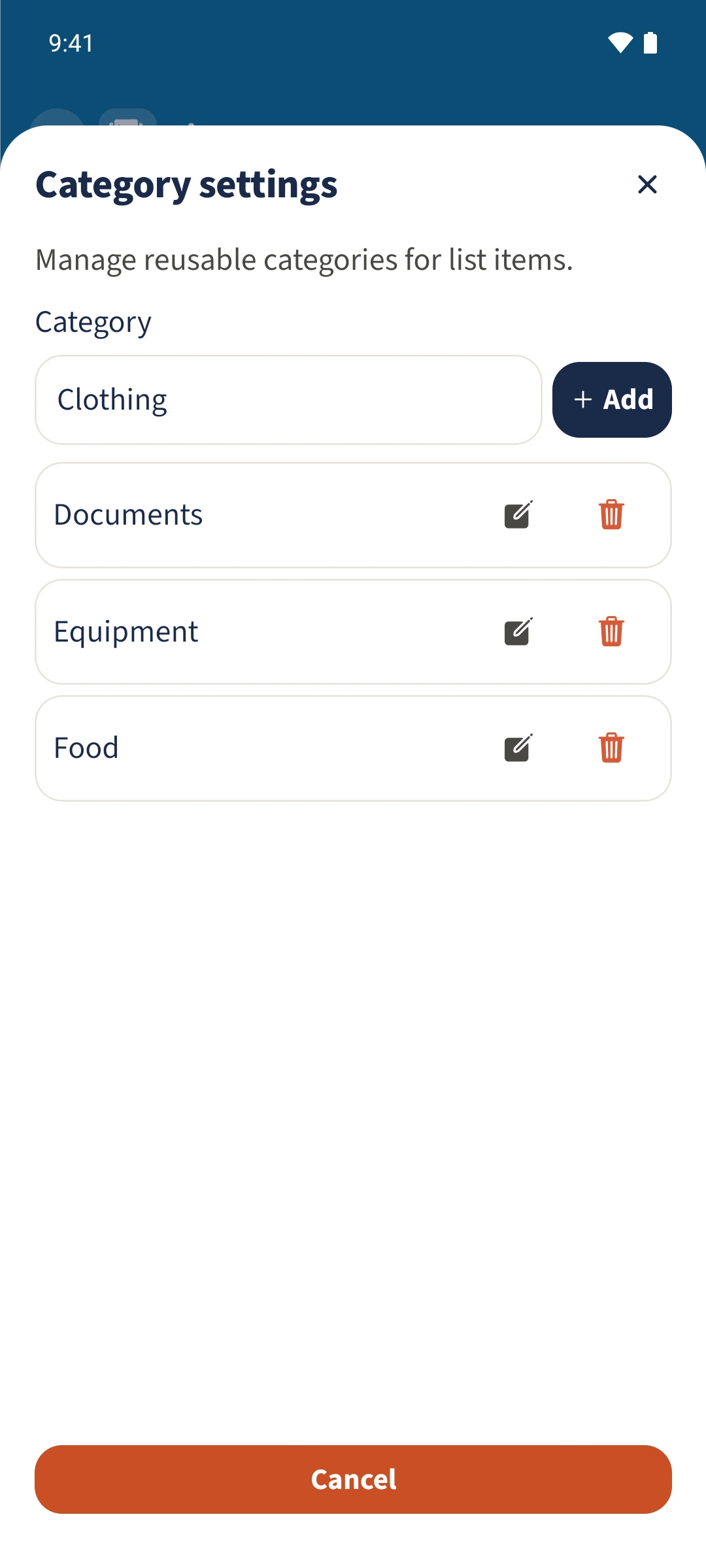
- Category settings manages reusable list-item categories.
- 2
- The item form lets you choose a category or enter one as text.
- 3
- The saved category is shown as a label beside the item.
Why it helps
Using Lists in family life
A long packing list mixes different types of preparation, making it necessary to read every item again.
From the list overview, open the three-dot menu and choose Category settings. Categories are available in an item’s editor. After saving, the category appears beside the item.
From a task to a shared view
How the steps fit together
- 1
Manage categories
Open Lists, tap the three-dot menu and choose Category settings. Enter a category name and use Add to create it.
- 2
Assign a category
Close the settings and open Camping. Tap an item’s edit icon and choose Equipment under Category.
- 3
Check the label
Tap Save at the top. The category appears beside the item. Choose No category in the item editor to remove its assignment.