
Best4Family help · ListsDraft · publication pending

Use your personal to-do list

Returning library books or getting a raincoat ready can go straight onto your personal list.

Before you start

Small personal errands need a quick home without becoming a shared family list.

1Step 1

Open the private list

Open Lists and tap TO DO at the top. Its Private label identifies your personal list.
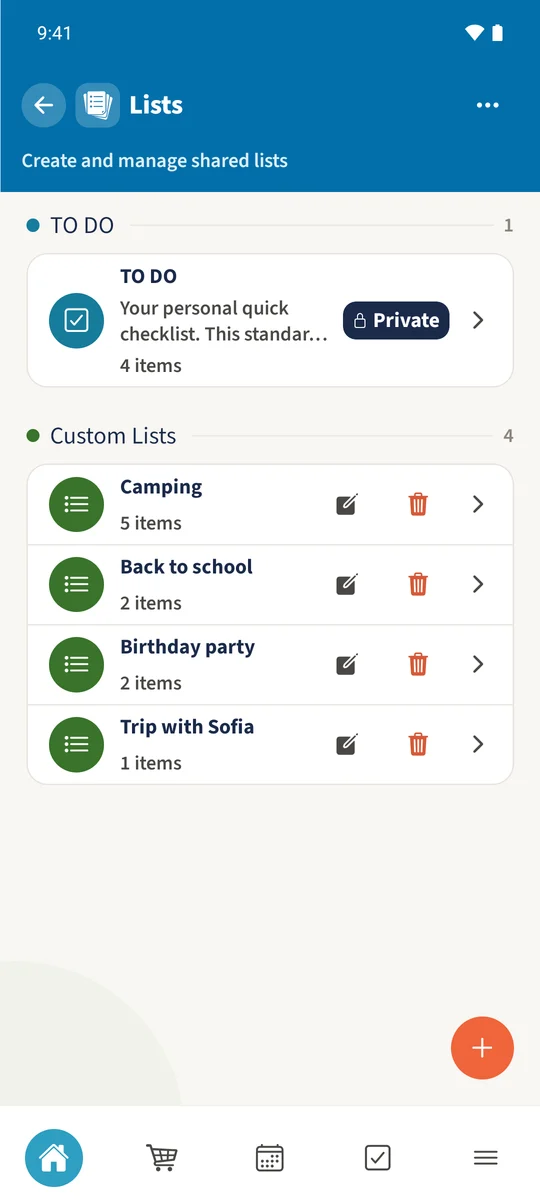
The Smith family list overview shows Camping, Back to school and Birthday party alongside the private TO DO list.
The list overview marks the personal TO DO list as Private.
2Step 2

Add a quick item

Enter Pack a spare jumper in the quick entry field. Tap the small plus beside that field, or press Enter.
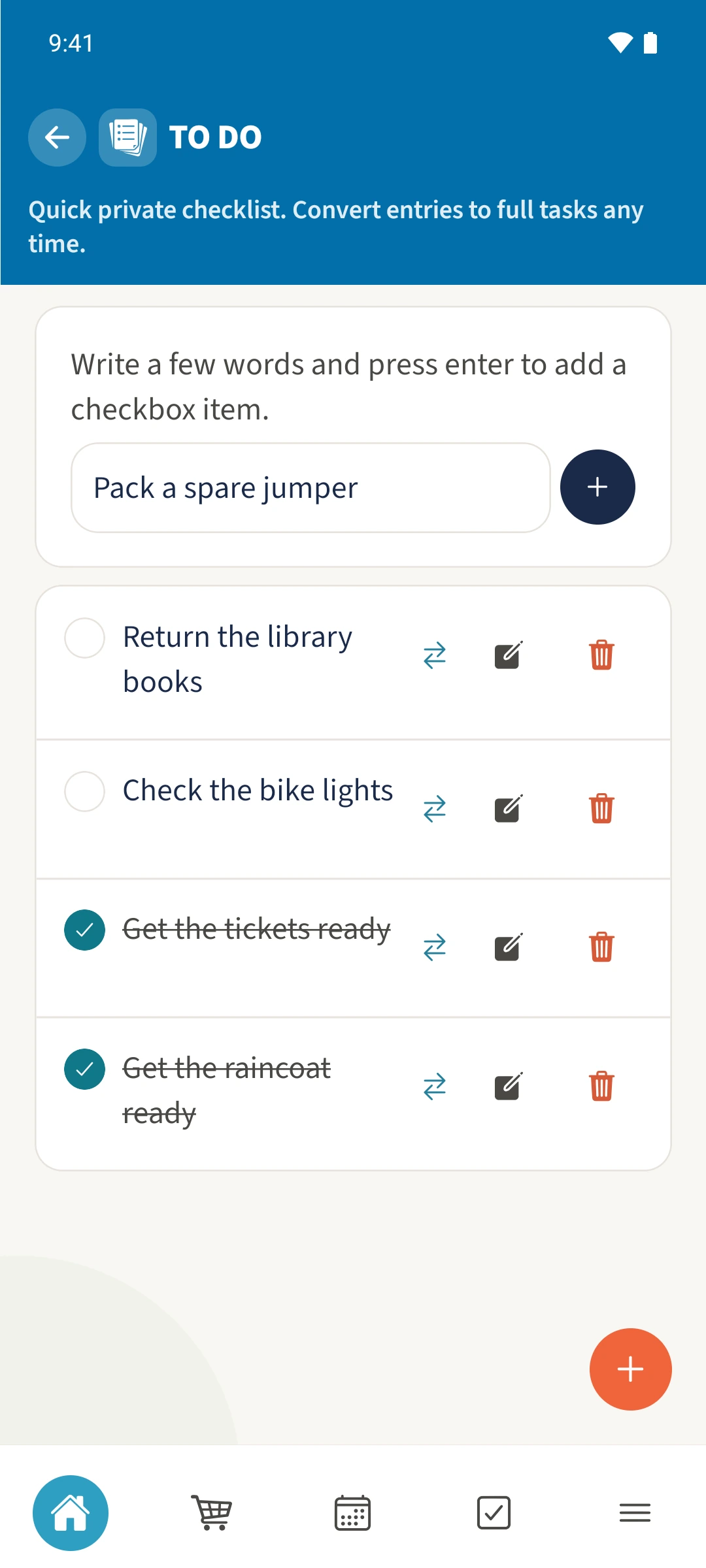
Pack a spare jumper is entered in the quick entry field before it is added.
3Step 3

Tick off the finished item

Tap the circle beside Pack a spare jumper. The item is crossed out and moves below open items. Tap it again to reopen it.
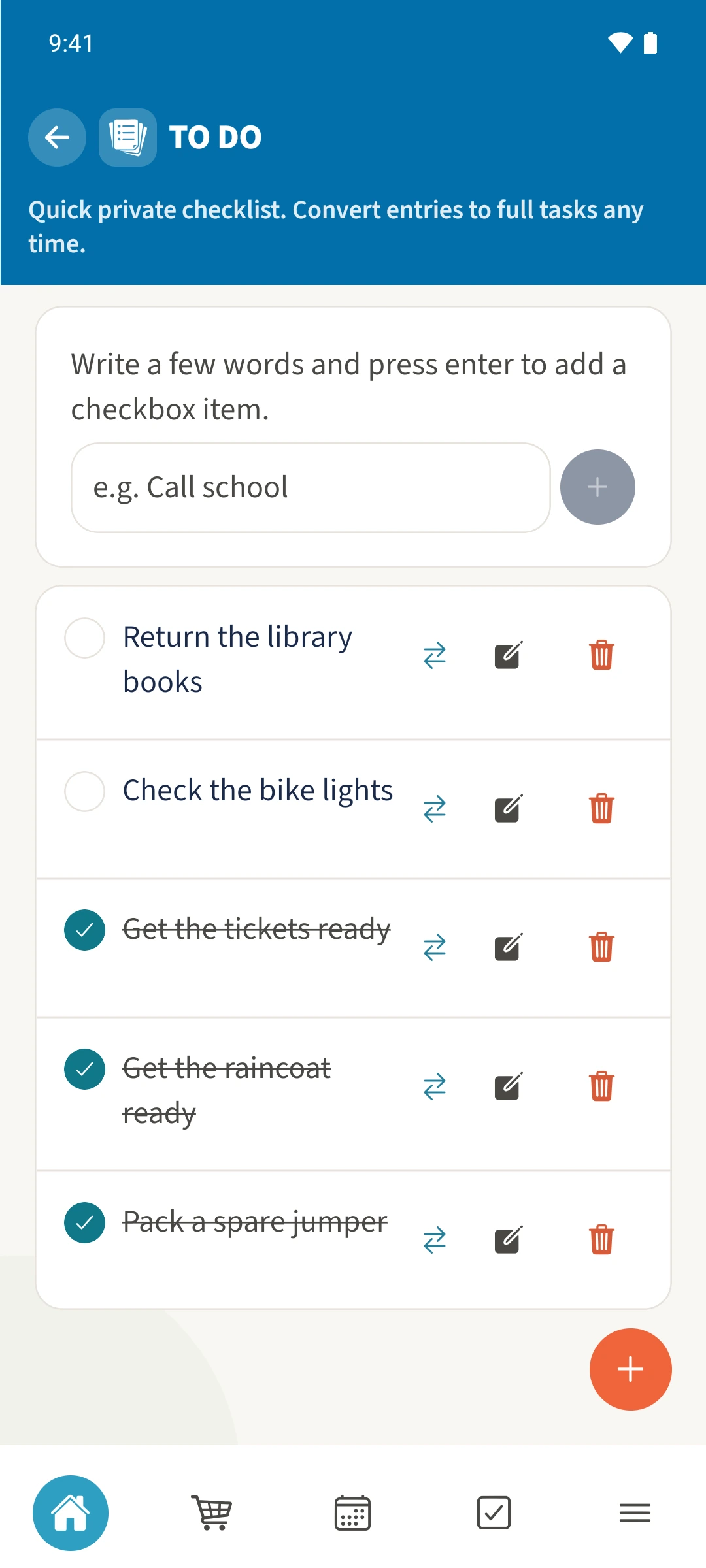
Pack a spare jumper has been added and ticked off, and remains visible with the earlier entries.

All done

Open Lists from the module overview and choose TO DO, marked Private. Type a few words in the quick entry field and use the small plus beside it. Tap the circle on the left to mark an item complete.

If something looks wrong

My text is still in the field at the top.

Tap the small plus beside the field to add it. The large plus at the bottom opens the full item form instead.

Related guides

About this article

Written by Best4Family editorial team. Content reviewed: . Updated: .

The screenshots show the Android app. The layout and controls are largely the same on iOS. The examples use fictional family data.