Create lists for packing and family preparations
Pack sleeping bags, label pencils and prepare games: give each occasion a list you can work through together.
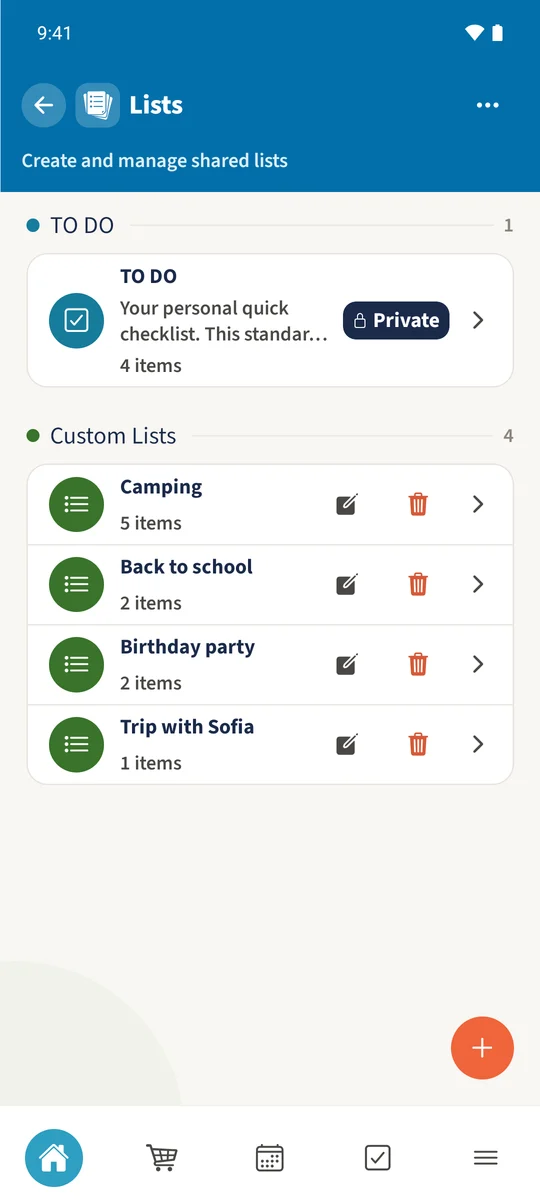
Your family plans in one place
Preparation steps get lost between messages, leaving the family unsure what is still missing.
 How Best4Family helps
Open Lists from the module overview. Use the plus to create a named list, open it and add items as Checklist or Bullet. Checklist items can be ticked off directly.
Get organised in a few steps
- 01
Open Lists
Open the module overview and choose Lists. If the tile is missing, open the module customisation and enable it.
- 02
Name the list
Tap the plus and enter Camping under List name. Choose family visibility for a shared list and tap Create list.
- 03
Add the items
Open Camping by its name and tap the plus. Enter the item text. Choose Checklist for something to tick off or Bullet for information, then tap Save.
- 04
Tick off preparations
Tap the circle beside a completed checklist item. It receives a check mark and its text is crossed out. Use its edit icon to change the text.