
Keep trip memories with places and tags
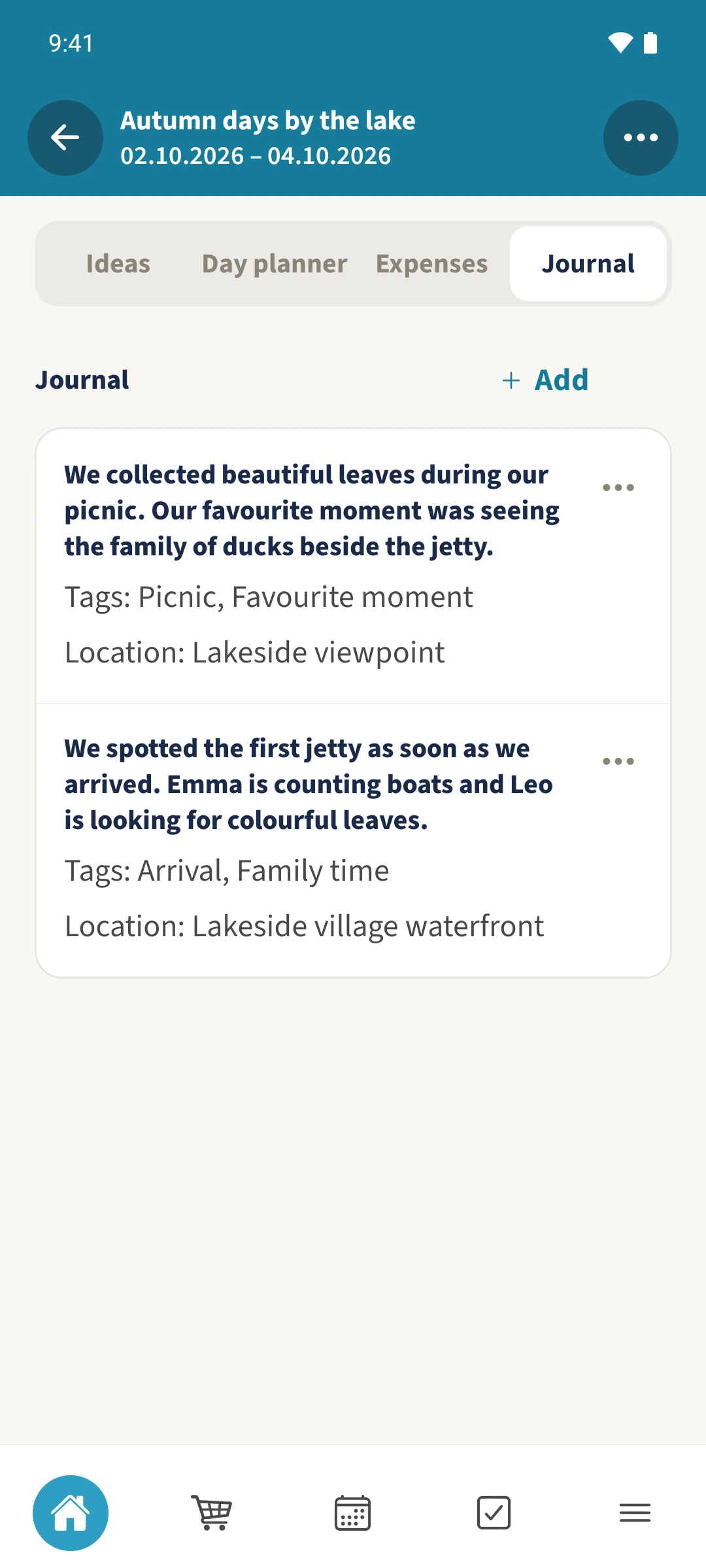
The ducks beside the jetty and the colourful leaves at the picnic deserve a place in your trip journal.
- 1
- The journal collects several text entries within one trip.
- 2
- Tags help describe and organise memories.
- 3
- Family admins can save a new entry with a location label.
Using Trip planning in family life
After an outing, you remember enjoying it but can lose the small details and where they happened.
Open Journal in your trip. Tap Add beside the Journal heading for a new memory, or open the three-dot menu on your own entry and choose Edit. Write the memory and add comma-separated Tags. In this example Daniel, the family admin, also enters a Location. Tap Save entry to keep the changes.
How the steps fit together
- 1
Open the journal
Choose the trip and open Journal. Existing entries show their text and any saved details.
- 2
Write or edit the memory
Tap Add beside the Journal heading to describe a new moment. To update your own entry, open its three-dot menu and choose Edit. The screenshot shows Daniel editing an existing memory about the picnic and the ducks beside the jetty.
- 3
Add tags and a place
Under Tags, enter Picnic, Favourite moment. A family admin can add the place as text under Location. Leave Participants Only selected for this shared example.
- 4
Save and check
Tap Save entry. Check the saved text, both tags and the location. Use the three-dot menu on your own entry to edit it later.