
Split trip expenses in one shared currency
Daniel pays for the accommodation and Sofia buys the tickets. The expense list shows who has paid more than their share.
Before you start
When different people pay up front, working out the final balance becomes difficult without one shared record.
Review the existing expenses
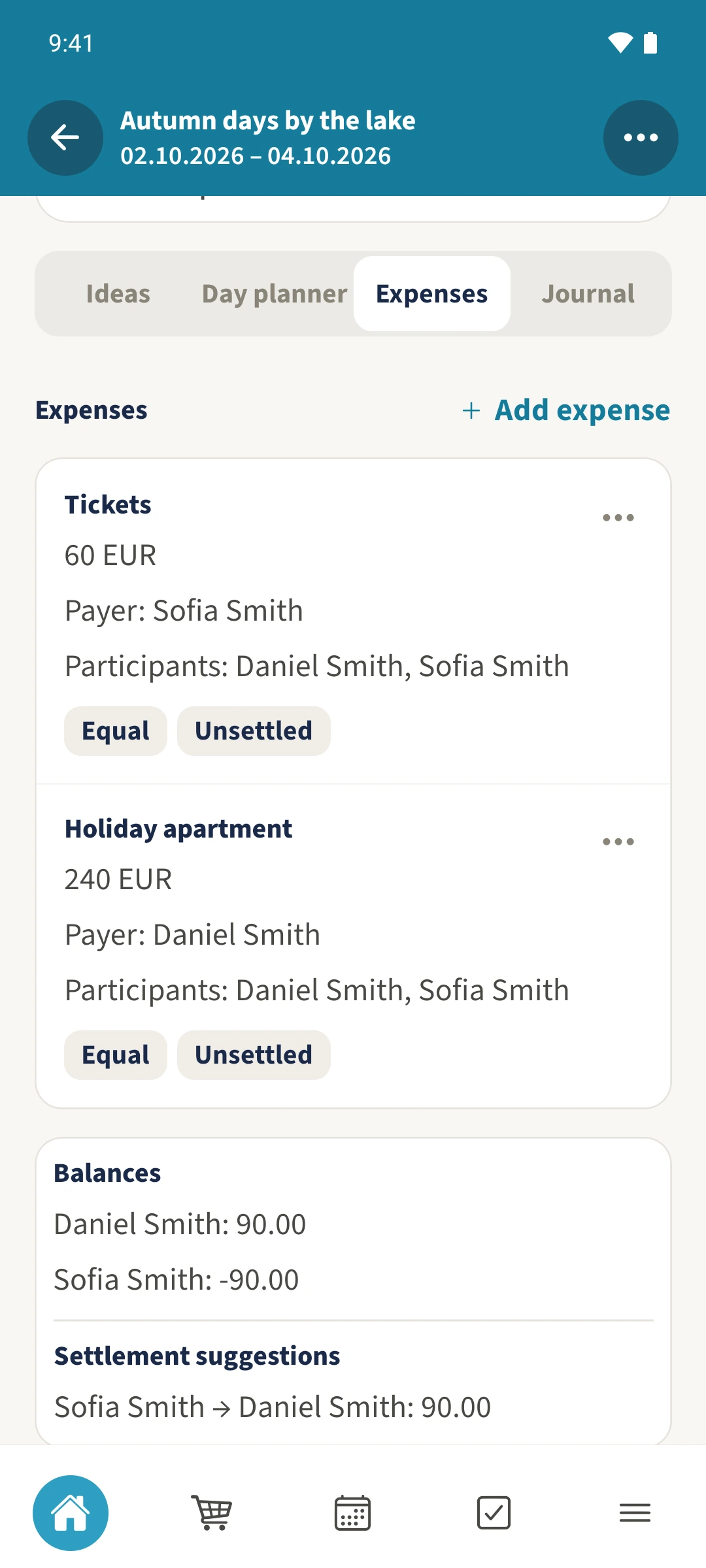
Open Expenses. The example starts with EUR 240 for the holiday apartment paid by Daniel and EUR 60 for tickets paid by Sofia. Both are split equally between them.
Enter the expense and people
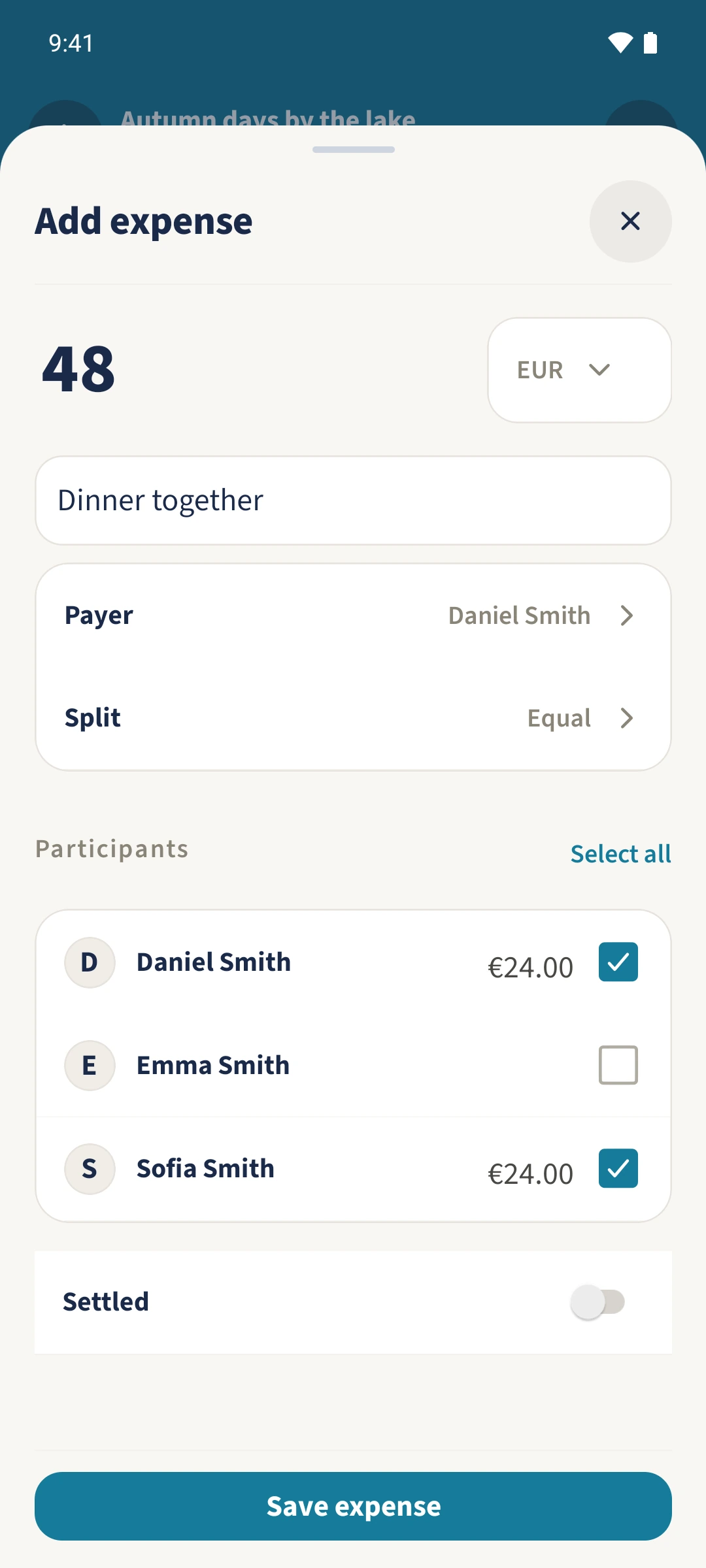
Tap Add expense and enter EUR 48 for dinner together. Choose Daniel as Payer and select Daniel and Sofia as Participants. Equal initially gives each person EUR 24.
Use weights if needed
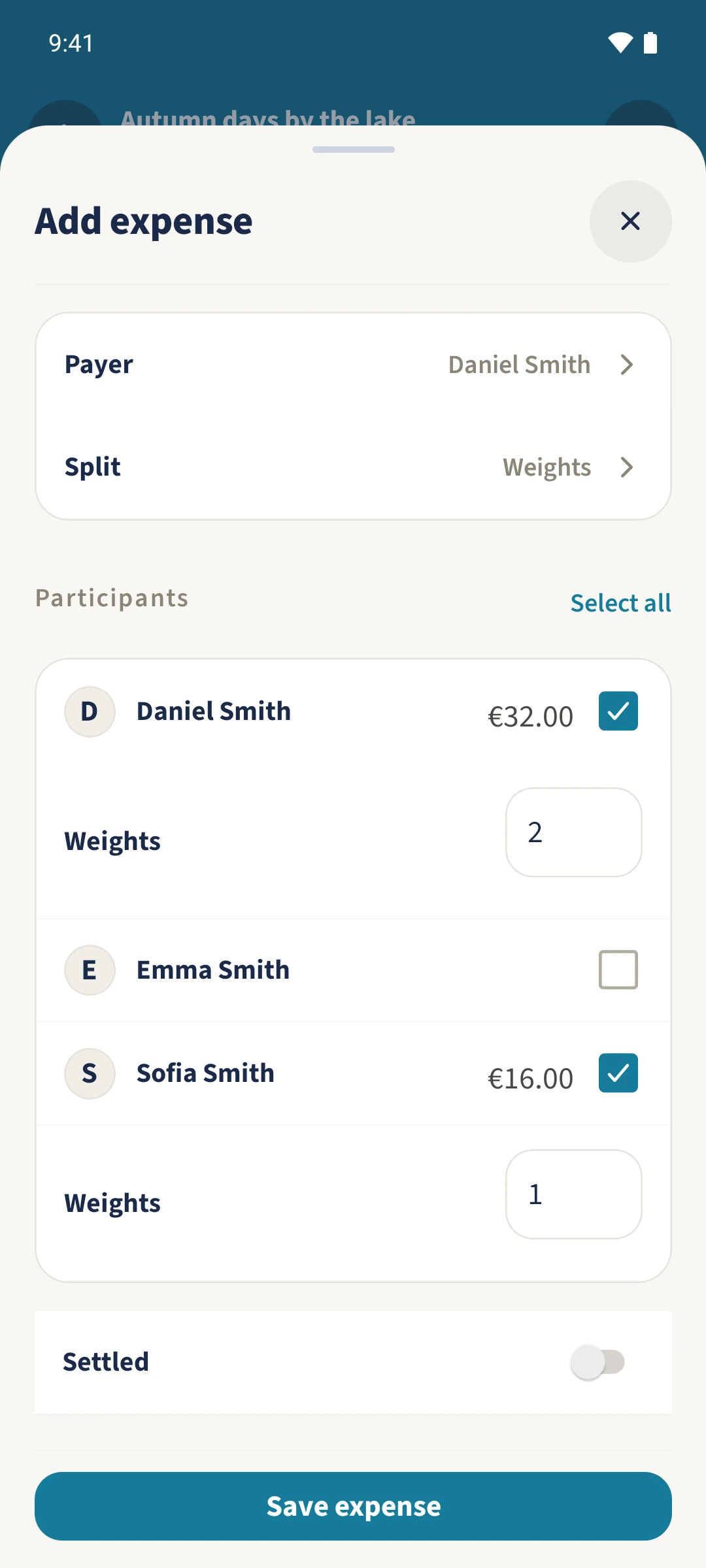
Open Split, choose Weights and confirm with Done. Positive weights of 2 for Daniel and 1 for Sofia divide dinner into EUR 32 and EUR 16. Leave Settled off while the personal balance is still open, then tap Save expense.
Check the balances
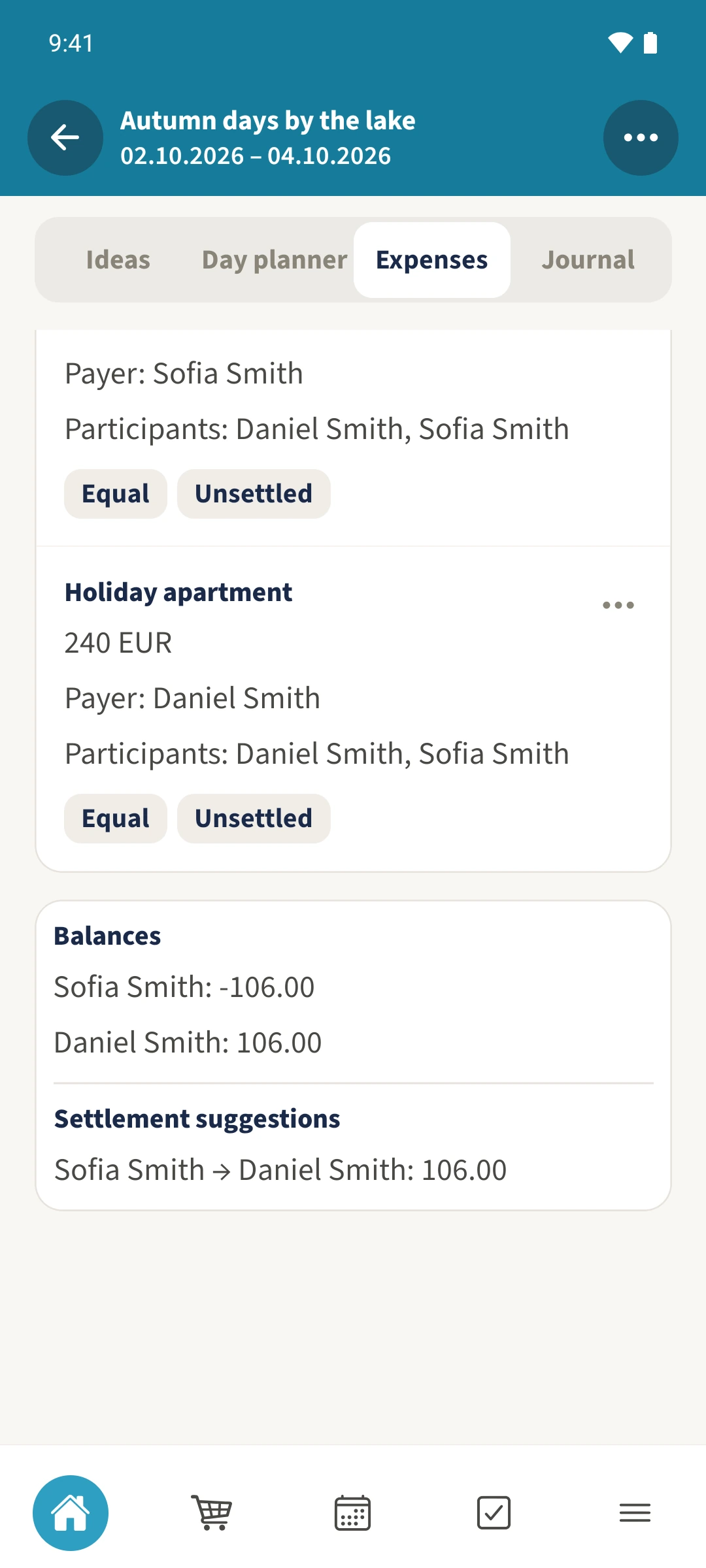
Scroll below the expenses. The three expenses total EUR 348. Daniel has a balance of 106 and Sofia minus 106, so the suggestion is for Sofia to pay Daniel EUR 106. Check it together and make any payment outside the app.
All done
Open Expenses in your trip and tap Add expense. Enter the description and amount in the same currency as the other expenses. Choose Payer and Participants. Under Split, choose Equal or positive Weights. Save expense, then scroll to Balances and Settlement suggestions.