
Add meal-plan ingredients to your shopping list
Your meals are planned. Bring their recipe ingredients together on the shared shopping list.
- 1
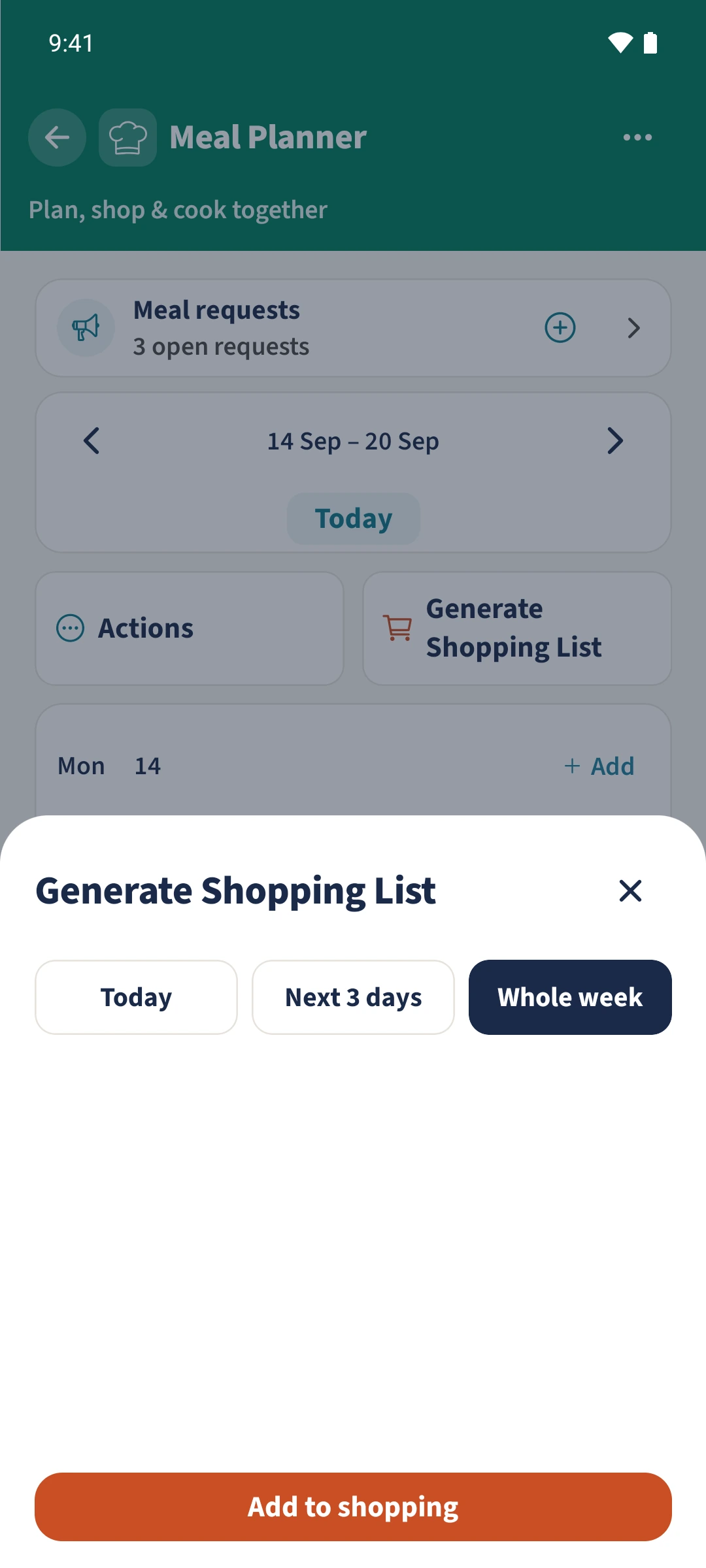
- Ingredients can be generated for today, the next three days or the displayed week.
- 2
- Quantities scale to the planned servings; matching ingredient names and units are added together within the operation.
- 3
- Android adds the generated items directly to the existing main shopping list.
Using Meal Planner in family life
Once the plan is ready, you still need to collect ingredients and quantities from several recipes.
Open Generate Shopping List in Meal Planner. Choose Today, Next 3 days or Whole week, then tap Add to shopping. Android adds the ingredients directly to the existing main shopping list. Open Shopping afterwards to compare them with your supplies and existing items.
How the steps fit together
- 1
Check recipes and servings
Check that the meals link to saved recipes and use the servings you need. Mark leftovers when their ingredients should not be bought again.
- 2
Choose the period
Open Generate Shopping List below the week selection. Choose Today, Next 3 days or Whole week. Check the meal dates carefully: the first two choices start at the device’s current date.
- 3
Add the ingredients once
Tap Add to shopping once and wait for the confirmation, which reports how many items were added. The ingredients go into the existing main list; this action does not create a second shopping list.
- 4
Check the shopping list
Open Shopping and review the added items, initially under Uncategorized. Compare their quantities with food you already have and items already on the list. Matching ingredients are combined within this operation, but existing items can remain as separate entries.