Plan a week of family meals
Cereal at home, pasta for lunch and leftovers for dinner: keep the family’s meals together in one plan.
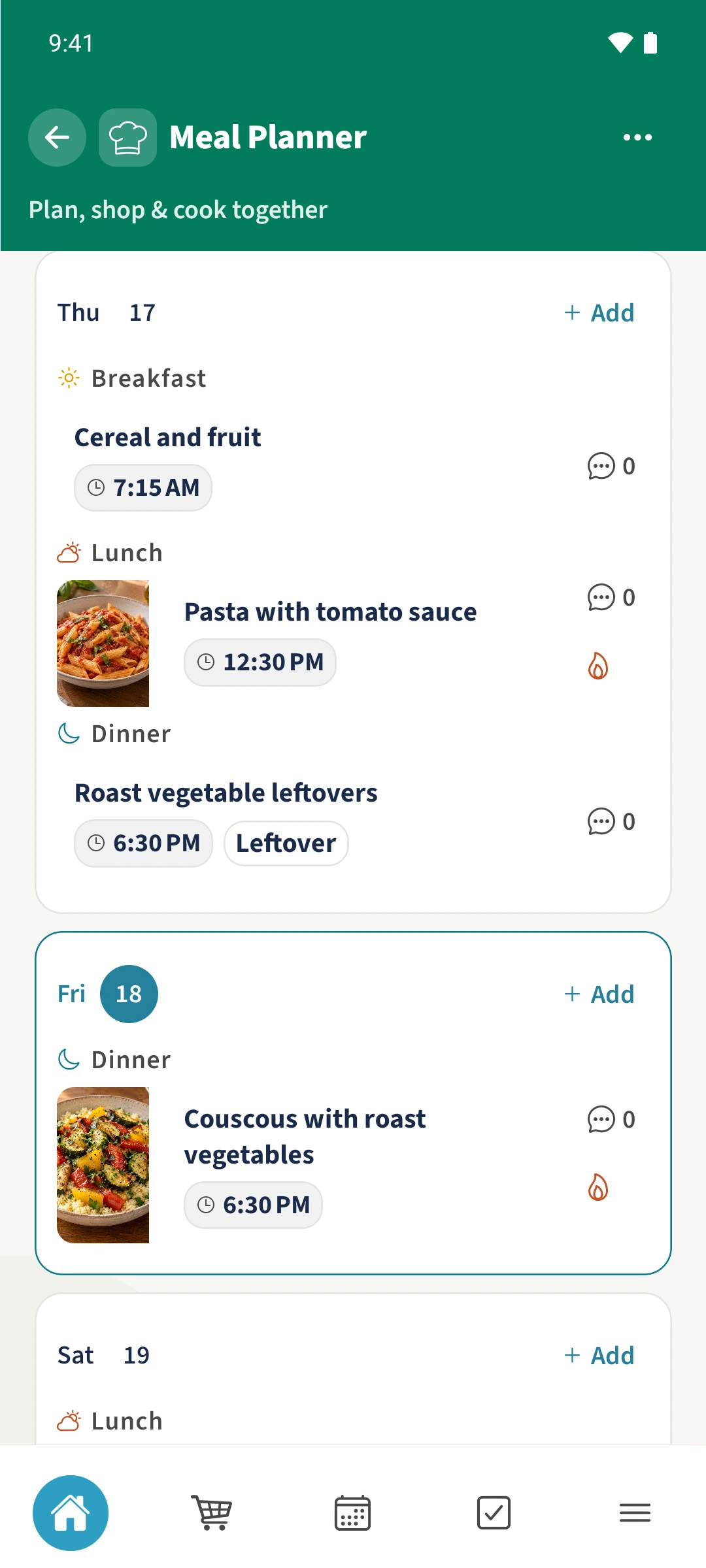
Your family plans in one place
Deciding what to eat comes around every day. Without a shared plan, it is hard to see what is already agreed or when everyone will eat.
 How Best4Family helps
Open Meal Planner, choose the week and tap Add on the day you want. Choose a recipe, restaurant or custom meal and its meal slot. Add servings, an optional time and notes, then save it to that day.
Get organised in a few steps
- 01
Choose a week and day
Open More and Meal Planner. Use the arrows above the plan to change the week. Today returns to the current week and day. Tap Add on the day you want to plan.
- 02
Choose the meal
Select Breakfast, Lunch, Dinner or Snack. Recipe uses a saved family recipe; Restaurant uses a saved place. Choose Custom for cereal, sandwiches or another idea without a linked recipe.
- 03
Add the details
Enter the servings and, if useful, the meal time. Restaurant meals call this Departure time. Scroll further down to mark leftovers or add a note.
- 04
Save and check the plan
Save the meal. Its title appears on the chosen day with its time or Leftover label when set. Tap it to edit it again, or use its speech-bubble icon to open meal comments.