
Collect family meal requests and vote on them
Meal ideas get lost in messages. Even when everyone likes an idea, it may still be unclear which day it is for.
See the exampleFrom a daily problem to a clear plan
The starting point
Meal ideas get lost in messages. Even when everyone likes an idea, it may still be unclear which day it is for.
A practical next step
Weekend pancakes or vegetable soup on Friday: give each suggestion a date and a place for replies.
Meal Planner with Best4Family
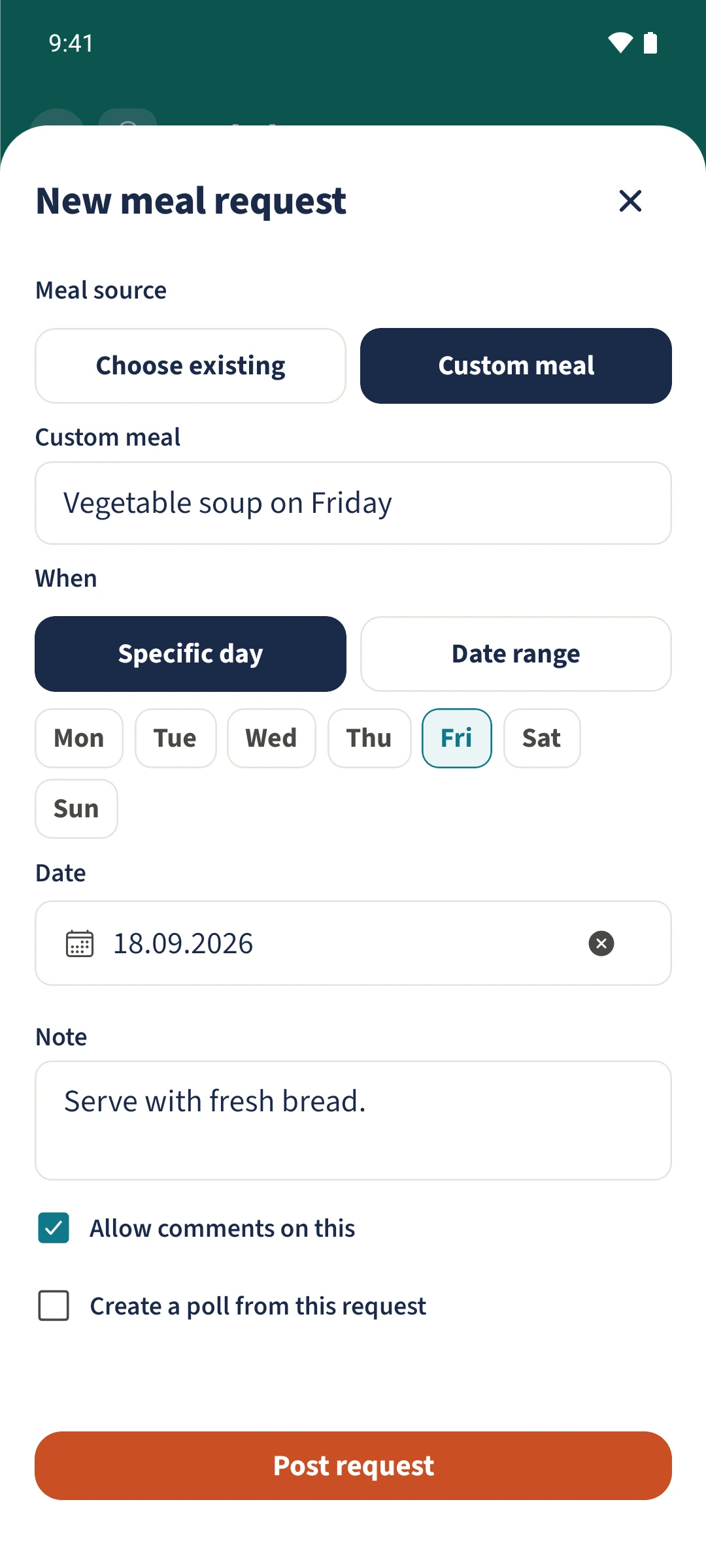
Tap the plus beside Meal requests in Meal Planner. Choose an existing recipe or enter a custom meal, select a day or date range and add a note. You can allow comments and create a linked poll. The request does not add a meal to the plan.
Get organised in a few steps
- 1
Describe the request
Tap the plus beside Meal requests. Choose Choose existing for a saved recipe or Custom meal for your own idea. The example uses Vegetable soup on Friday.
- 2
Set the date and replies
Choose Specific day or Date range and check the dates. Add a note, such as the side dish to serve. Enable Allow comments on this if you want replies, then tap Post request.
- 3
Add a comment
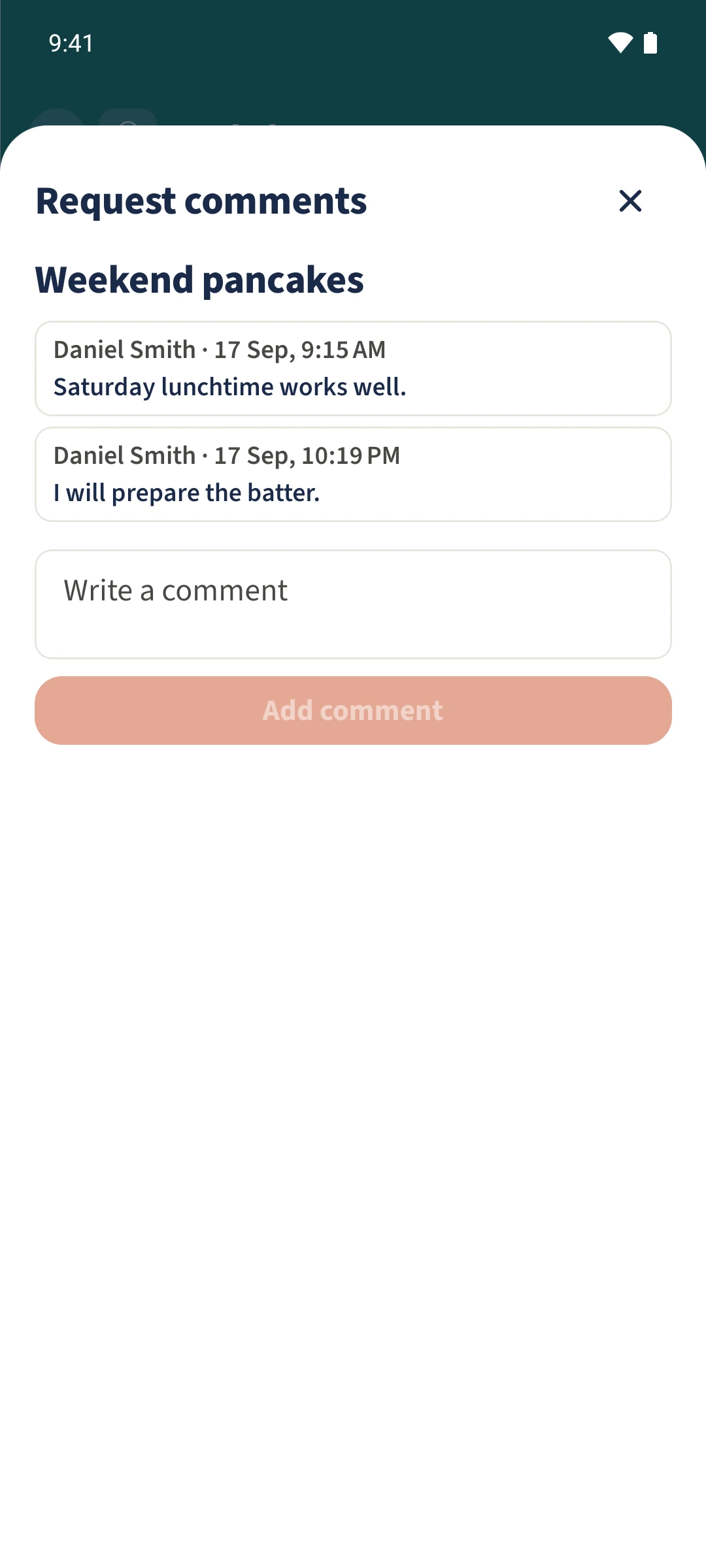
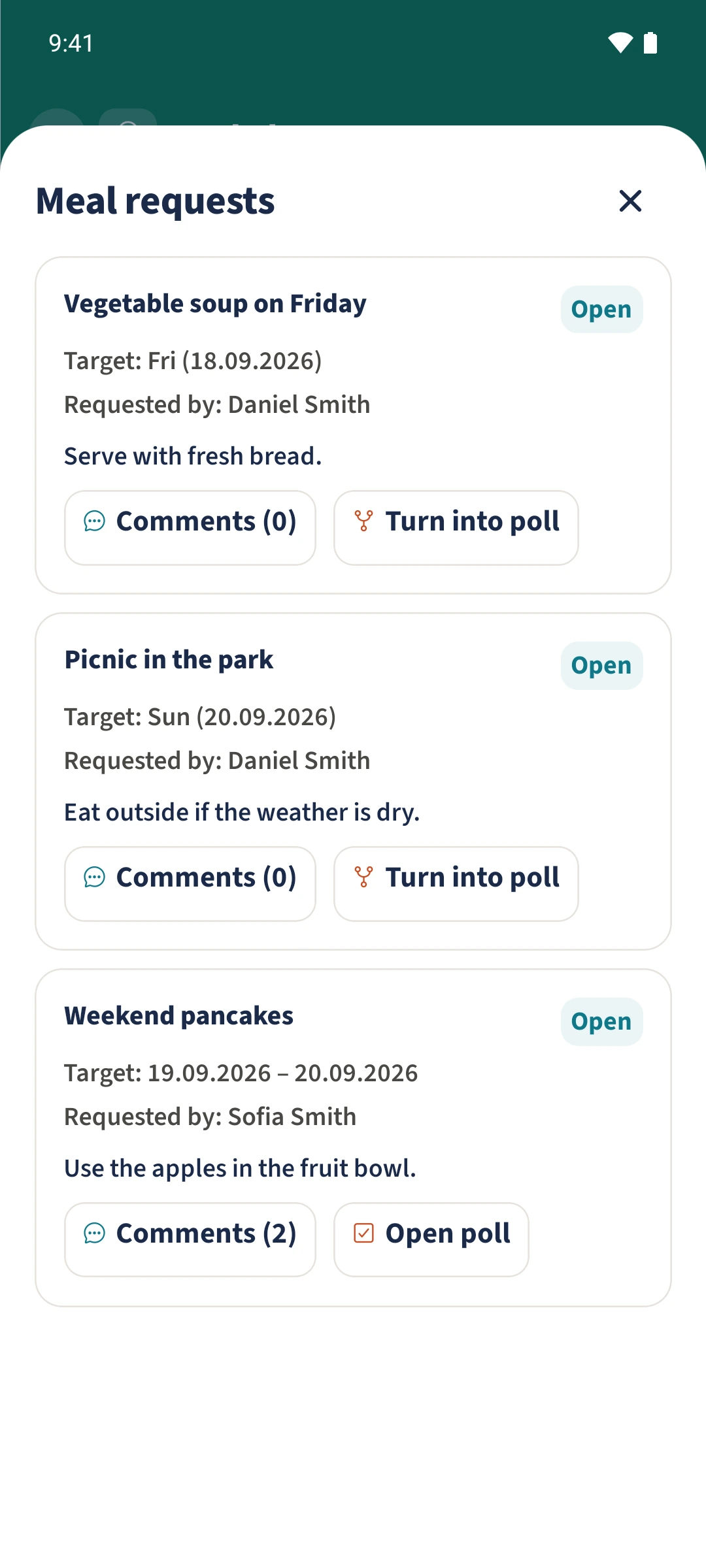
Expand Meal requests and tap Comments on the relevant request. Write your reply and tap Add comment. The saved comment shows who wrote it and when.
- 4
Create a poll if needed
Tap Turn into poll on the request. Once created, Open poll takes you to the family poll. You can also enable Create a poll from this request in the request form. Add the agreed meal to the plan separately.
The essentials at a glance
Part 01
A meal request can refer to a recipe or describe a custom meal.
Part 02
Requests support a specific day or a date range and optional comments.
Part 03
A request can create a linked yes/no poll that you reopen from the request.