Create a decision wheel for a family afternoon
When everyone is happy with each suggestion, a shared wheel can help choose one.
Your family plans in one place
The family has several good ideas but cannot settle on which one to try.
 How Best4Family helps
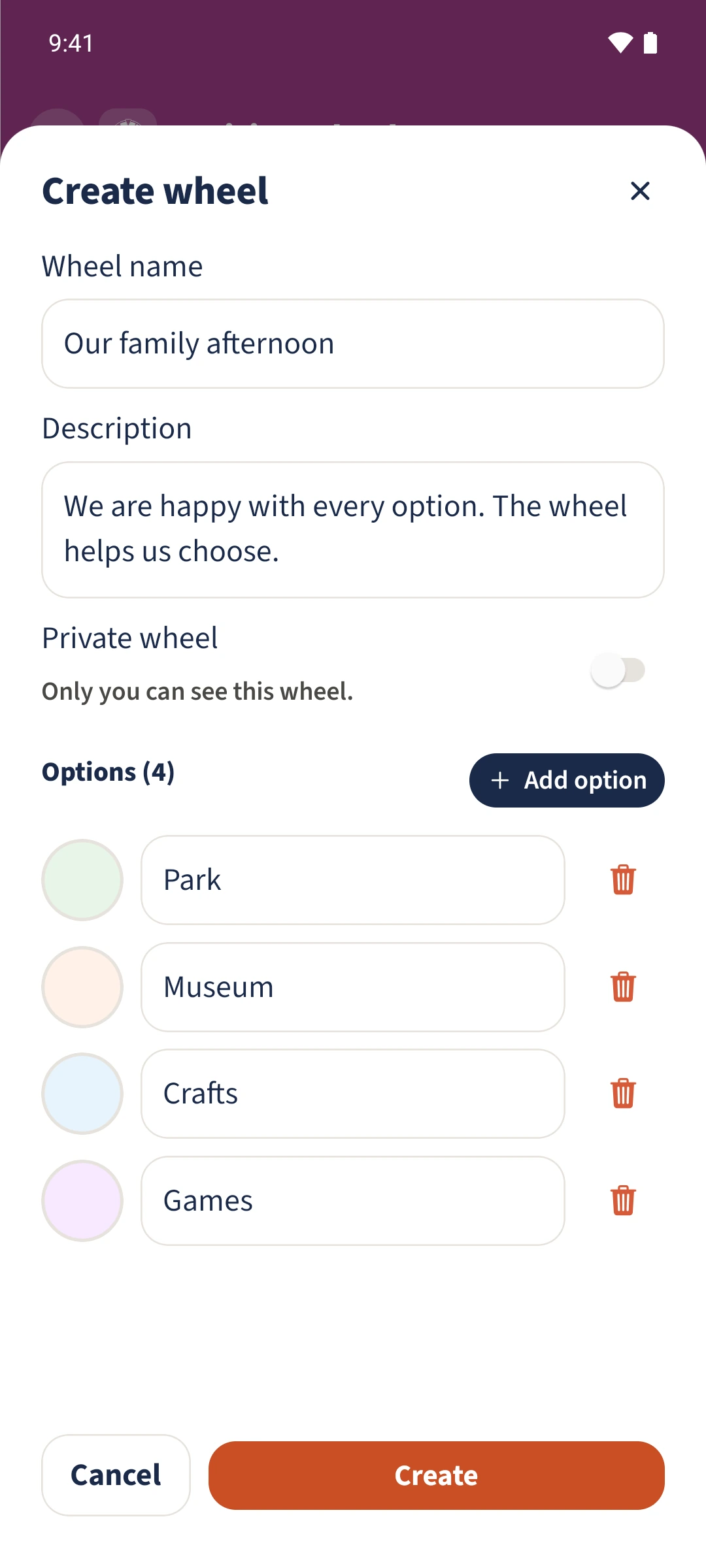
Open Decision wheel from the module overview and tap the plus. Enter a Wheel name and at least two options. Add a Description and choose colours if useful. Leave Private wheel off and tap Create. The saved wheel is ready to spin.
Get organised in a few steps
- 01
Create a shared wheel
Open Decision wheel and tap the plus. Enter Our family afternoon and a short description of what the wheel will choose.
- 02
Enter the options
Add Park, Museum, Crafts and Games. Add option creates another field; at least two options must contain text.
- 03
Choose colours and save
Tap an option’s colour swatch to pick a colour. Leave Private wheel off and tap Create.
- 04
Check the saved wheel
Check its name, description and segments in the overview. Spin the wheel and History are below the wheel.