
Use a private decision wheel and its history
My little break helps Daniel choose between Reading, Walk and Listening to music.
Before you start
A personal wheel and its results should not be visible to the entire family.
Check the private audience
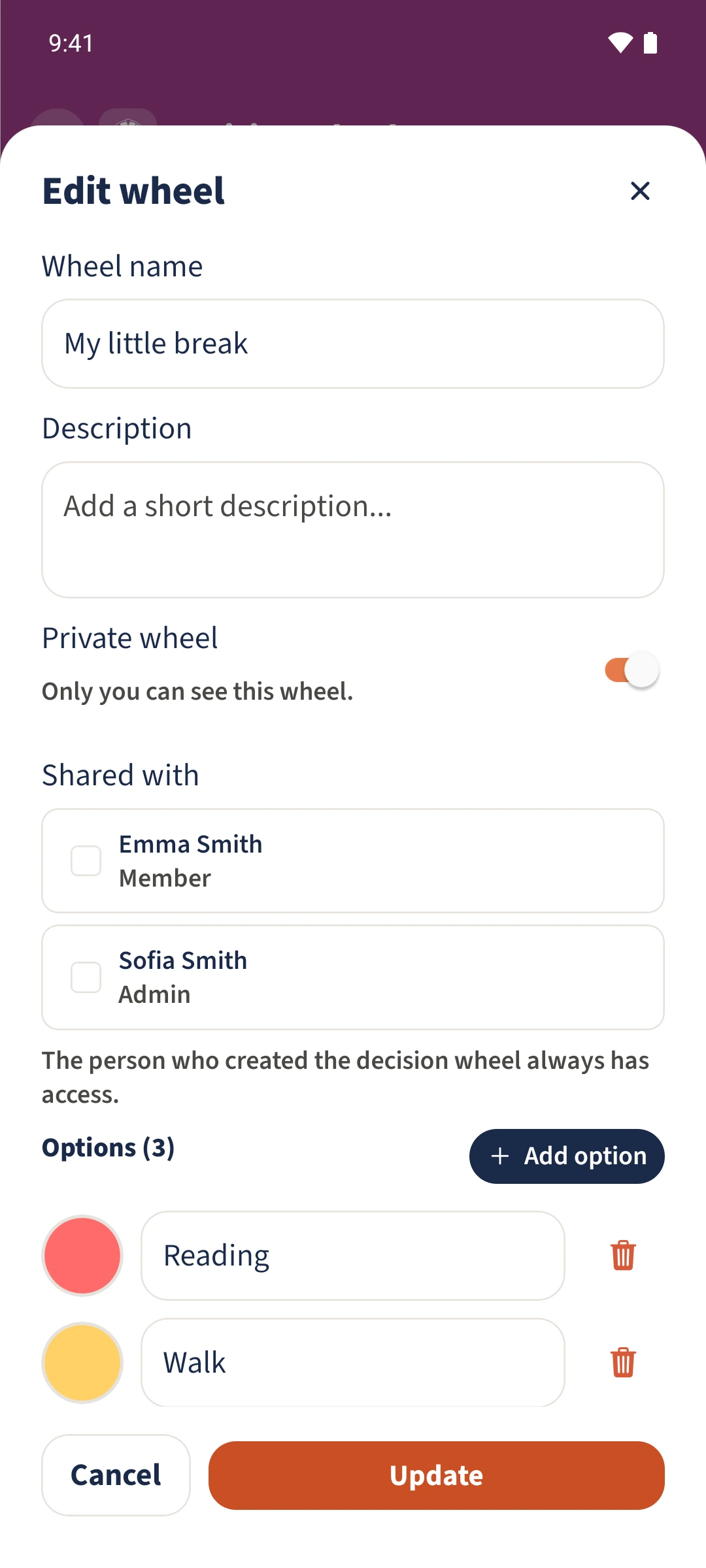
Tap Edit on My little break. Private wheel is on. Leave Emma and Sofia unselected under Shared with for this personal example.
Save the options
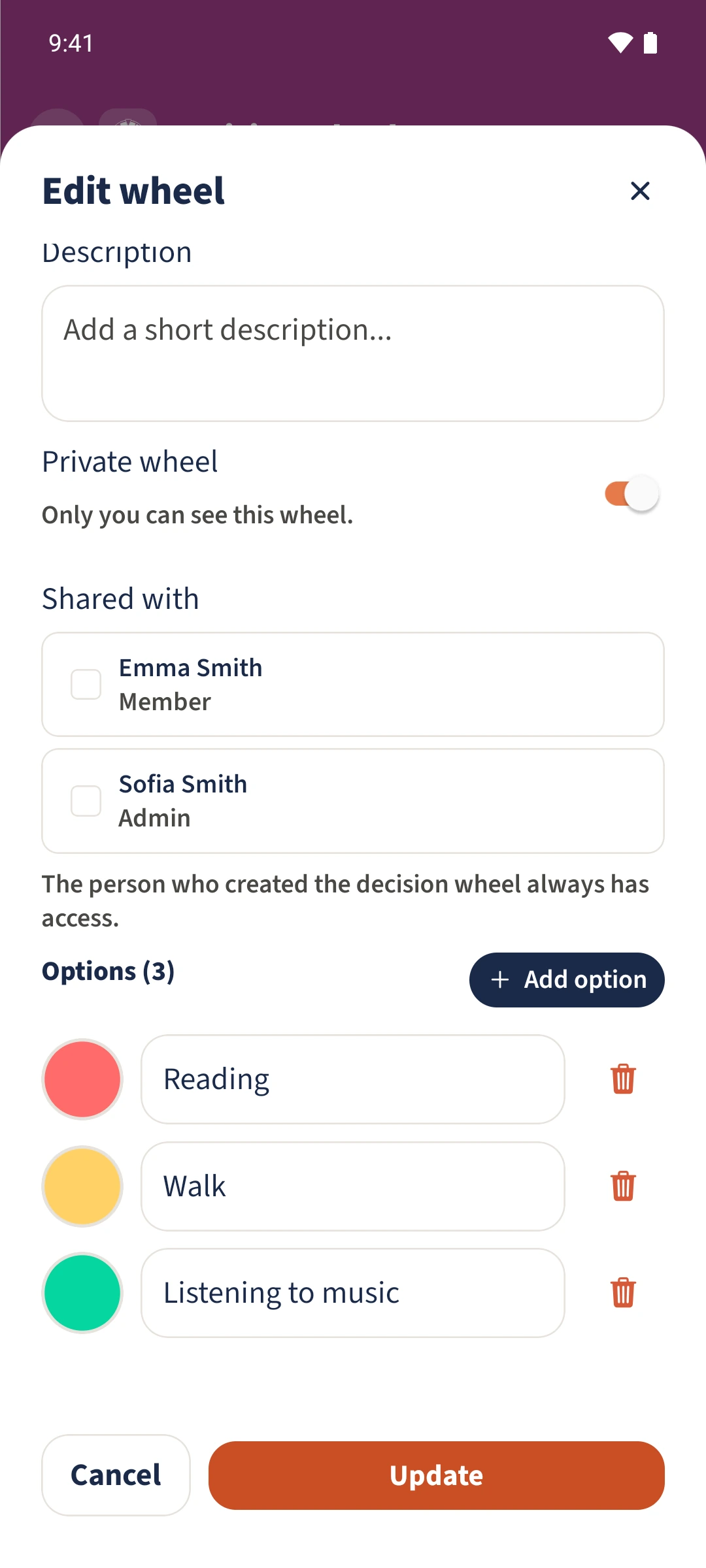
Check Reading, Walk and Listening to music. Scroll within the dialog if needed and tap Update.
Spin the saved wheel
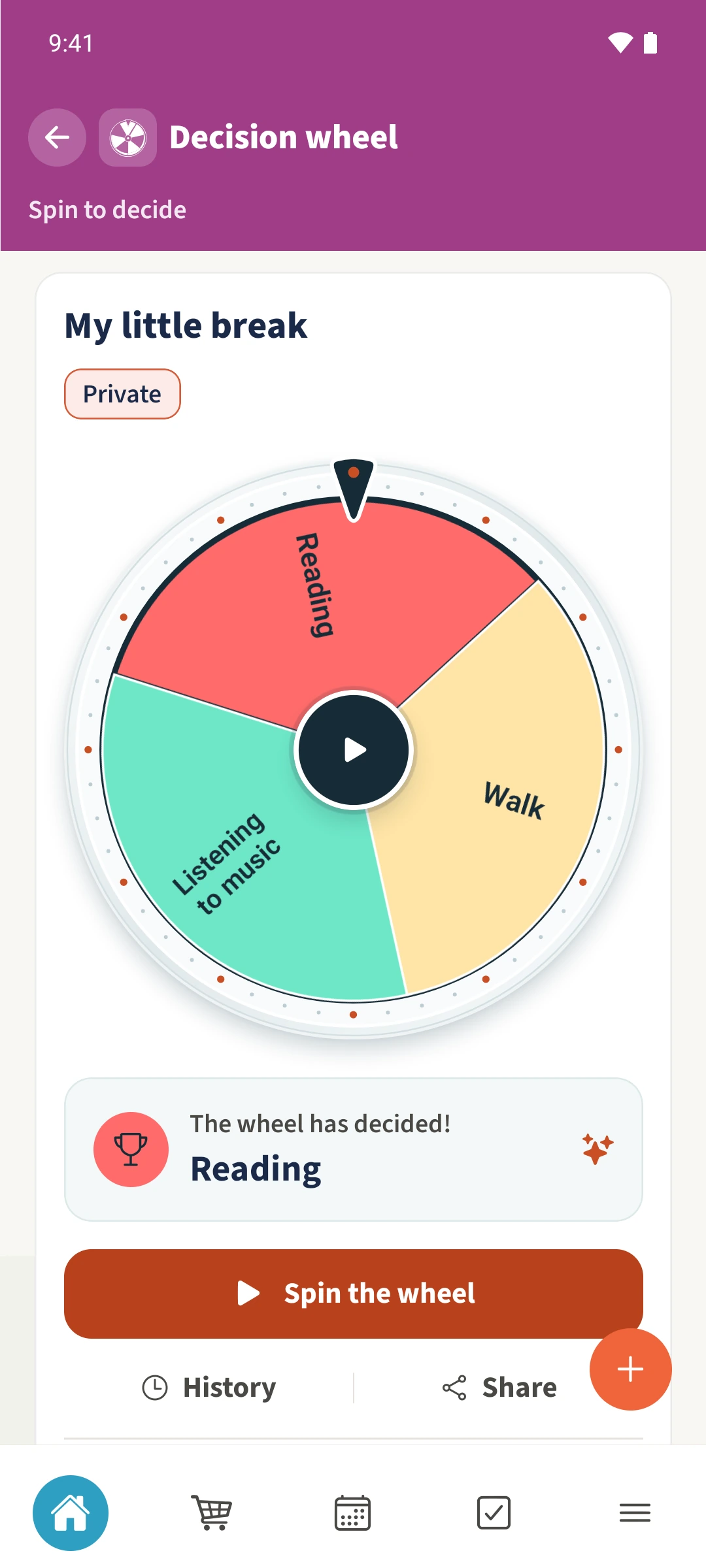
Open the same wheel and tap Spin the wheel. Wait until the animation ends, then read the chosen option.
Open its history
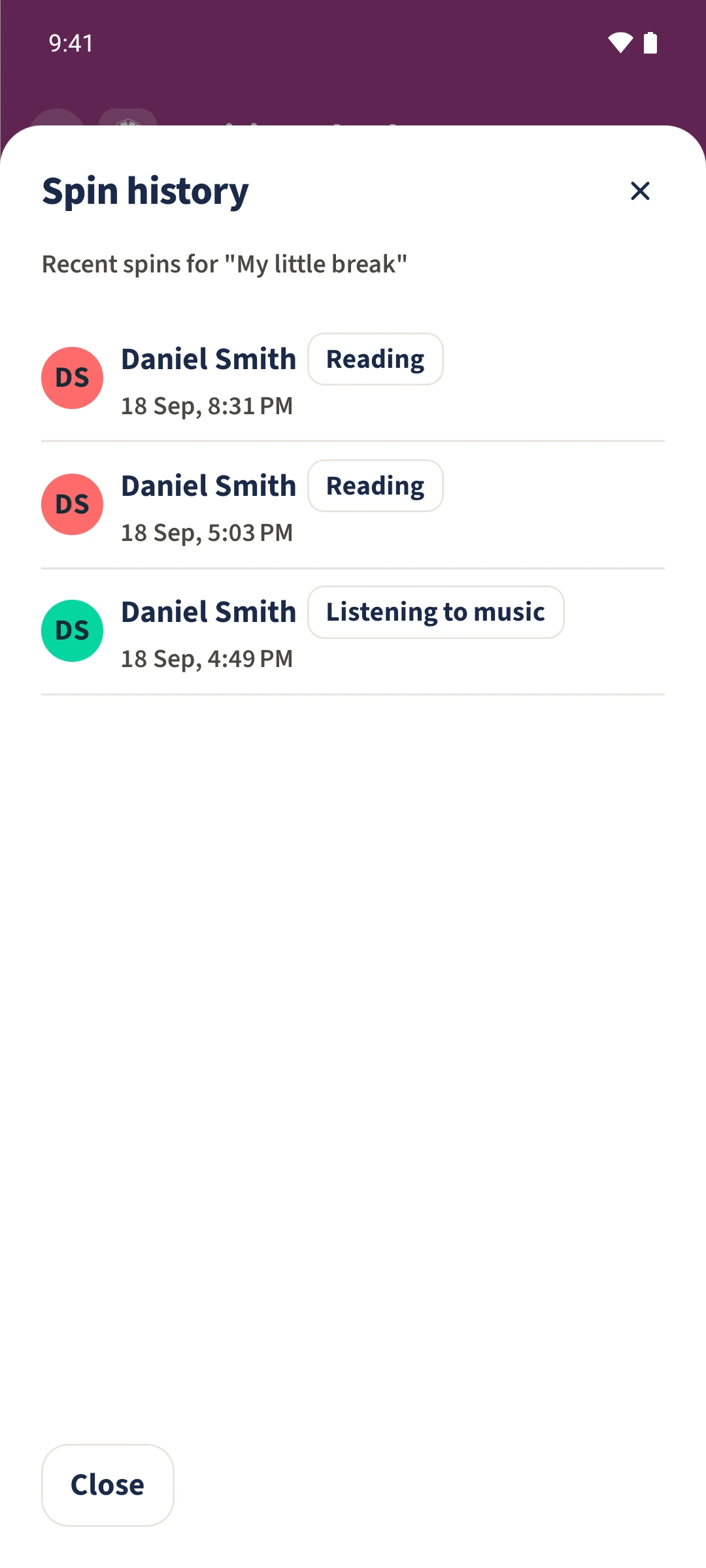
Tap History. The new entry identifies Daniel, the chosen option and the time. People outside the selected audience cannot read the wheel or its results in the locally verified version.
All done
Open the wheel’s editor and enable Private wheel. Under Shared with, choose any additional people who should have access. In this example no additional person is selected; Daniel retains access as the creator.