
Set up recurring costs in your family budget
Rent and internet bills rarely change. Keep their amounts, categories and due dates together as recurring items.
Before you start
Regular costs are re-entered every month or missed from planning even though their details are already known.
Open recurring items
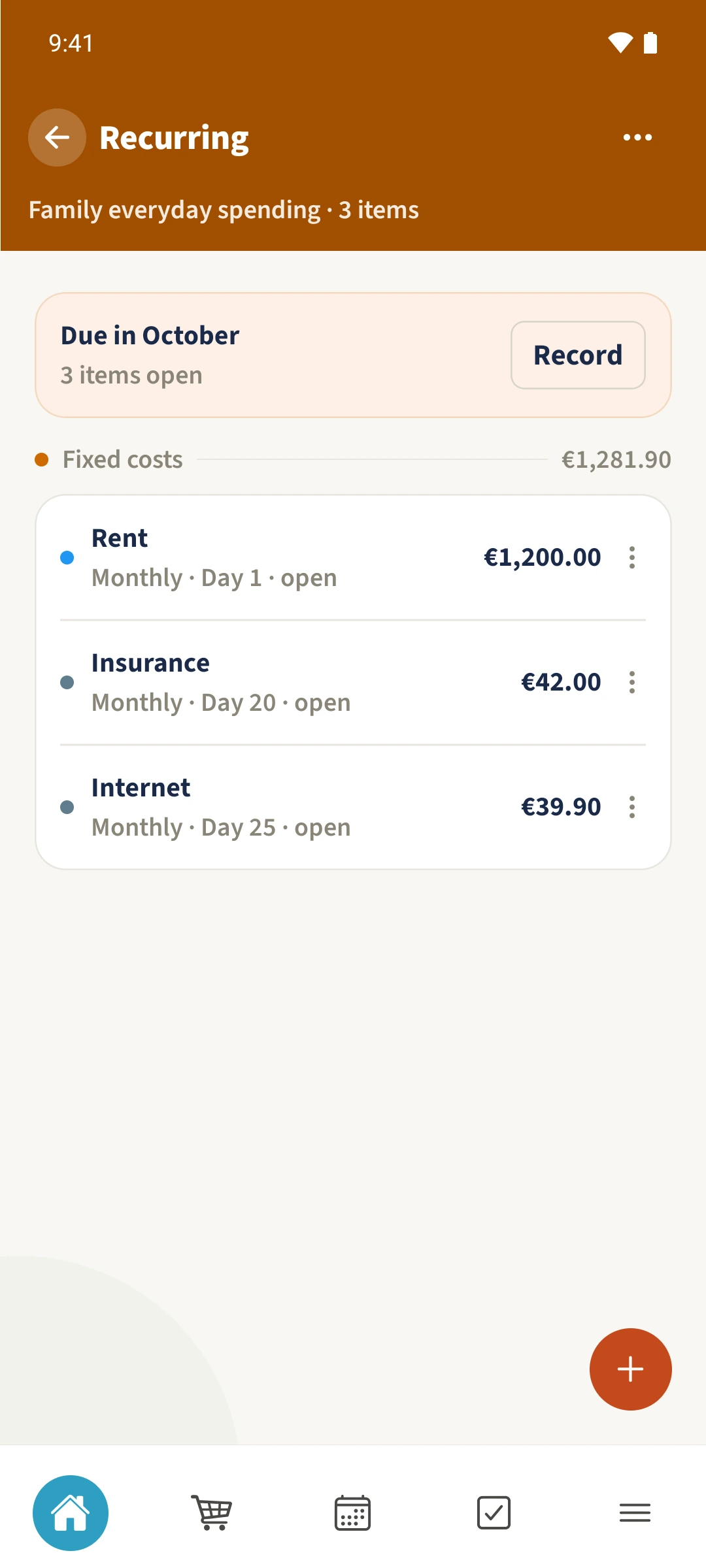
Select the budget month, then open Recurring from Plan. In the October 2026 example, Rent, Insurance and Internet already exist and all three are still open for the month.
Check or enter the recurring cost
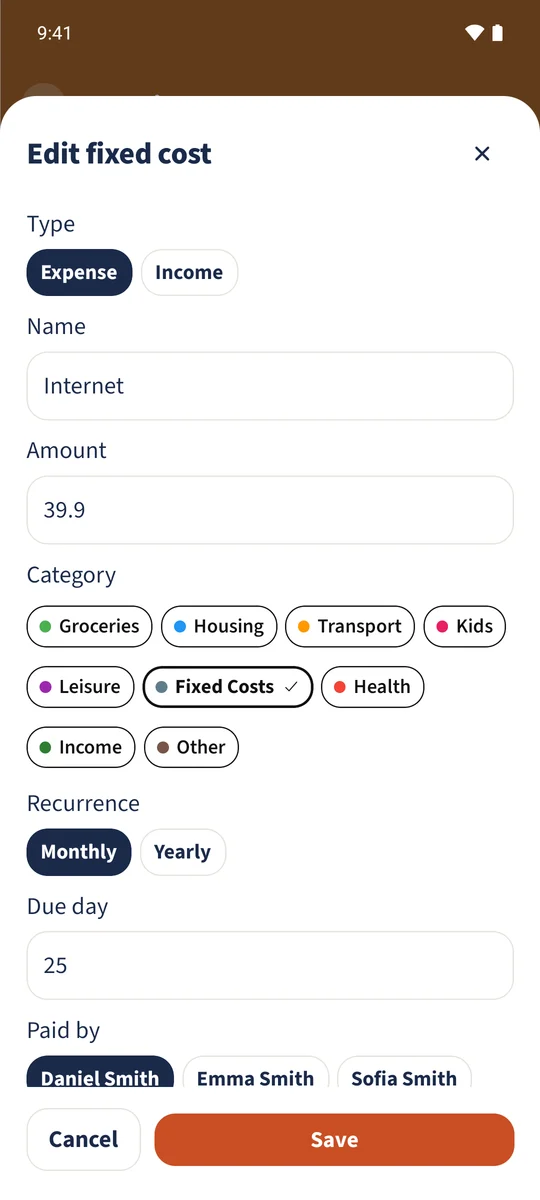
Open the existing Internet item, or tap the plus when adding a new cost. Check its name, amount, category, recurrence, due day and payer. Yearly items also need a due month. The example uses Internet at €39.90, monthly on day 25.
Save the active item
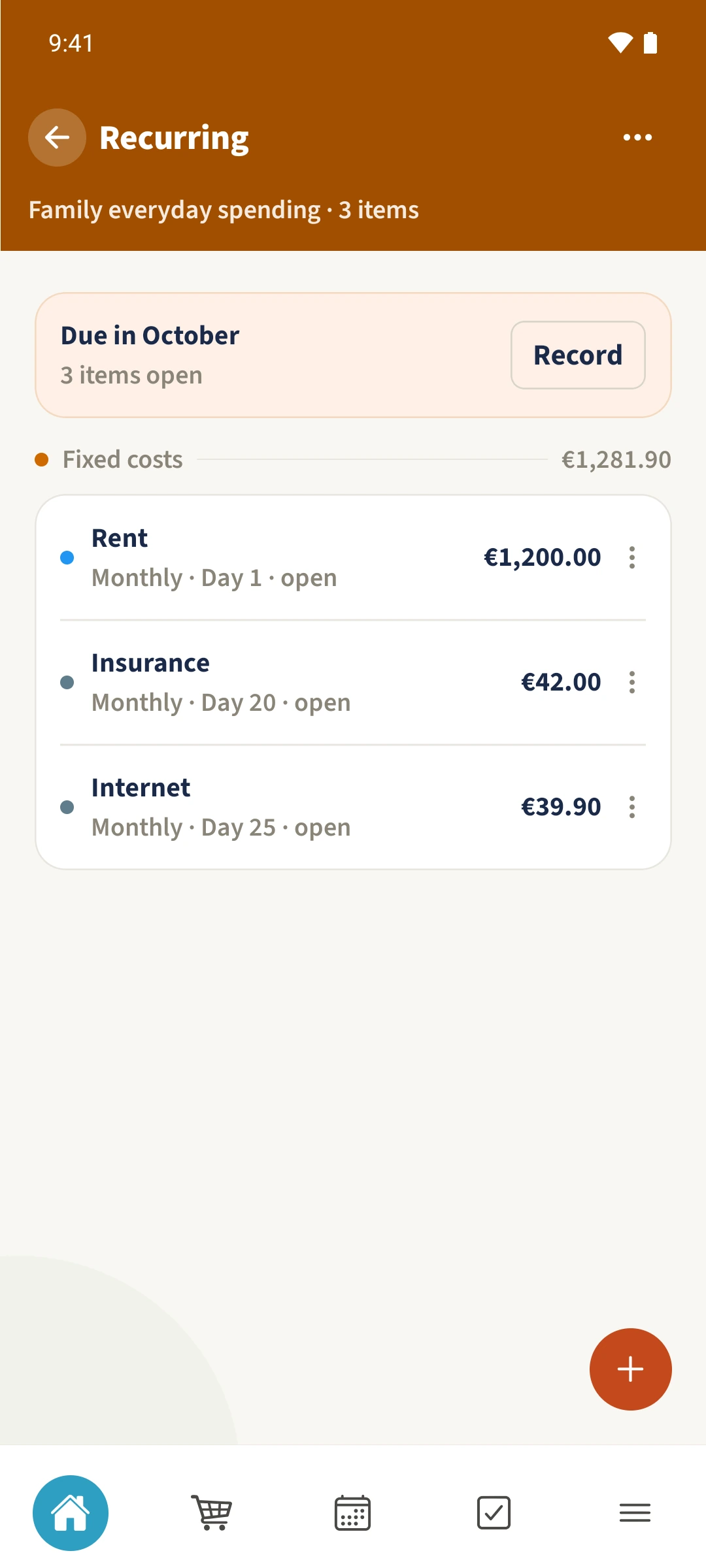
Keep Active switched on for an ongoing cost and save it. Return to the list and check the three outstanding items: Rent, Insurance and Internet.
Record the month and check
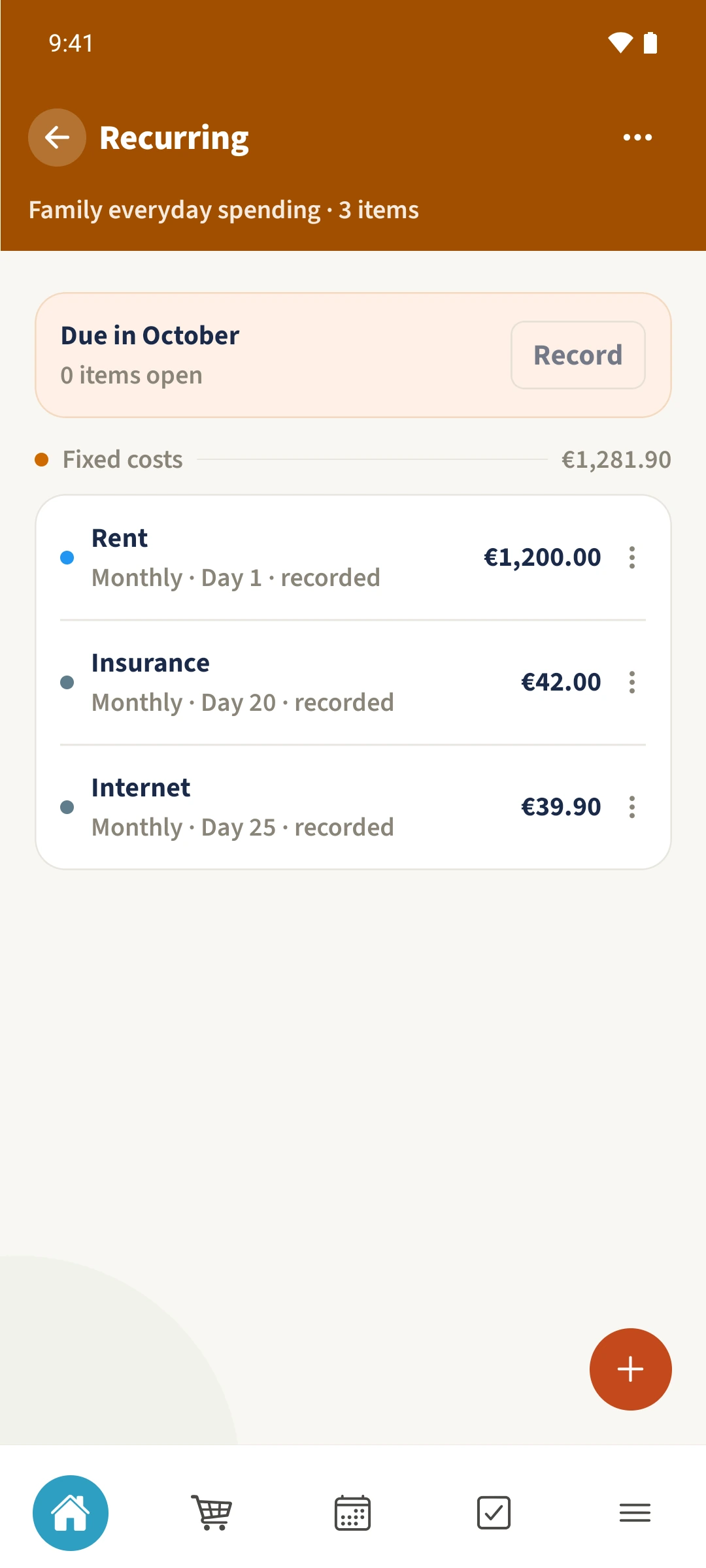
Tap Record and confirm Generate. Items already recorded for that month are skipped. The example records all three active costs for October 2026. Check their updated status and review the transactions created.
All done
In Budget → Plan, open Recurring. Open an existing item to check or edit its details, or use the plus to add a new one. Record creates budget transactions for the active outstanding items in the selected month.