
Save restaurant contact details and family notes
The address and Emma’s pizza without olives stay with the restaurant when someone else handles pickup.
Before you start
You know the restaurant’s name, but still have to search for its contact details and everyone’s preferences each time.
Open the right restaurant
Open Restaurants and tap the pencil icon on the relevant entry. Check its name and cuisine before editing.
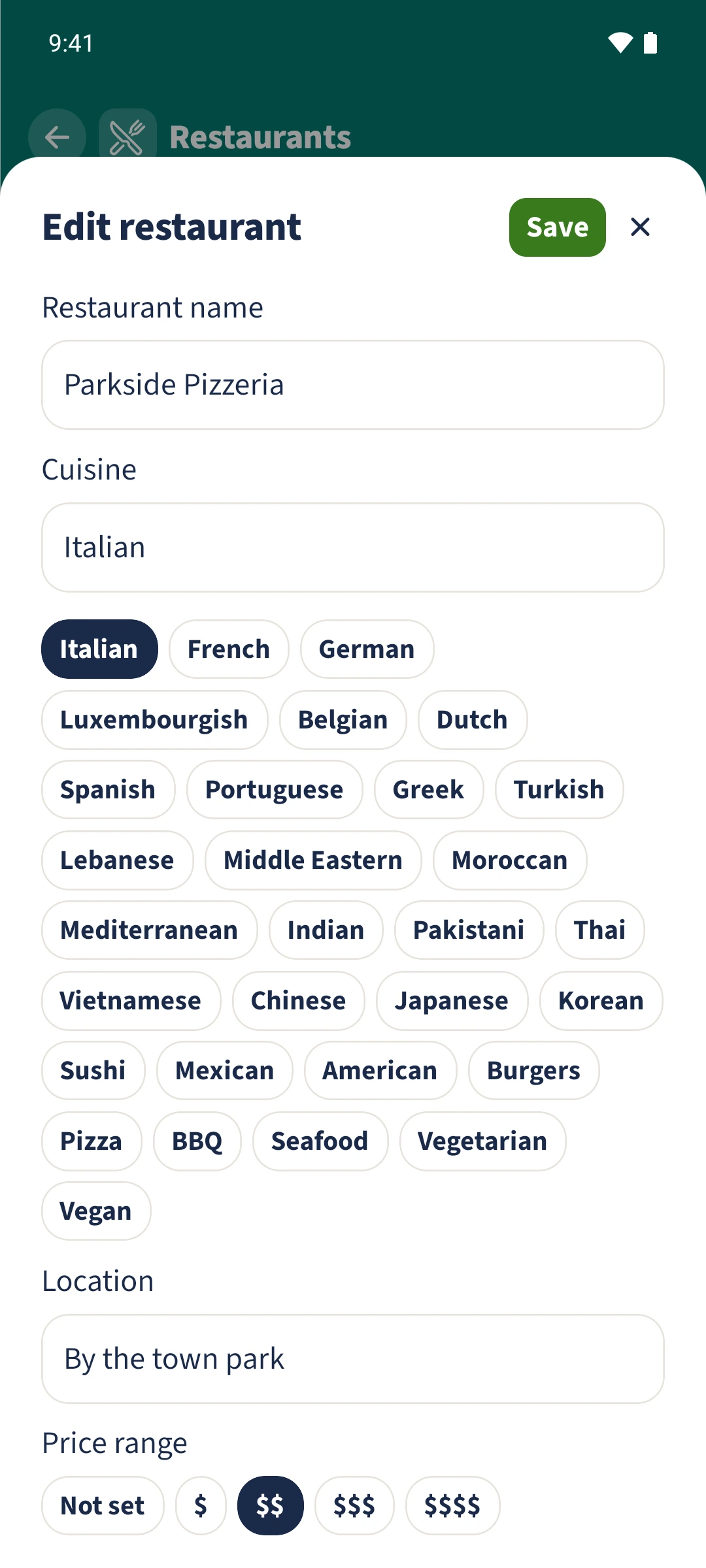
Add contact details and a note
Scroll below the photo area to Website, Phone and Address. Enter the details you know. Under Available for, select Delivery, Pickup or Dine in, then add a clear family note.
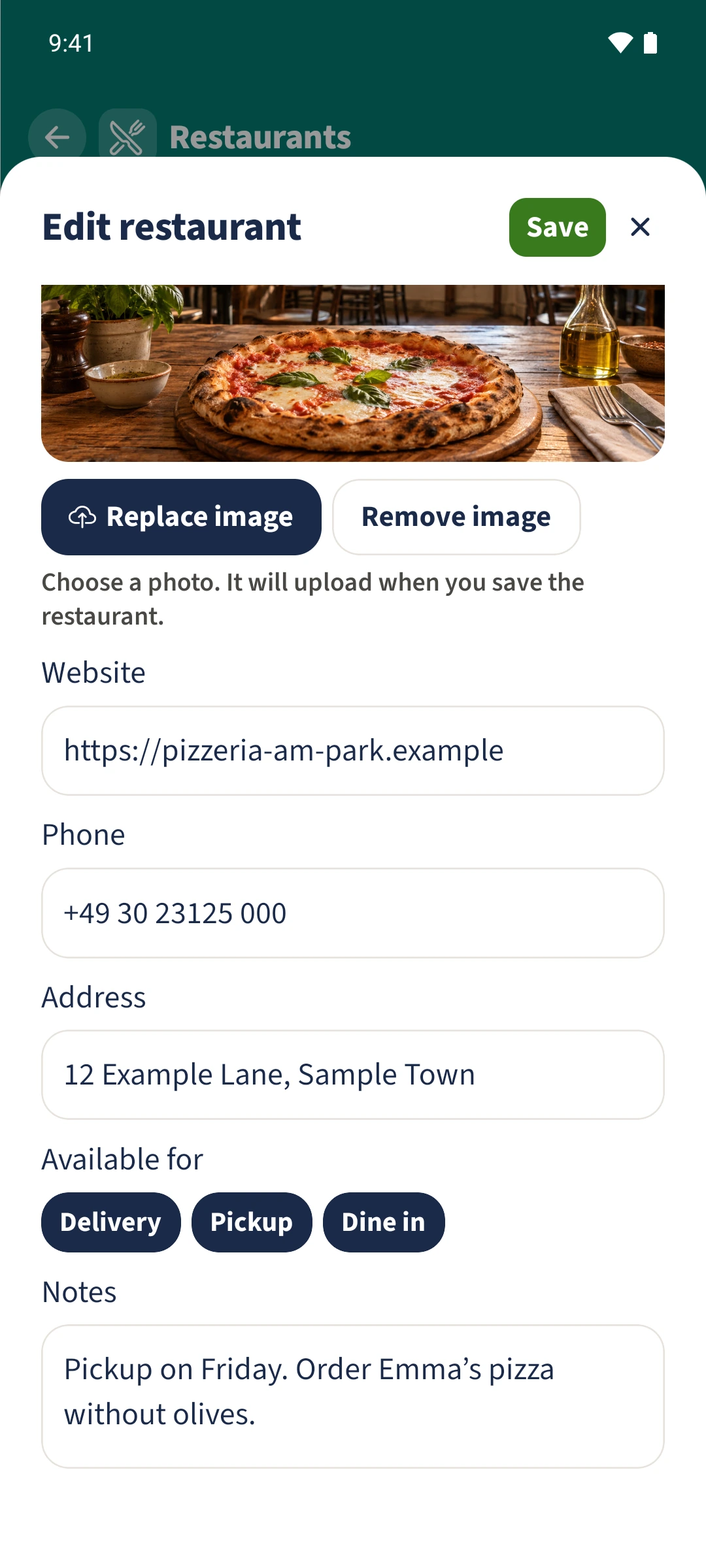
Save and read the result
Tap Save at the top. Check the card’s address, phone, website and note. The example note says: Pickup on Friday. Order Emma’s pizza without olives.
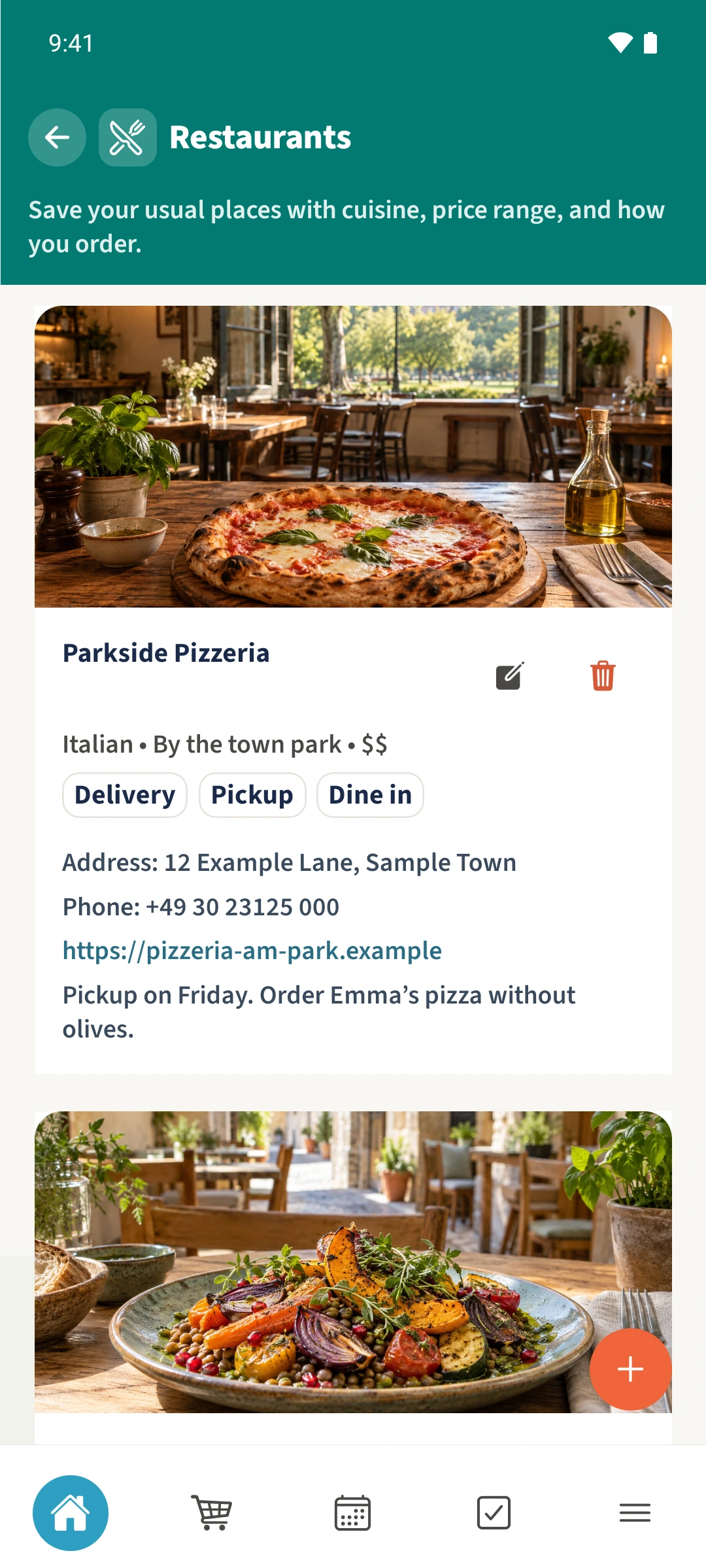
All done
Tap the pencil icon beside a saved restaurant. Scroll below cuisine, location and the photo to Website, Phone and Address. Add the service options and a note, then tap Save at the top and check the restaurant card.