
Filter recipes by ingredients and dietary labels
You have tomatoes and want something quick. Narrow down your collection with a search and suitable filters.
Before you start
As your collection grows, it gets harder to find a dish that fits the ingredients and time you have.
Search the collection
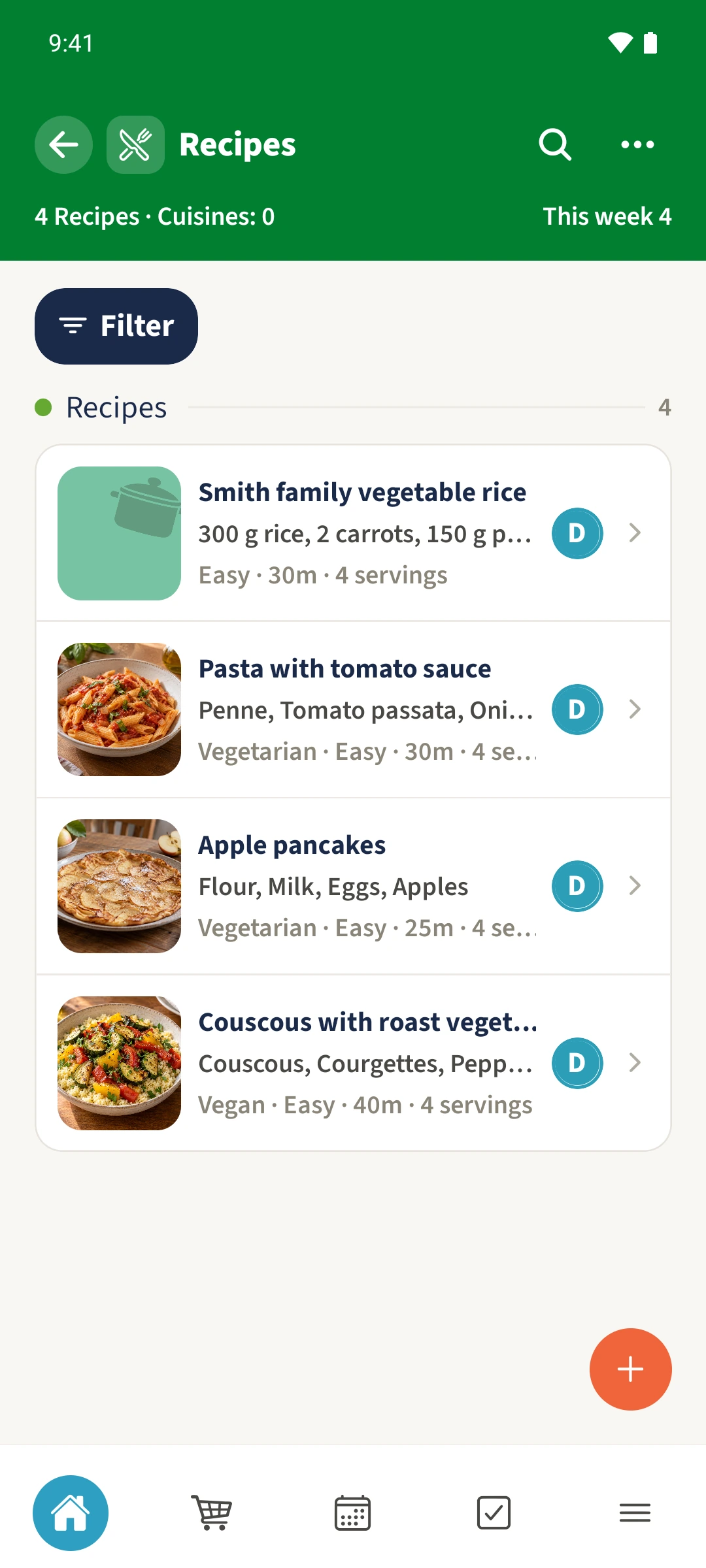
Open Recipes and tap the search icon. Enter a title, ingredient or tag. The example searches for tomato.
Combine the filters
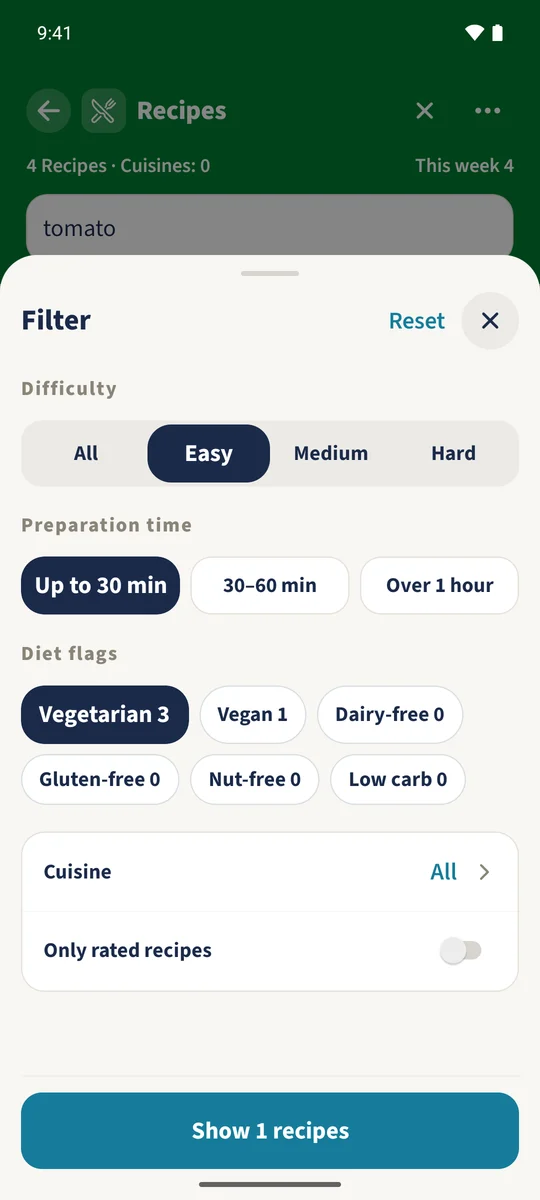
Open Filter and select Easy, Up to 30 min and Vegetarian. You can also select saved cuisines or choose Only rated recipes to include recipes with ratings.
View the matching recipes
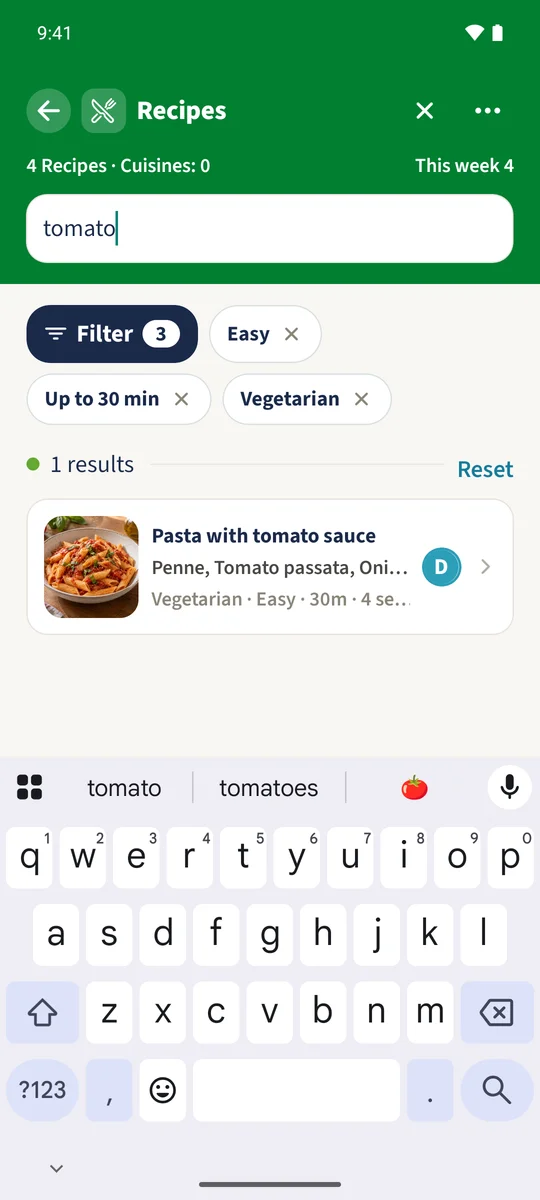
Tap the button at the bottom showing the result count. Active filters appear above the recipes. The example leaves Pasta with tomato sauce as the matching result. Remove a single filter with its cross.
Check the full recipe
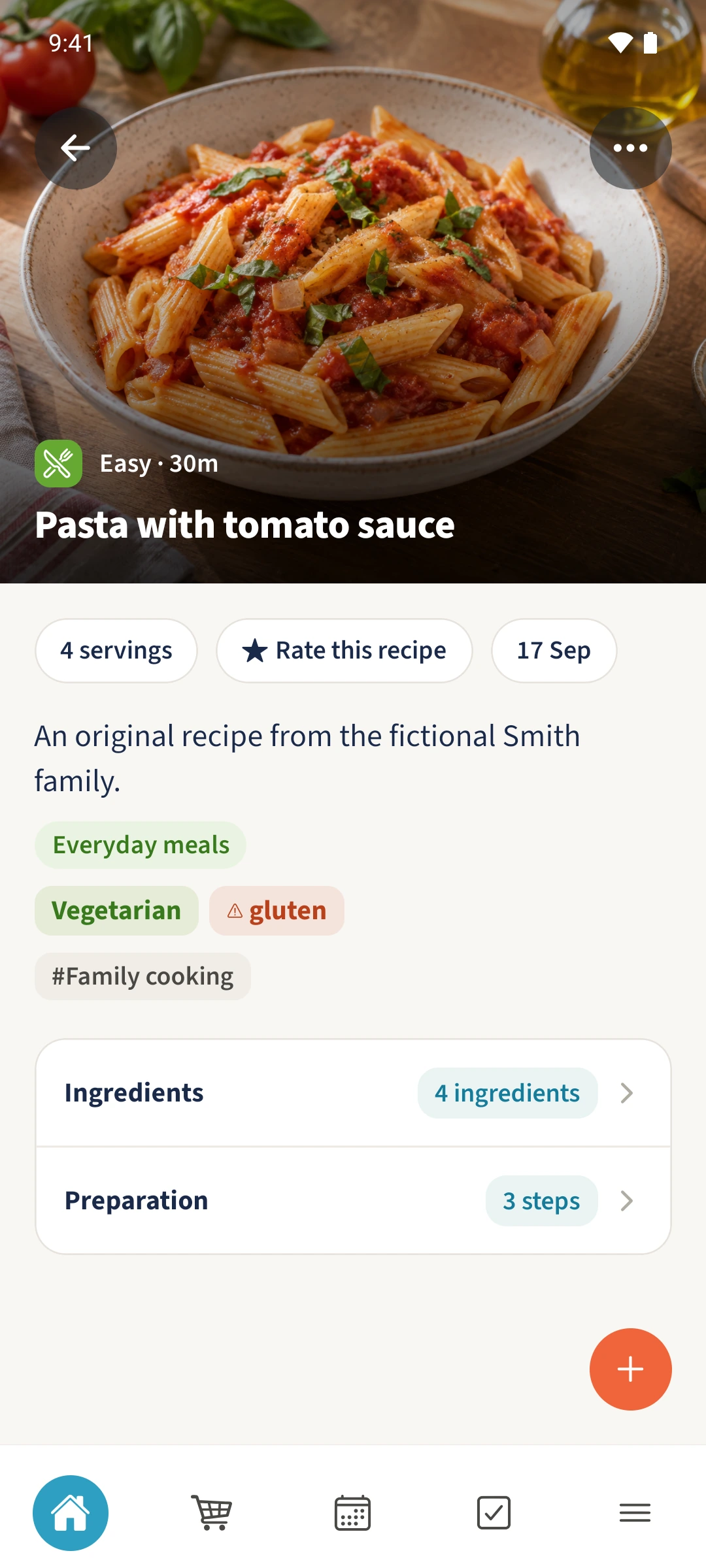
Open the result and check its servings, dietary labels and stored allergens. Expand Ingredients and review the complete list before choosing what to cook.
All done
Search Recipes for an ingredient such as tomato. Open Filter and choose difficulty, time and any dietary labels. Use the button showing the number of matching recipes, then open a result and check its full ingredients.