Keep family recipes together and find them again
Give pasta, pancakes and your favourite vegetable dish a shared home in the family collection.
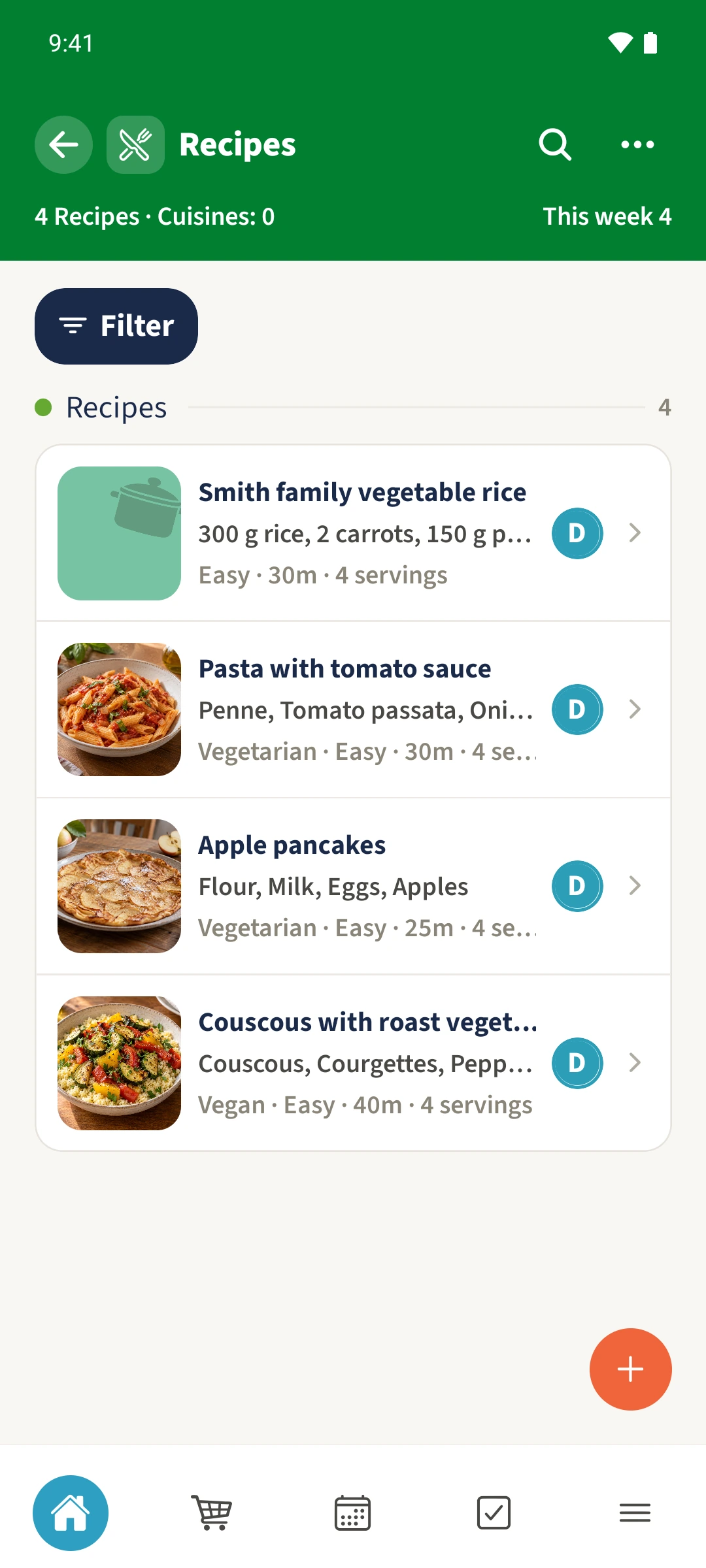
Your family plans in one place
Favourite recipes are scattered across notes, messages and websites. Next time you cook, a quantity or an important step may be missing.
 How Best4Family helps
Open More → Recipes and tap the plus. Enter a title, servings, ingredients and preparation steps. Add times, categories and dietary labels where useful. Save the recipe, then reopen it from the collection to check the details.
Get organised in a few steps
- 01
Start a recipe
Open Recipes from More and tap the plus at the bottom right. Enter a clear title and an optional short description.
- 02
Add the basic details
Enter the original servings, preparation time and cooking time in minutes. Choose a difficulty and suitable categories. To create categories first, use Actions → Manage Categories.
- 03
Enter ingredients and steps
Scroll to the ingredients and preparation sections. Add each ingredient with its amount and unit, then enter the steps in order. Empty ingredient and step rows are omitted when saving.
- 04
Save and reopen it
Save using the button at the bottom. Find the title in the collection, open it and expand Ingredients and Preparation. To change it, open Actions → Edit and confirm with Update.