
Create and read an anonymous family poll
Collect ideas for the next family outing without attaching names to the shared answers.
Before you start
Who can answer a poll and who wrote a particular answer are two different things.
Set anonymity before creation
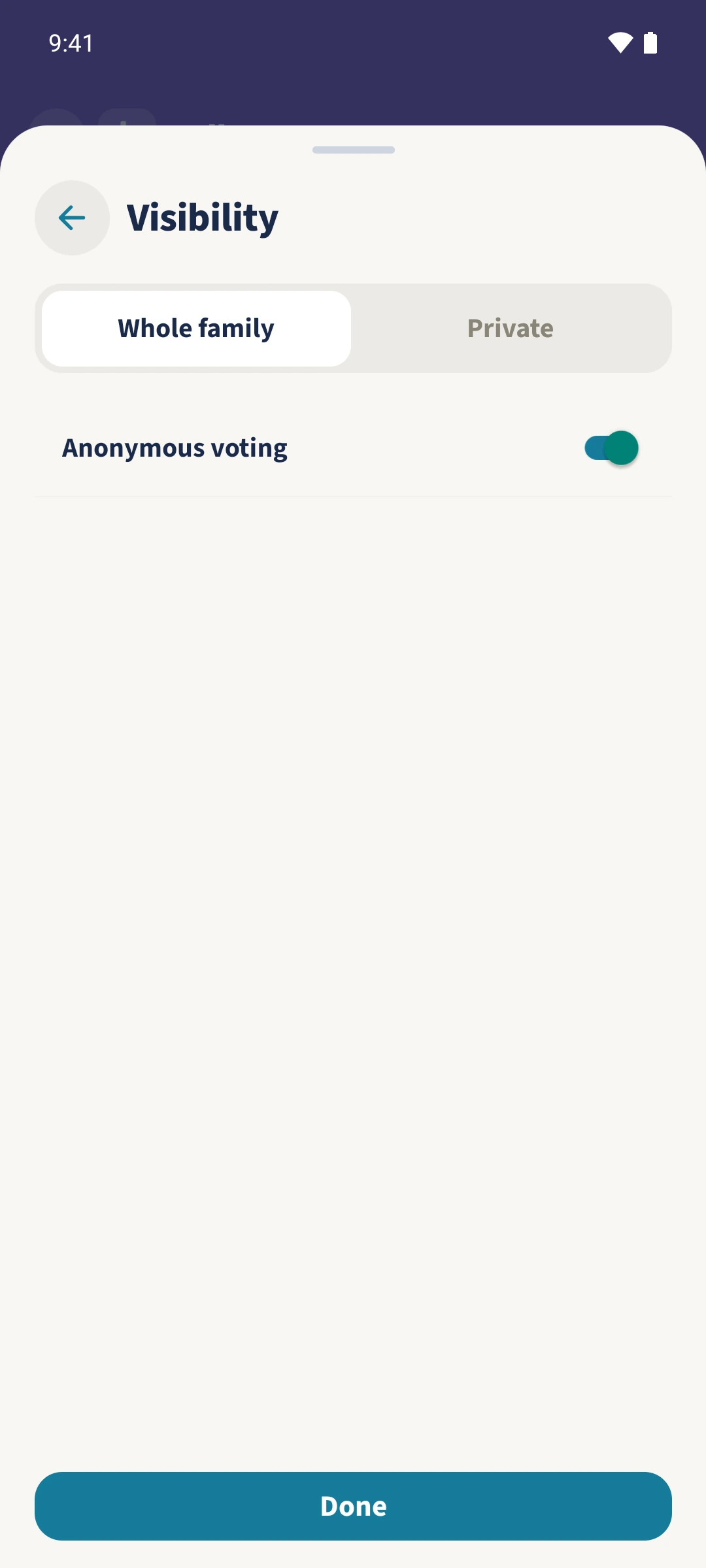
Open Polls and tap the plus. Enter Our next family outing and choose Free text. Open Visibility, enable Anonymous voting and confirm with Done. Tap Create poll.
Submit an answer
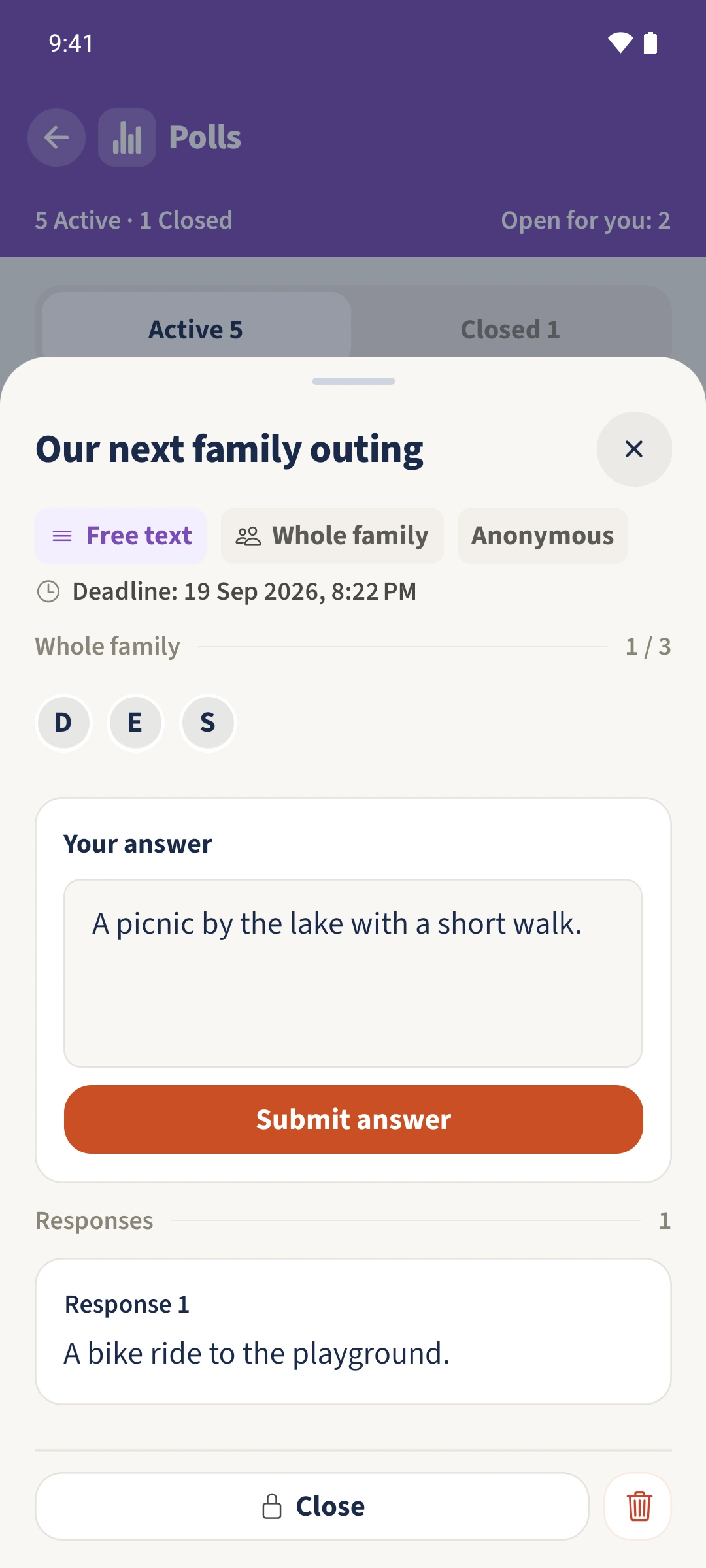
Open the poll, enter an idea under Your answer and tap Submit answer. While it is open, you can update or remove your own answer.
Check the neutral responses
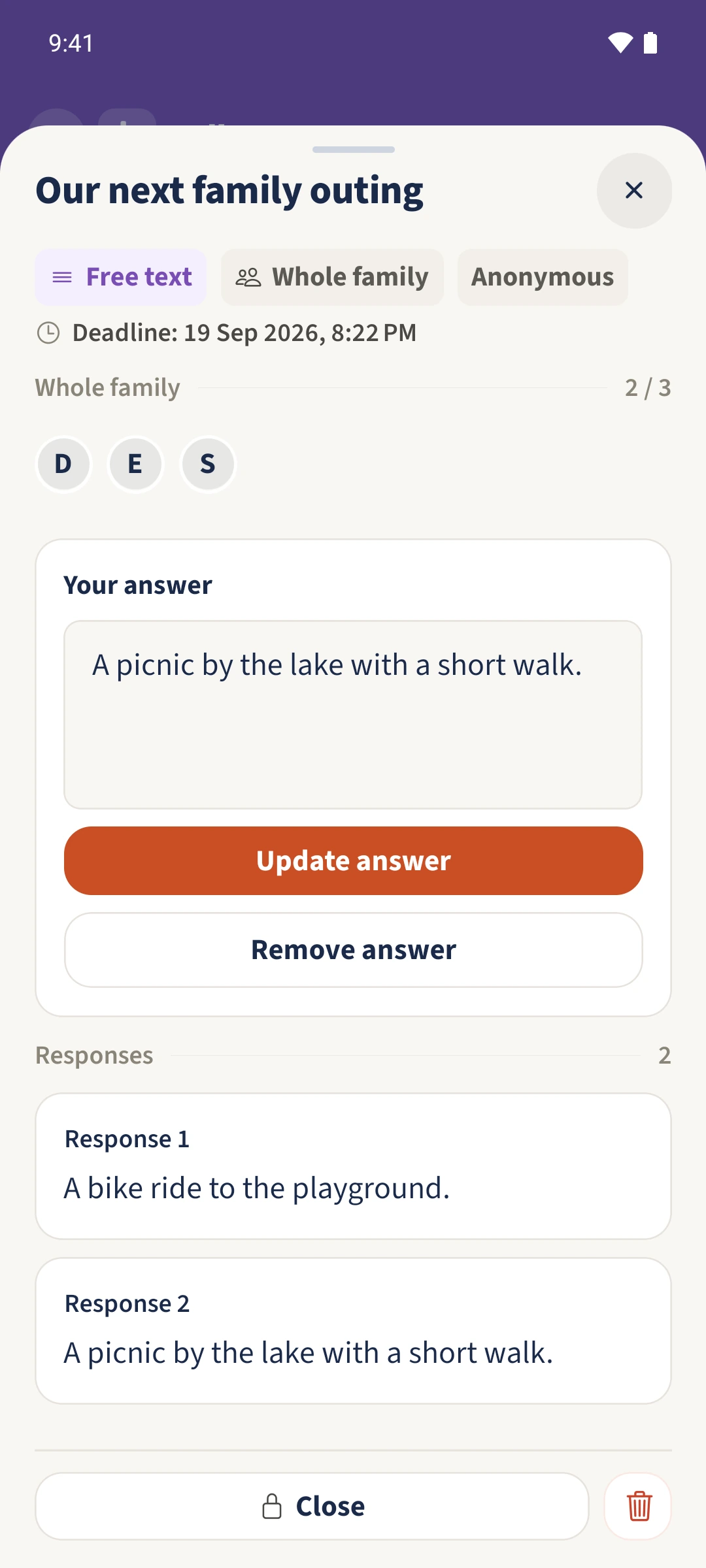
Under Responses, the two saved suggestions appear as Response 1 and Response 2 without author labels. Your own text also remains visible in your personal answer area. The response number is not a personal identifier.
Reopen the results
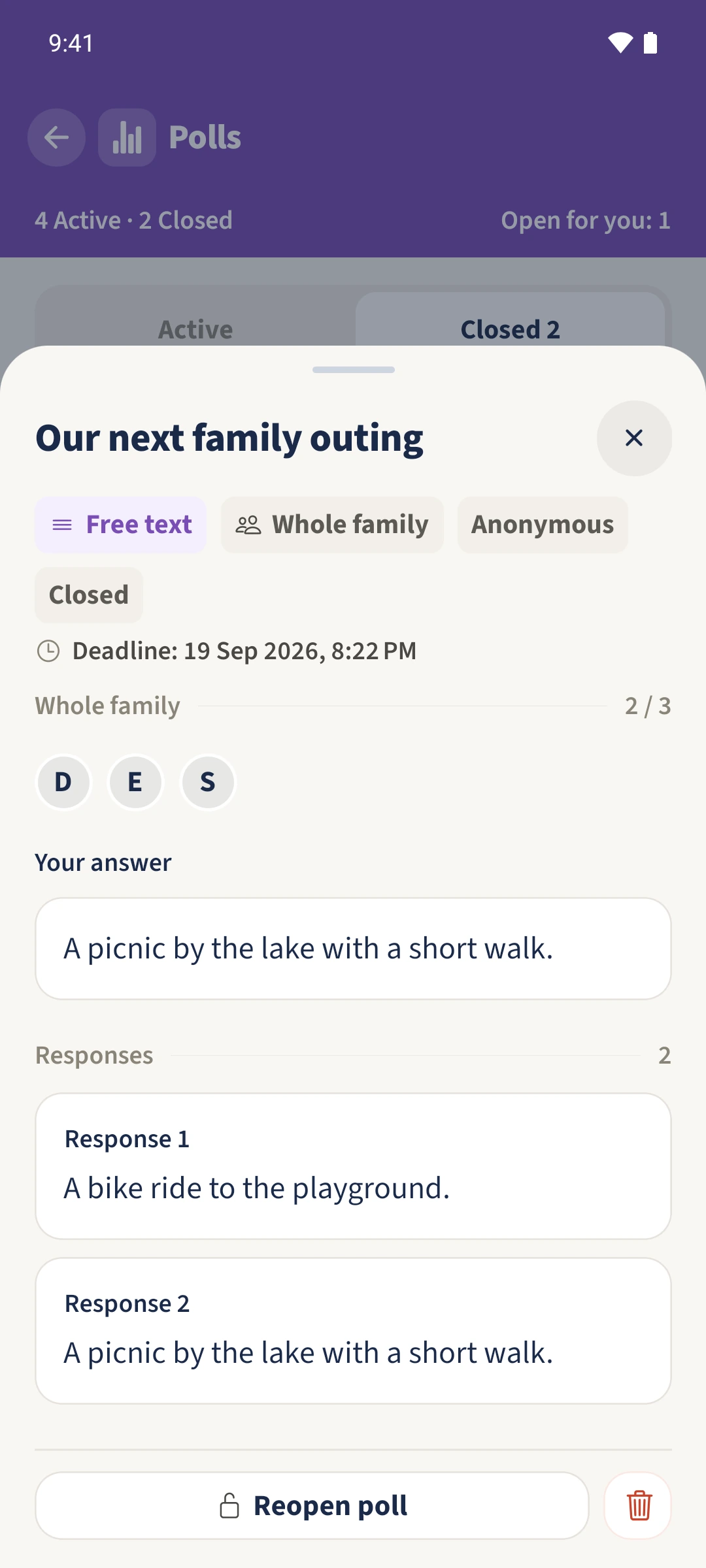
After Daniel and Sofia have answered, close the poll. Under Closed, the same poll displays their ideas as Response 1 and Response 2 without identifying their authors.
All done
When creating the poll, open Visibility and enable Anonymous voting. Set this before saving; it cannot be changed later. Shared free-text answers appear as Response 1, Response 2 and so on.