
Set a poll deadline, then close or reopen voting
Give a decision a finish point, with a clear way to allow more time when the family needs it.
- 1
- A deadline limits how long people can submit votes.
- 2
- Creators and family admins can close voting early.
- 3
- Closed or expired polls can reopen with a new deadline while keeping existing answers.
Using Polls in family life
Without a deadline, a decision stays open. Sometimes the family needs another chance to answer after voting has ended.
Set the date and time under Deadline when creating a poll. Its creator or a family admin can also end voting early with Close. Results remain available under Closed. Reopen poll sets a new deadline 24 hours from now and keeps the existing answers.
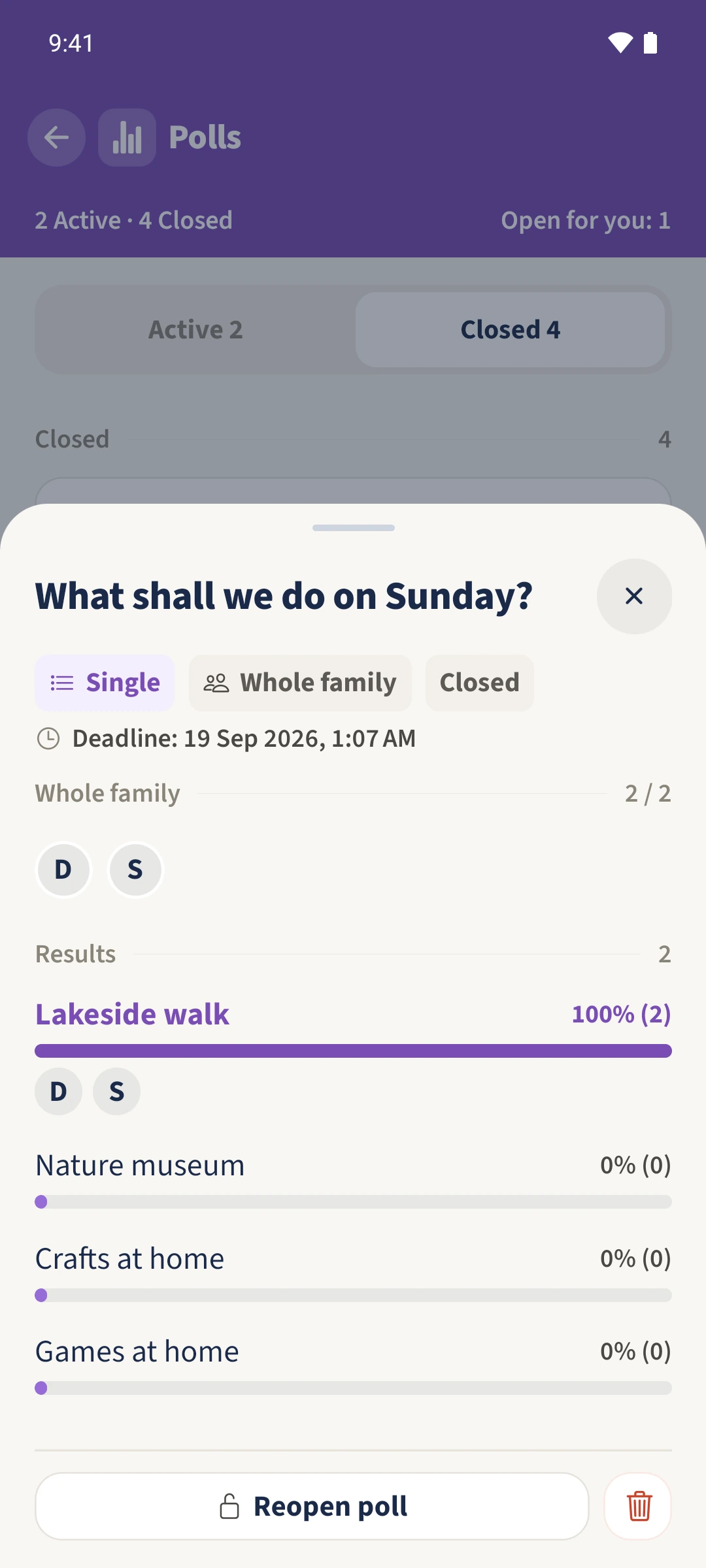
How the steps fit together
- 1
Set the deadline
When creating the poll, open Deadline, select a date and time and confirm with Done. Check the summary and save the entire poll.
- 2
Close voting
Open the active poll as its creator or a family admin. Tap Close at the bottom and confirm Close poll. Its result remains available under Closed.
- 3
Confirm reopening
Open the closed poll and tap Reopen poll. Read the explanation and confirm. The new deadline is exactly 24 hours after this action.
- 4
Check the new deadline and answers
Switch to Active and reopen the poll. Check the new deadline rather than the previous date and time. The two saved votes for Lakeside walk remain in the results.