
Choose Single, Multiple or Free text for your poll
Some questions need exactly one answer, while others benefit from several choices or completely new ideas.
See the exampleFrom a daily problem to a clear plan
The starting point
Some questions need exactly one answer, while others benefit from several choices or completely new ideas.
A practical next step
Choose one activity, collect several picnic ideas or invite suggestions in people’s own words.
Polls with Best4Family
When creating a poll, choose Single, Multiple or Free text under Poll type. Single accepts one listed option; Multiple accepts several. Free text hides the options and gives each participant a text field. Choose the type before the first answer arrives.
Get organised in a few steps
- 1
Use Single for one choice
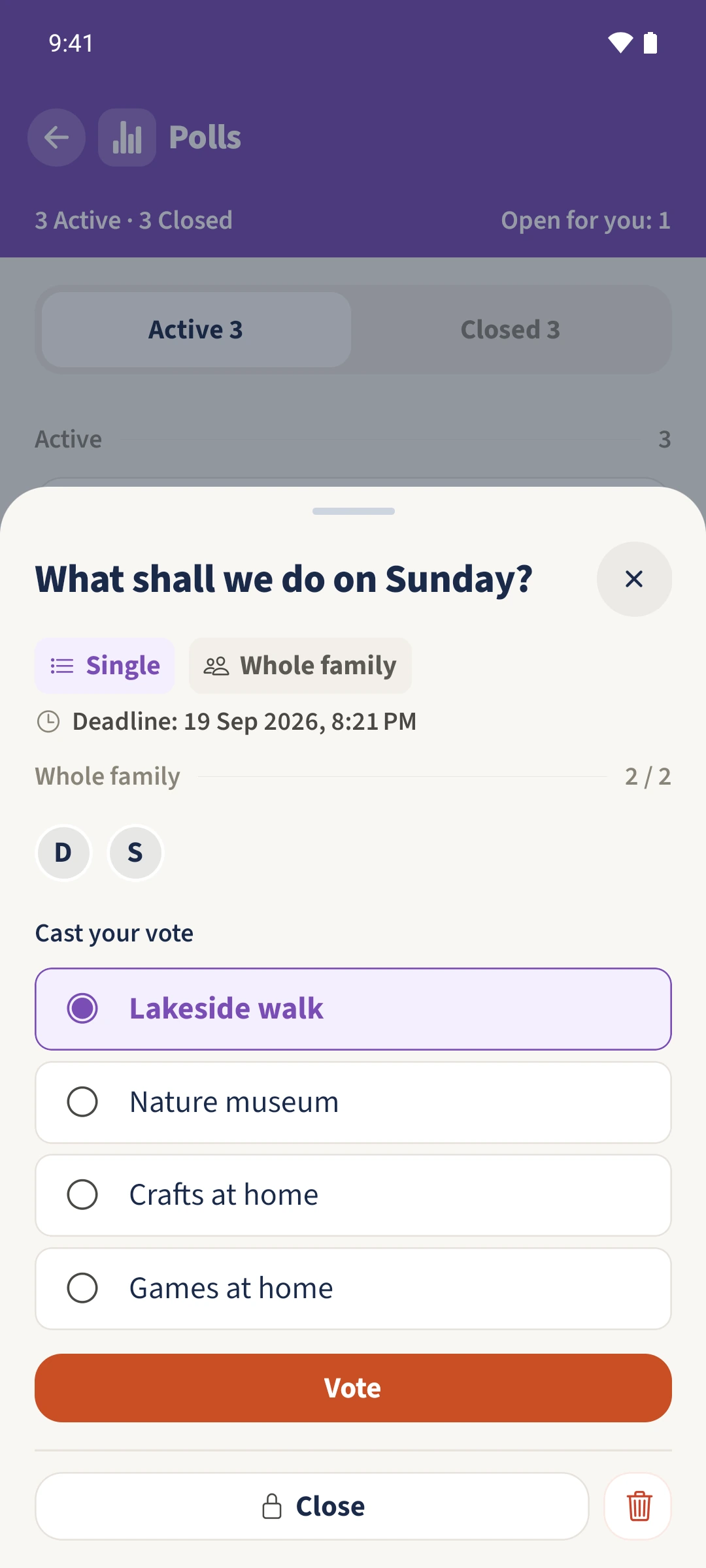
Choose Single when one option should be selected. In the Sunday example, choose one activity and tap Vote. Selecting another option replaces your previous draft selection.
- 2
Allow several choices
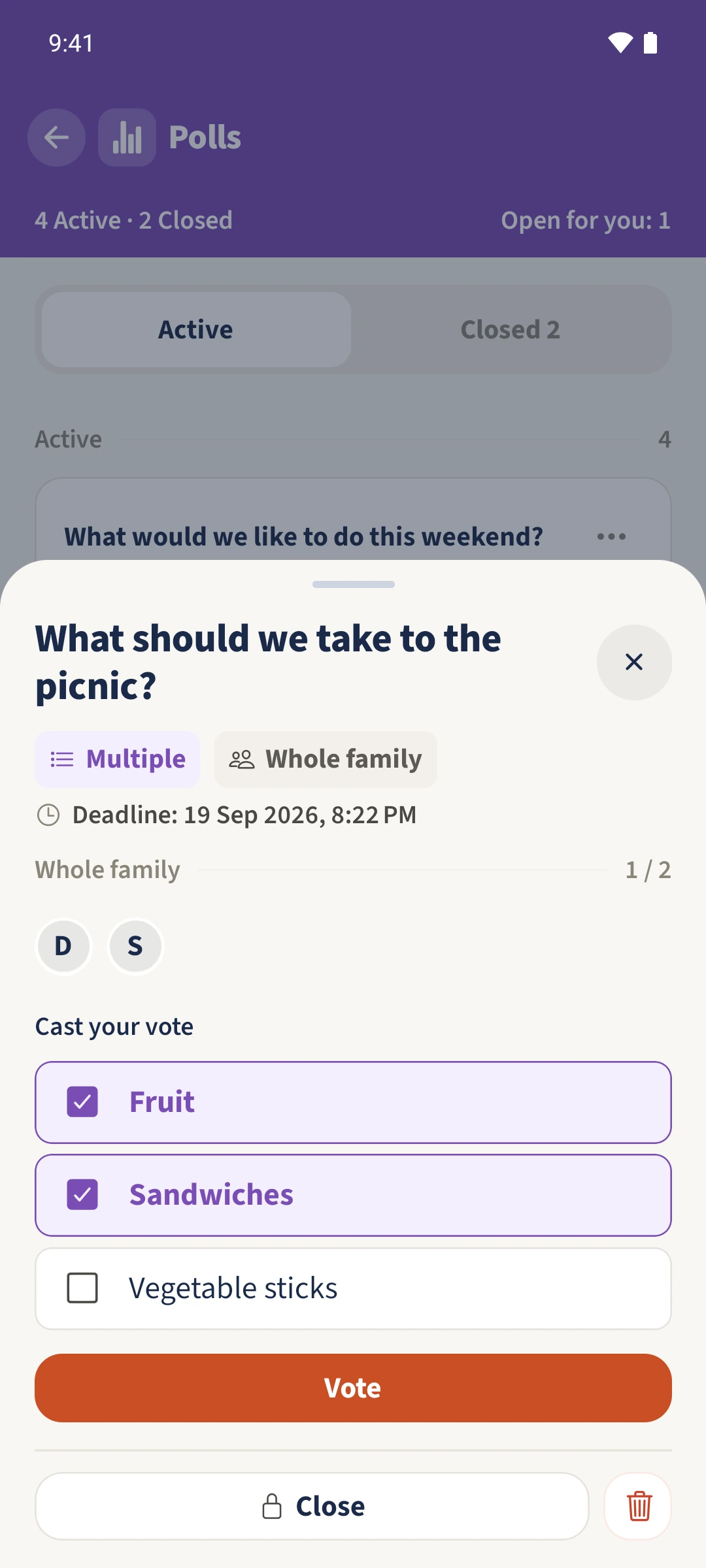
Choose Multiple when more than one answer fits. In the picnic example Daniel selects Fruit and Sandwiches, then saves both with Vote.
- 3
Distinguish people from selections
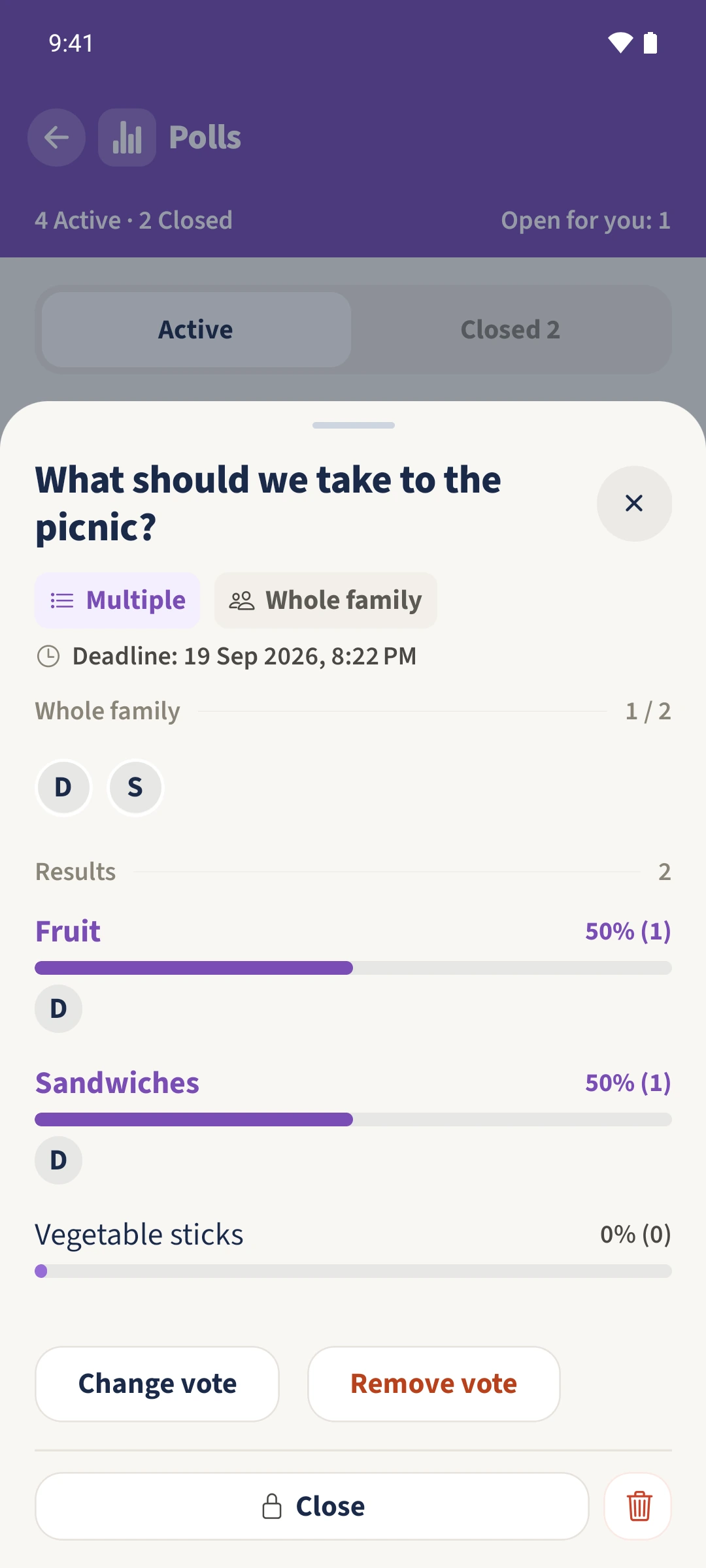
Check the multiple-choice result: one of two people has answered, but there are two votes. Fruit and Sandwiches each have one vote, making each 50 percent of all selected options.
- 4
Collect original ideas with Free text
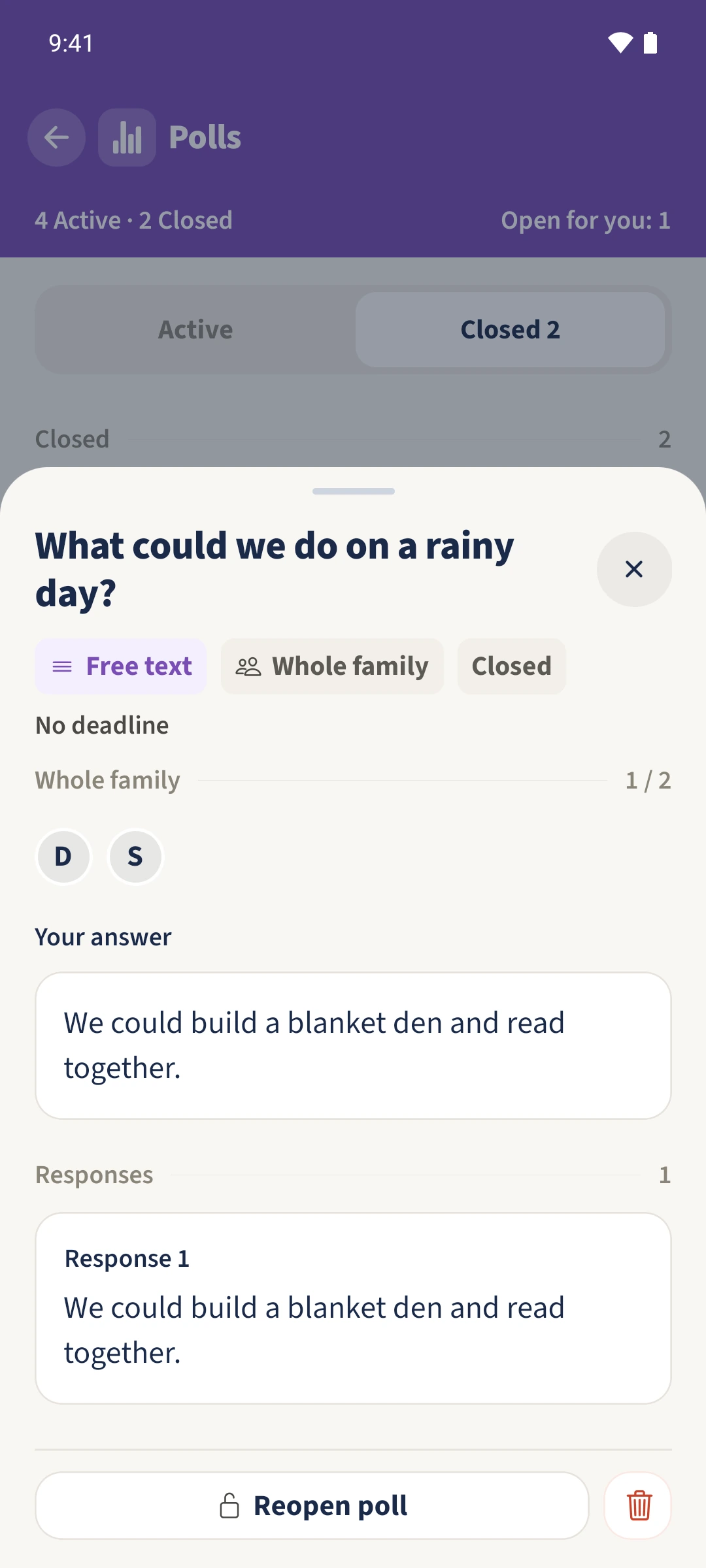
Choose Free text for an open question. After creation, participants enter their suggestion under Your answer and tap Submit answer. The saved text appears under Responses.
The essentials at a glance
Part 01
Single saves one selected option.
Part 02
Multiple saves several options chosen by the same person.
Part 03
Free text saves one written answer per person and displays it in the response list.