
Share school and handover information on the noticeboard
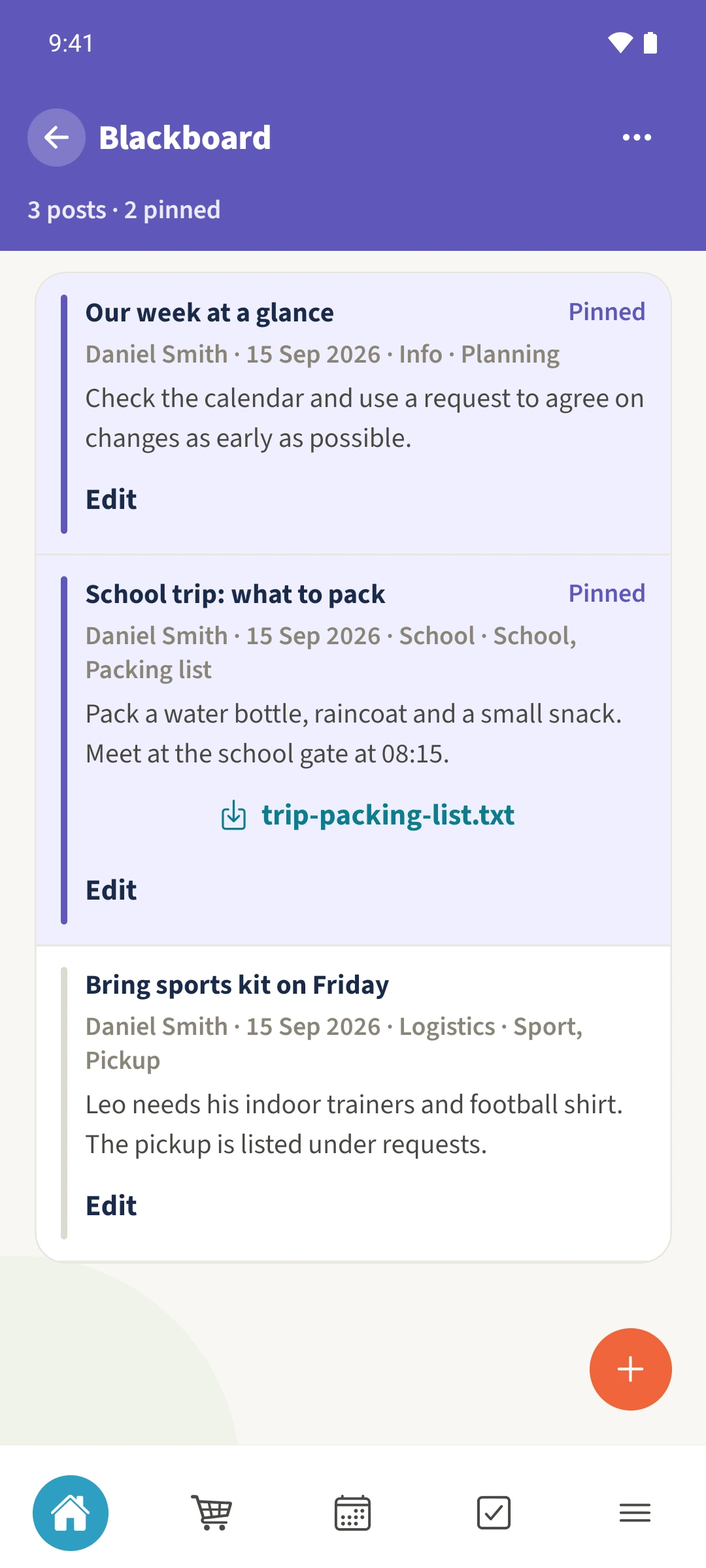
The raincoat for the school trip and Friday’s sports kit stay where both parents can find them.
- 1
- The noticeboard collects titled posts with text and a topic.
- 2
- Important posts can be pinned.
- 3
- A post can include a document attachment.
Using Parent Space in family life
Useful ongoing information can disappear between short messages about changing dates and times.
Use the Parent Space noticeboard for posts with a title, text and topic. Pin important information and attach a document when useful.
How the steps fit together
- 1
Open the shared space
Open Parent Space from the module overview and select the space you share with the other parent.
- 2
Check the noticeboard
Choose Overview, then Blackboard. Look for an existing post before adding the same information again.
- 3
Write a clear post
Give the post a specific title and useful text. Choose a suitable topic and pin it if it needs to remain easy to find.
- 4
Check the attachment
Attach a file if needed, then check the saved post and its filename. Use Edit to update your own posts.