
Coordinate a holiday trip in Parent Space
Travel details spread across messages make it hard to see which dates and arrangements both parents have accepted.
See the exampleFrom a daily problem to a clear plan
The starting point
Travel details spread across messages make it hard to see which dates and arrangements both parents have accepted.
A practical next step
A trip to Lake Constance needs shared dates, a meeting point and a clear plan for Emma and Leo.
Parent Space with Best4Family
Use a travel request in Parent Space to bring the children, travel dates, location and summary together. Check the request’s status separately from its content.
Get organised in a few steps
- 1
Review current requests
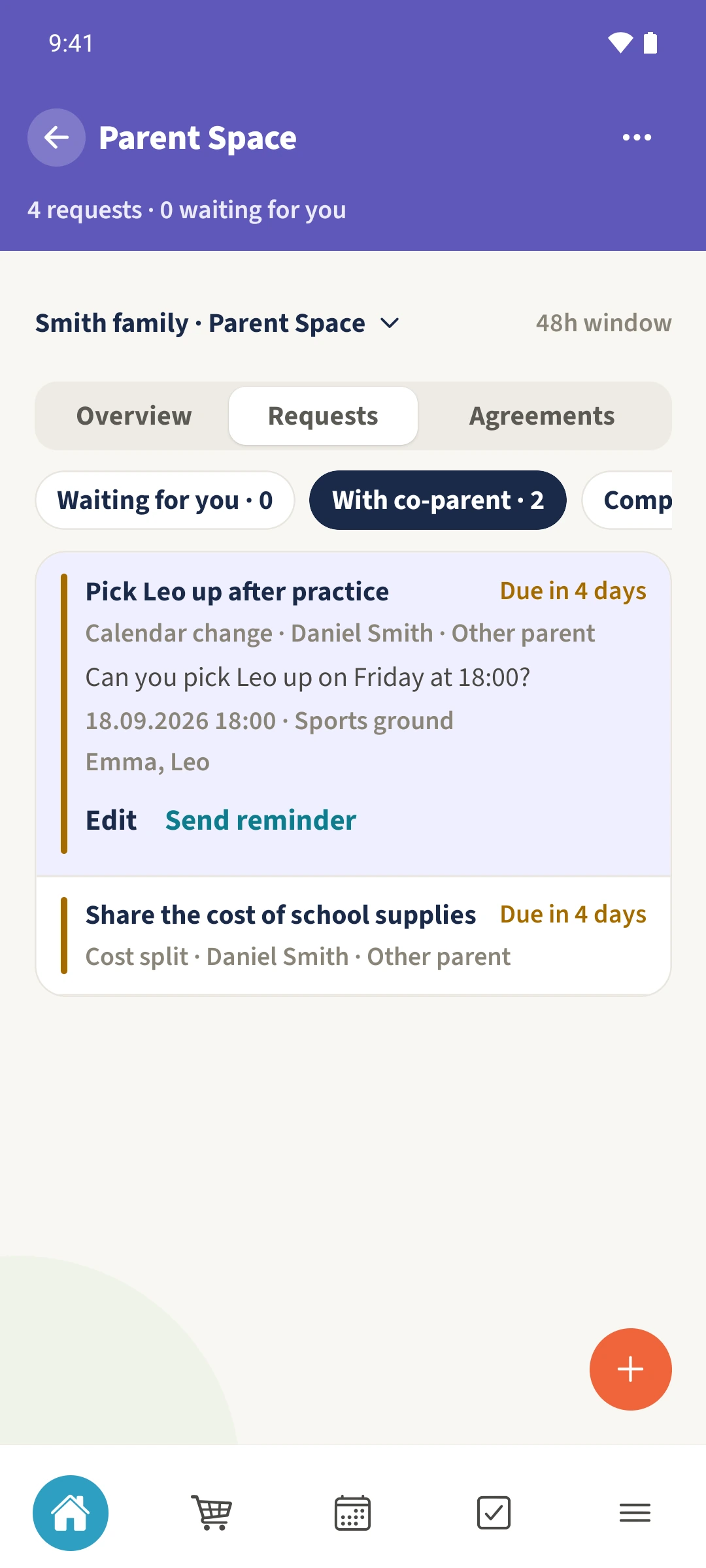
Open the shared Parent Space and choose Requests. Check existing entries before creating another request for the same trip.
- 2
Prepare the travel details
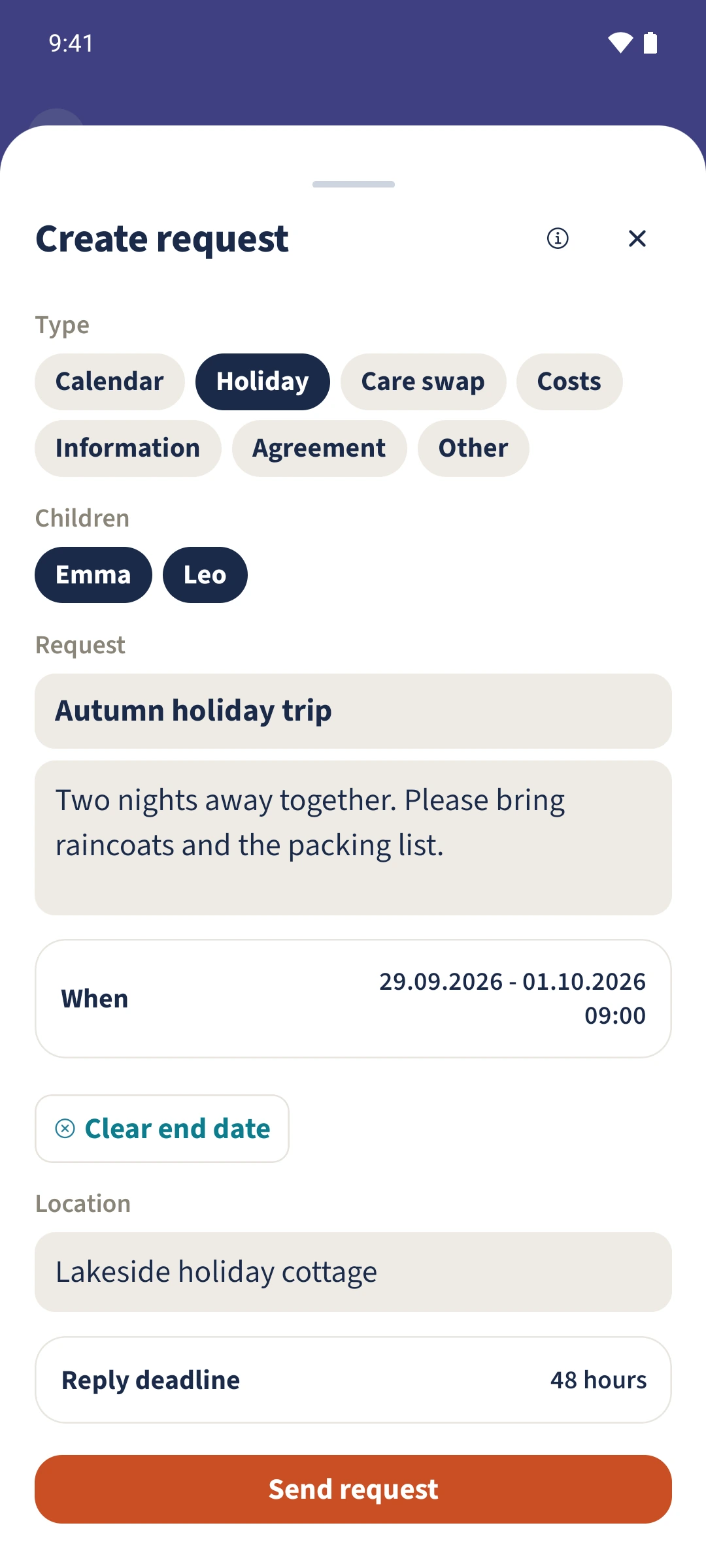
Tap the plus and choose Holiday. Select the children and enter the title and summary. Open When to set the dates and time, then enter the location. Check Reply deadline before Send request. The pictured form is an unsent draft.
- 3
Check the accepted example
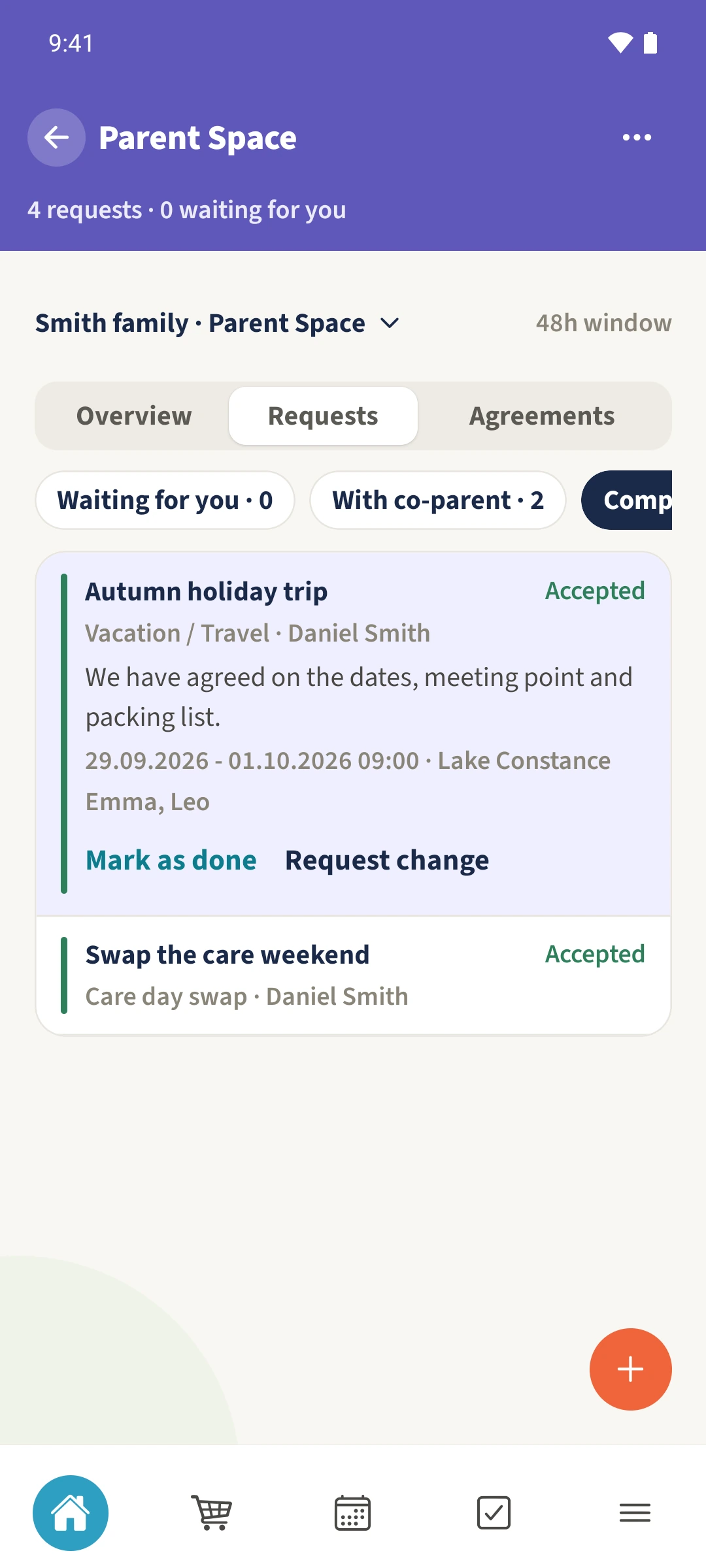
Choose Completed or All and expand Autumn holiday trip. Check Accepted and the period from 29 September to 1 October 2026 at Lake Constance.
The essentials at a glance
Part 01
A travel request can hold a date range, location and summary.
Part 02
The request identifies the affected children.
Part 03
The detail view shows the saved status and travel information.