Agree on changes to childcare plans
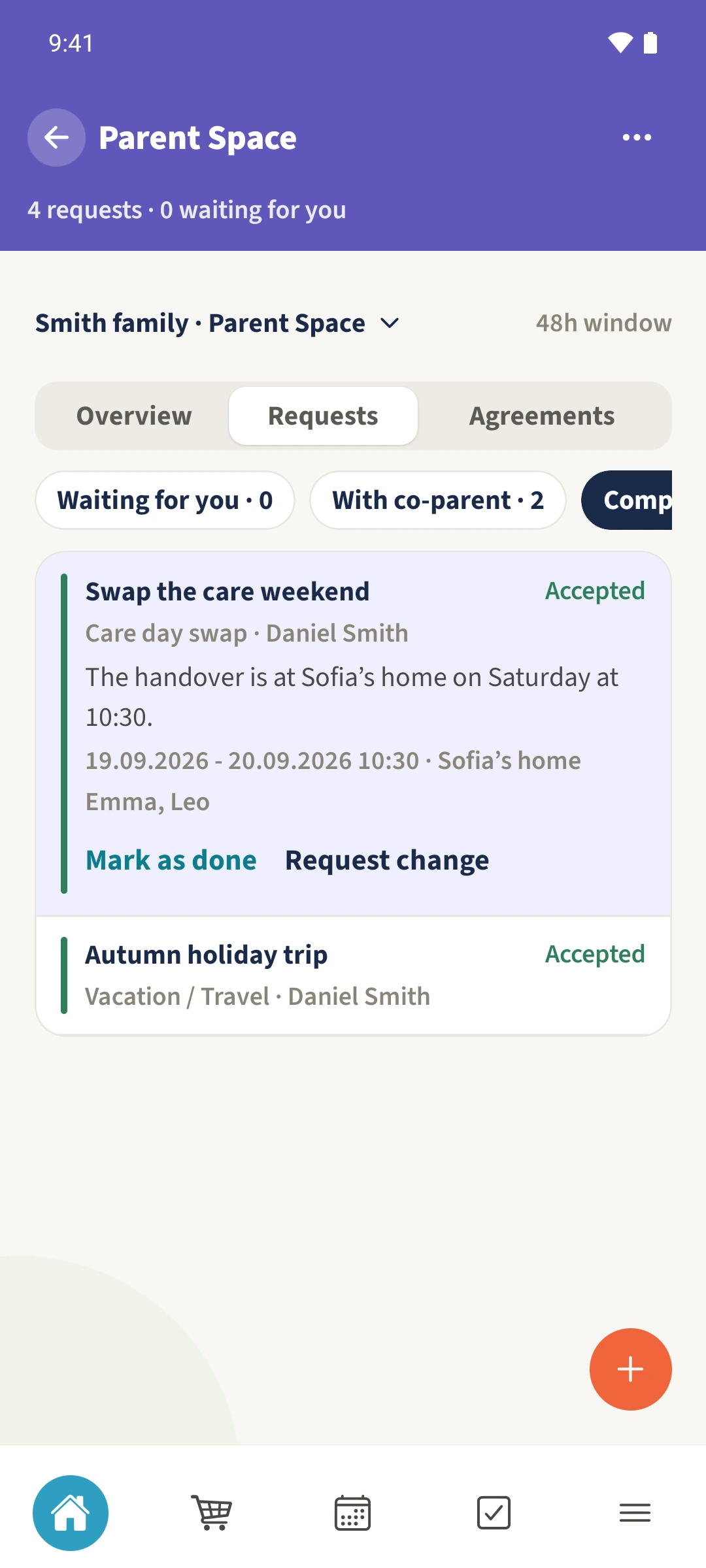
Daniel and Sofia agree to swap a care weekend and keep the handover details with the request.
Your family plans in one place
A change discussed in several messages can leave the final date, time or agreement unclear.
 How Best4Family helps
Create a request in the shared Parent Space with the children, dates, place and a clear summary. The other parent can respond. Open the request afterwards to check its status and saved details.
Get organised in a few steps
- 01
Choose the shared space
Open Parent Space from the module overview and select the space you share with the other parent.
- 02
Describe the requested change
Tap the plus and choose Care swap. Include the affected children, dates, handover time, location and a clear summary. Check Reply deadline before sending.
- 03
Check the response
Use Waiting for you or With co-parent to find requests that need a response. The available actions depend on the status and which parent needs to act.
- 04
Review the accepted plan
Choose Completed or All, then tap the request title to expand its details. Check Accepted and the dates, time, meeting point and children. Use Request change if the plan needs updating.