
Pause or disconnect calendar connections: feature preview
Stopping updates temporarily and removing a calendar connection permanently have different consequences.
- 1
- The implementation distinguishes activation, calendar mapping removal and disconnection.
- 2
- Imported-data cleanup has a separate lifecycle.
- 3
- Provider originals and imported family-calendar data are separate.
Using Calendar Sync in family life
You no longer want an external calendar to update Best4Family, but you need to know what happens to imported appointments and original events.
The implemented lifecycle distinguishes pausing synchronisation, removing a calendar mapping and disconnecting an account. Each has different effects on updates and imported data. The prepared interface is not a confirmed end-to-end disconnection or cleanup test.
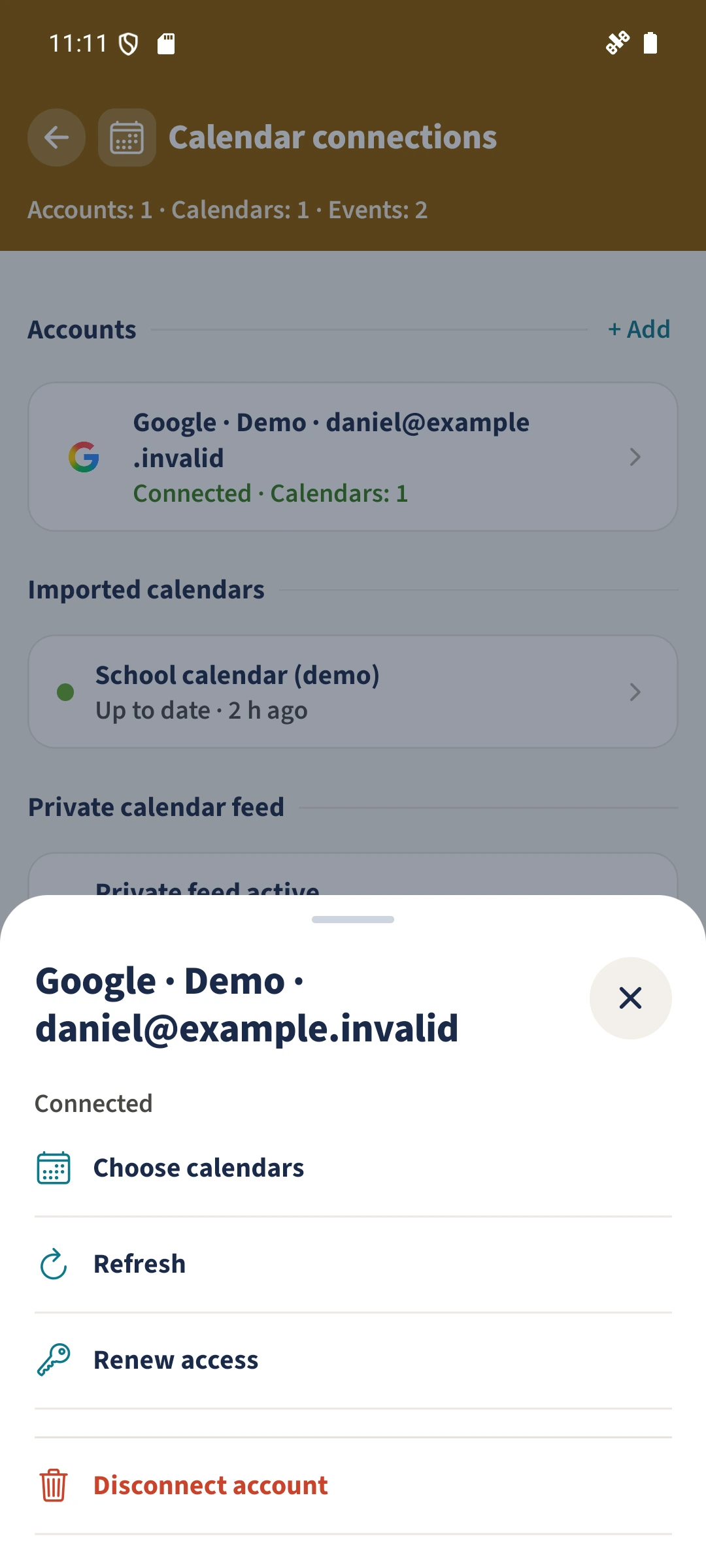
How the steps fit together
- 1
Choose the intended outcome
Decide whether updates should pause temporarily, one calendar should be removed, or the account connection should end.
- 2
Read the confirmed action dialog
When the feature is released, check the actual consequences shown before confirming. This preview does not establish which controls are available in your account.
- 3
Check cleanup and other subscriptions separately
Imported-data cleanup may run later. Copies elsewhere and separate ICS subscriptions require their own review. Disconnecting does not delete the provider’s original appointments.