
Subscribe to a Best4Family ICS feed: feature preview
You want to see Best4Family events in another calendar without copying each appointment or accidentally sharing private details.
See the exampleFrom a daily problem to a clear plan
The starting point
You want to see Best4Family events in another calendar without copying each appointment or accidentally sharing private details.
A practical next step
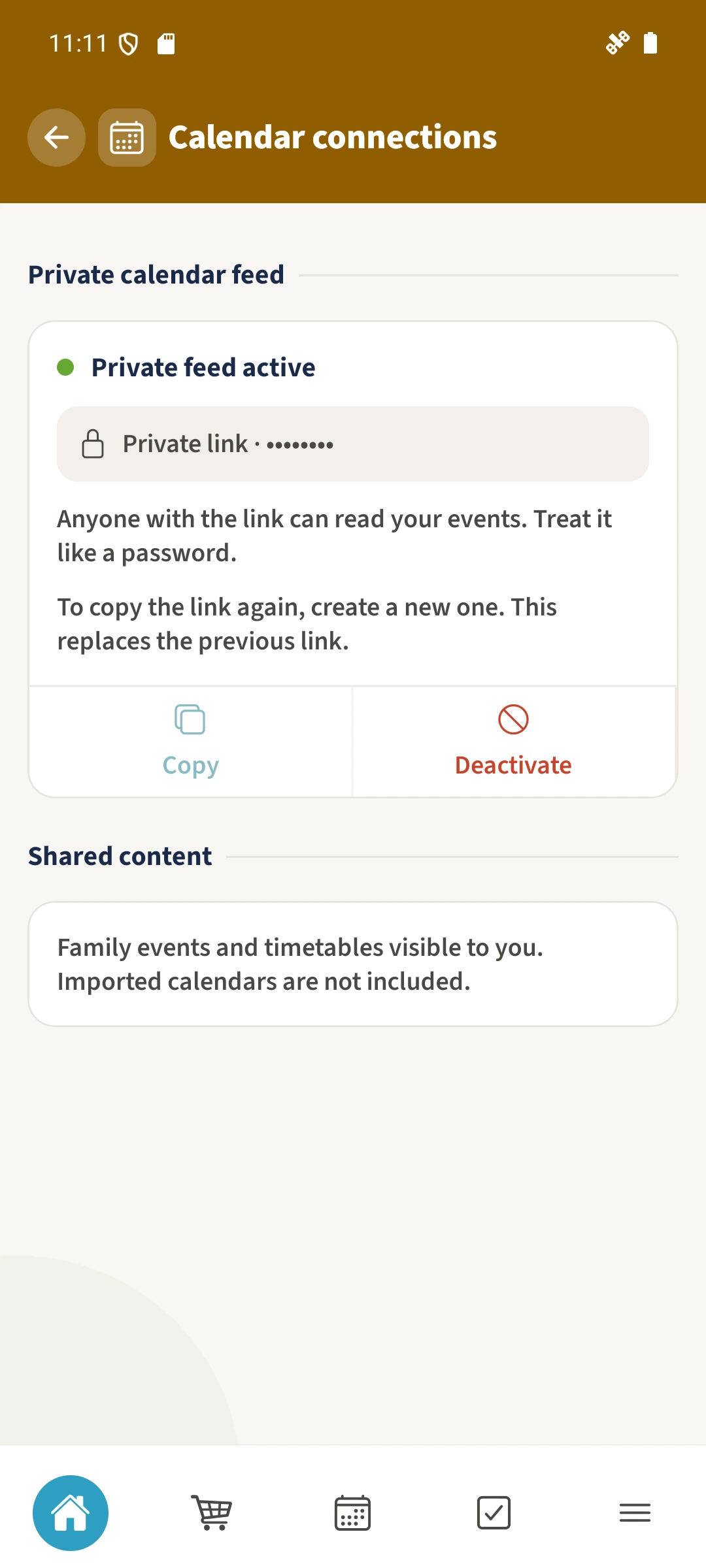
Viewing family events in another calendar requires a private subscription link and realistic expectations about refreshes.
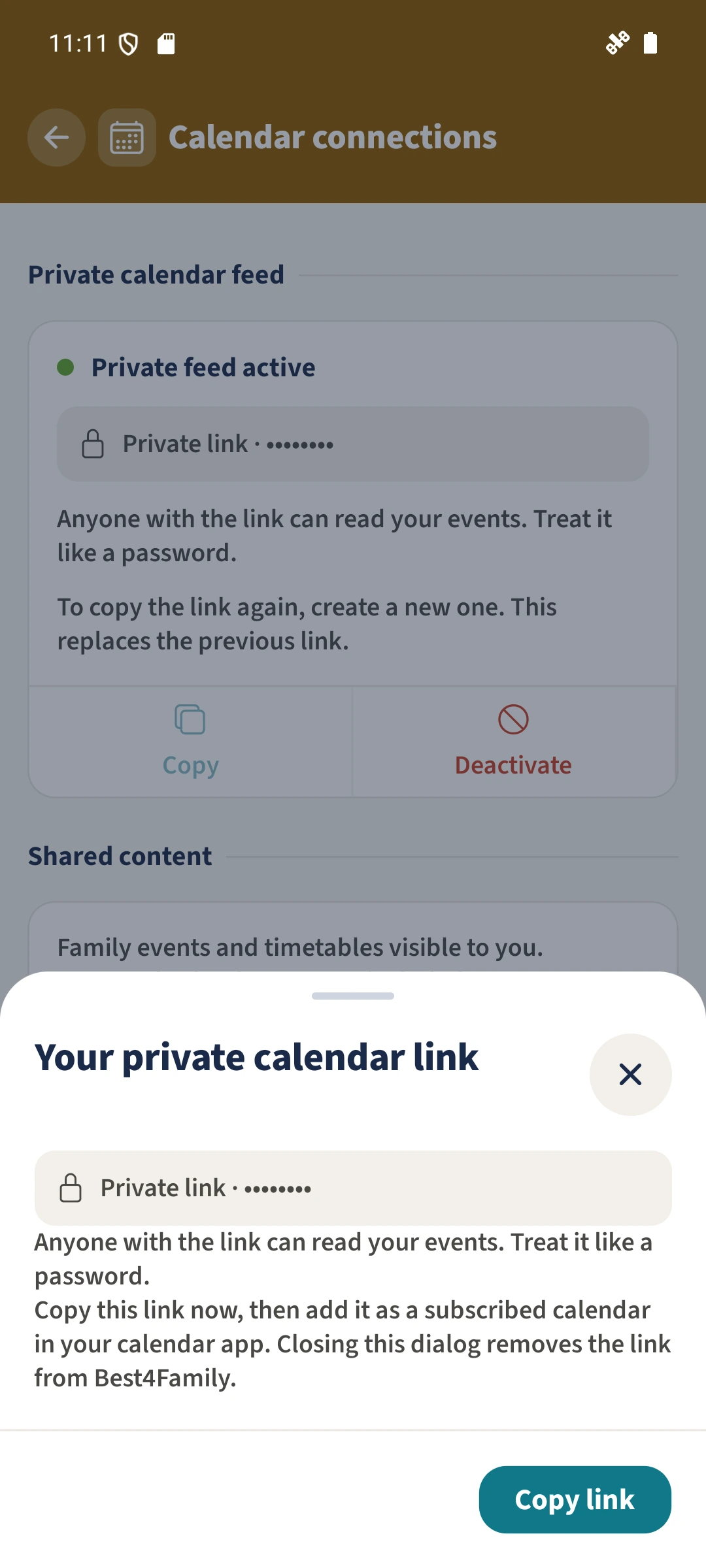
Calendar Sync with Best4Family
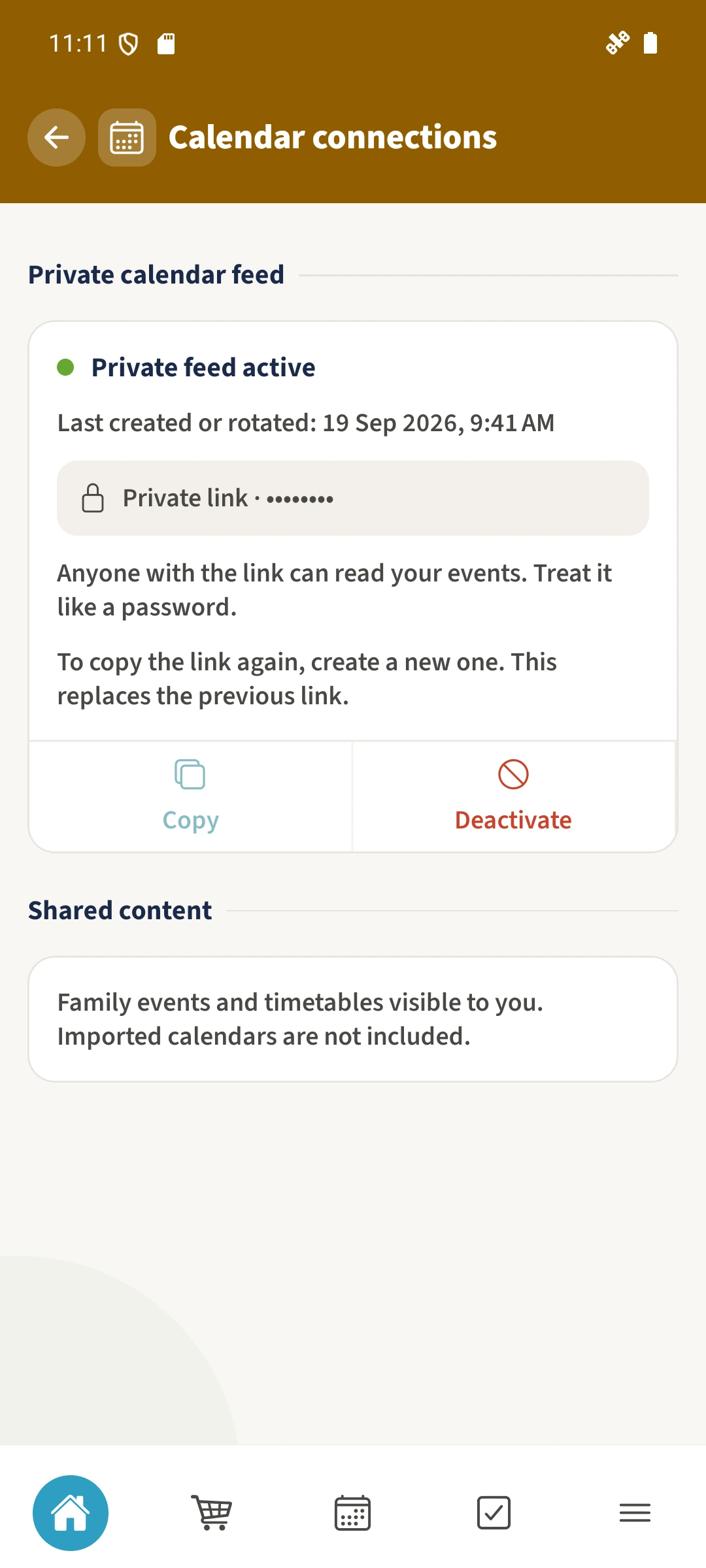
The implementation includes a personal ICS feed, key regeneration and deactivation. A feed is read-only and limited to the subscribing person’s permitted events. The preview does not confirm a delivered feed or a working external subscription.
Get organised in a few steps
- 1
Check feed availability
A usable personal feed must be enabled and verified before subscribing. The illustrated link dialog contains example data.
- 2
Keep the full link private
Treat the link as a secret. Do not publish it, put it in a screenshot or send it to someone who should not read the events.
- 3
Understand refreshes and revocation
The external calendar controls when it fetches updates. Changing or disabling a link prevents future authorised fetches but cannot erase copies already stored elsewhere.
The essentials at a glance
Part 01
The implementation includes feed generation, key regeneration and deactivation.
Part 02
The feed builder applies the subscribing person’s visibility permissions.
Part 03
The feed covers a bounded date window rather than a complete archive.