
Split a bill by weight, percentage or fixed amount
A shared item needs an unequal split. Choosing the participants alone does not express the agreement.
See the exampleFrom a daily problem to a clear plan
The starting point
A shared item needs an unequal split. Choosing the participants alone does not express the agreement.
A practical next step
Sometimes two shares for Daniel and one for Sofia, or a fixed amount, fits better than an equal split.
Bill split with Best4Family
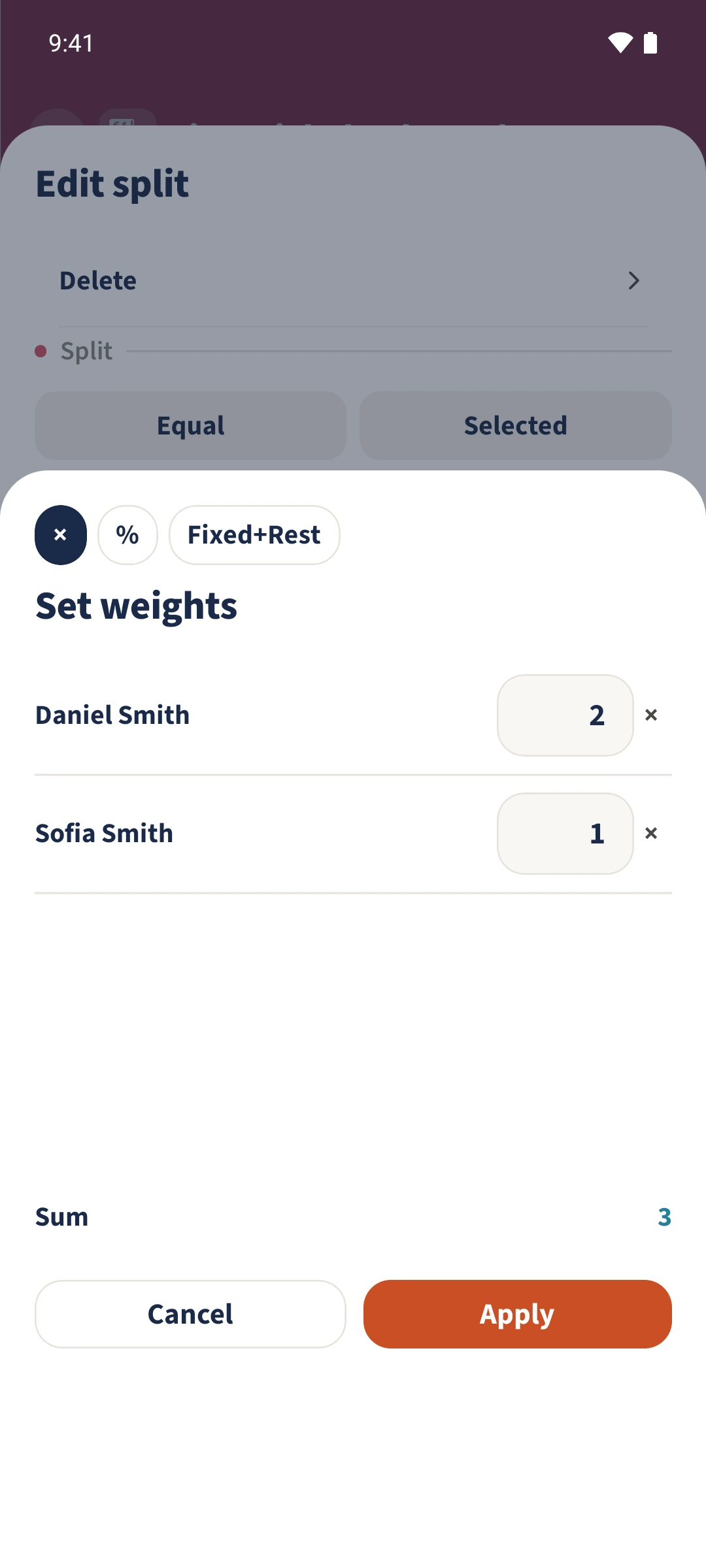
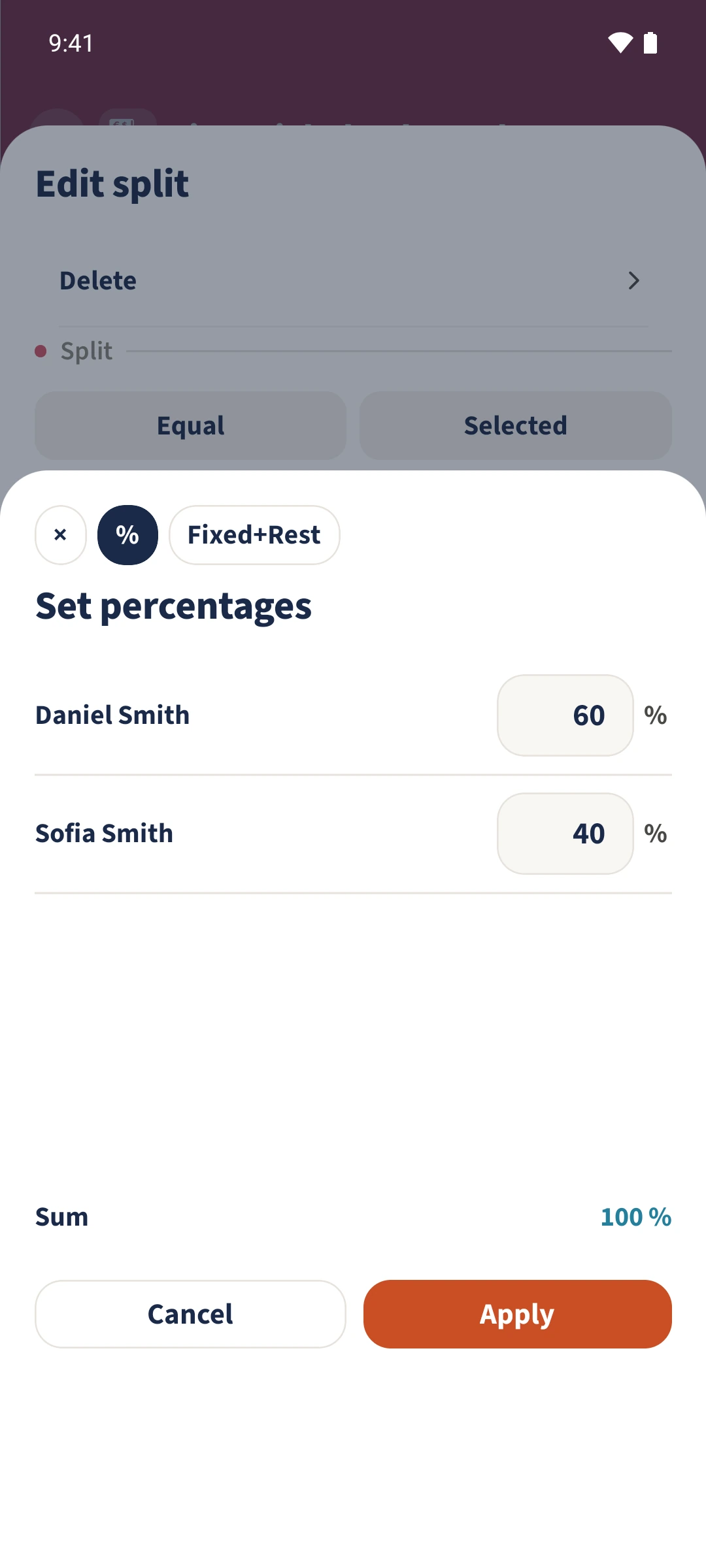
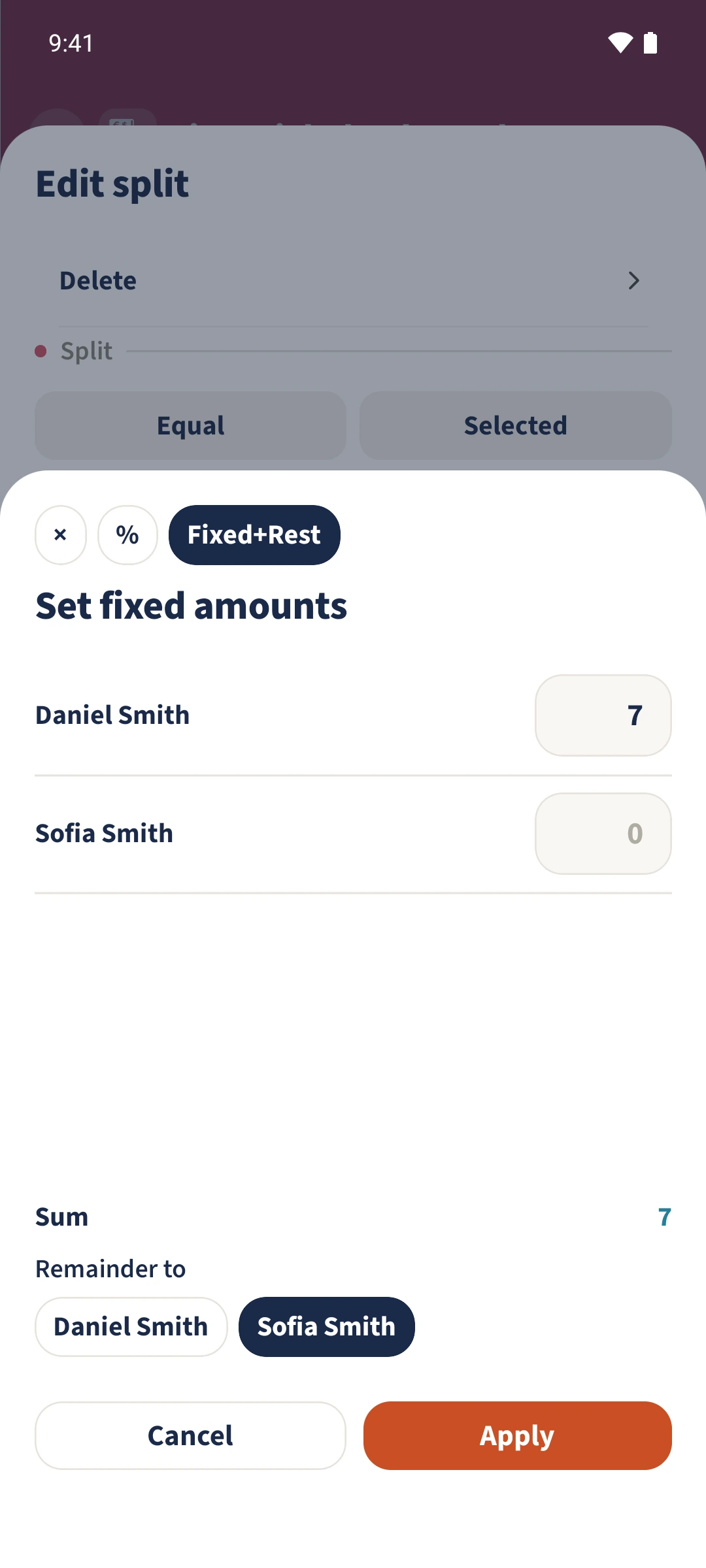
Open an item’s split and choose Custom. The extra panel offers × for weights, % for percentages and Fixed+Rest for fixed amounts. Enter your values, apply them and check each person’s calculated amount.
Get organised in a few steps
- 1
Open a custom split
Open an unlocked bill, choose Edit split and select the item. Tap Custom. The example uses Mixed salad at €9.80.
- 2
Enter weights or percentages
Under ×, values of 2 for Daniel and 1 for Sofia split the item two to one: €6.53 and €3.27. Alternatively, 60 and 40 under % give shares of €5.88 and €3.92.
- 3
Choose a fixed amount and remainder
For a fixed agreement, select Fixed+Rest. The example gives Daniel a fixed €7 share and selects Sofia under Remainder to for the remaining €2.80.
- 4
Apply and check both forms
Tap Apply and check the amounts in the item’s split form. Confirm that form with Apply too. Switching modes before applying does not save the unconfirmed inputs.
The essentials at a glance
Part 01
Weights divide an amount in the ratio of the entered values.
Part 02
Percentages set relative shares for the selected people.
Part 03
Fixed amounts can be combined with an explicitly selected person for the remainder.