
Keep track of whose turn it is
After an interruption, the group may not remember who should play next.
See the exampleFrom a daily problem to a clear plan
The starting point
After an interruption, the group may not remember who should play next.
A practical next step
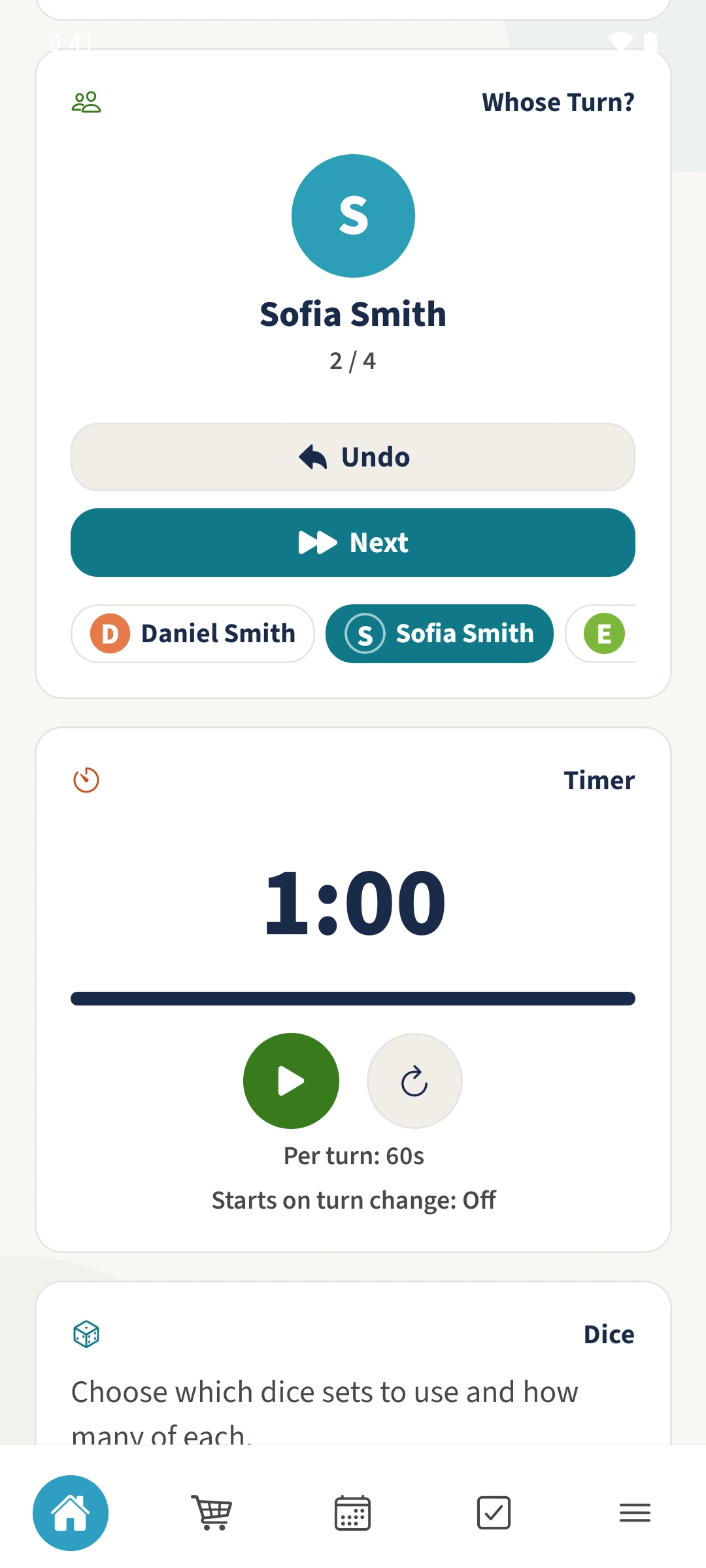
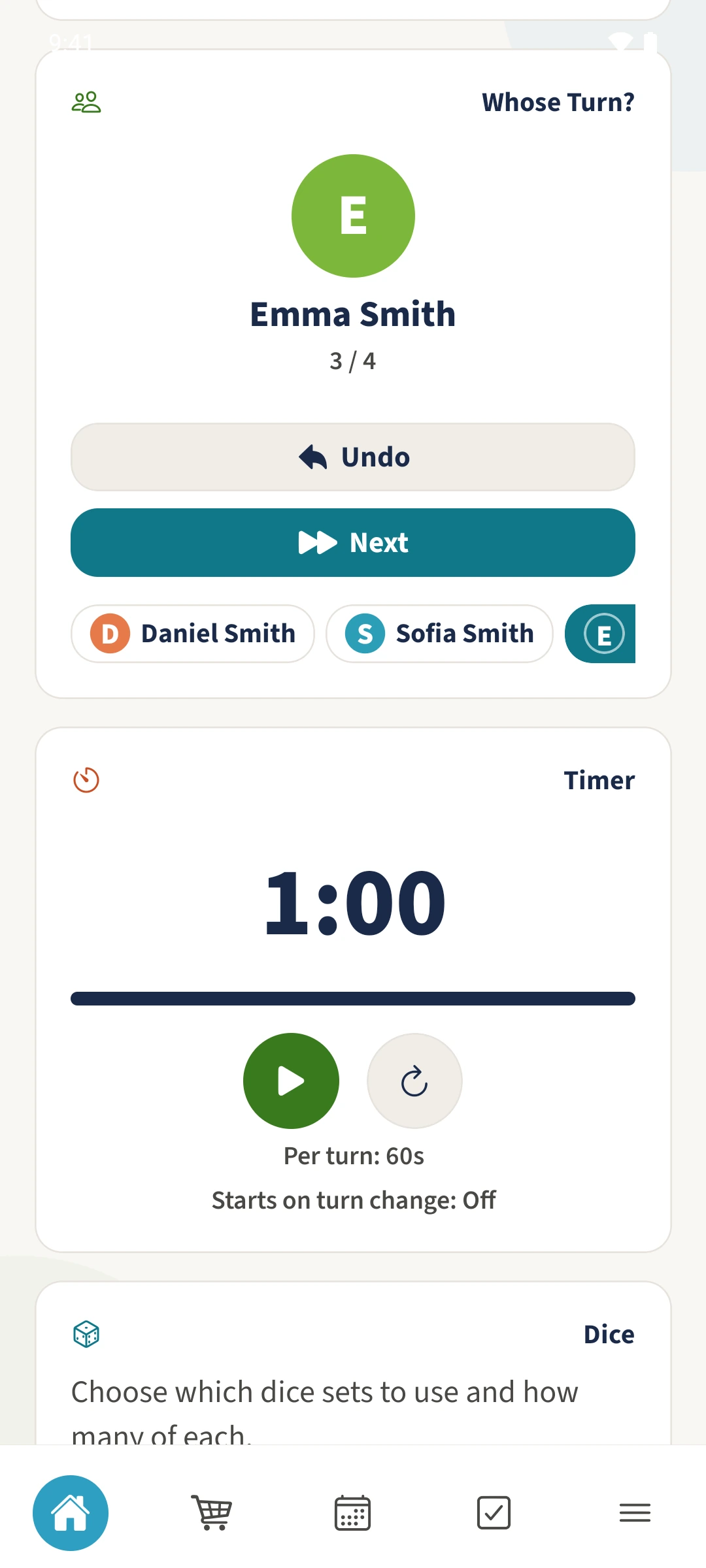
A highlighted player makes it clear who is taking the current turn.
Game Tools with Best4Family
Start a session with Whose Turn or Combo (Standard), then add players in the order you want. Whose Turn? shows the current player and their position. Next moves to the following person; Undo reverses the last saved turn change.
Get organised in a few steps
- 1
Start with turn order
Choose Whose Turn or Combo (Standard). Add Daniel, Sofia, Emma and Leo in that order.
- 2
Check the current player
Scroll to Whose Turn?. The example shows Sofia with 2 / 4. You can scroll the row of names horizontally.
- 3
Move to the next player
Tap Next. The card changes to Emma with 3 / 4. The scores stay the same.
- 4
Undo an accidental change
Tap Undo to return from Emma to Sofia in this example. Undo is unavailable when there is no saved previous turn change.
The essentials at a glance
Part 01
Turn order follows the order in which players were added.
Part 02
The card shows the current player and their position in the group.
Part 03
The most recent saved turn change can be undone.