
See one child’s appointments in the family calendar
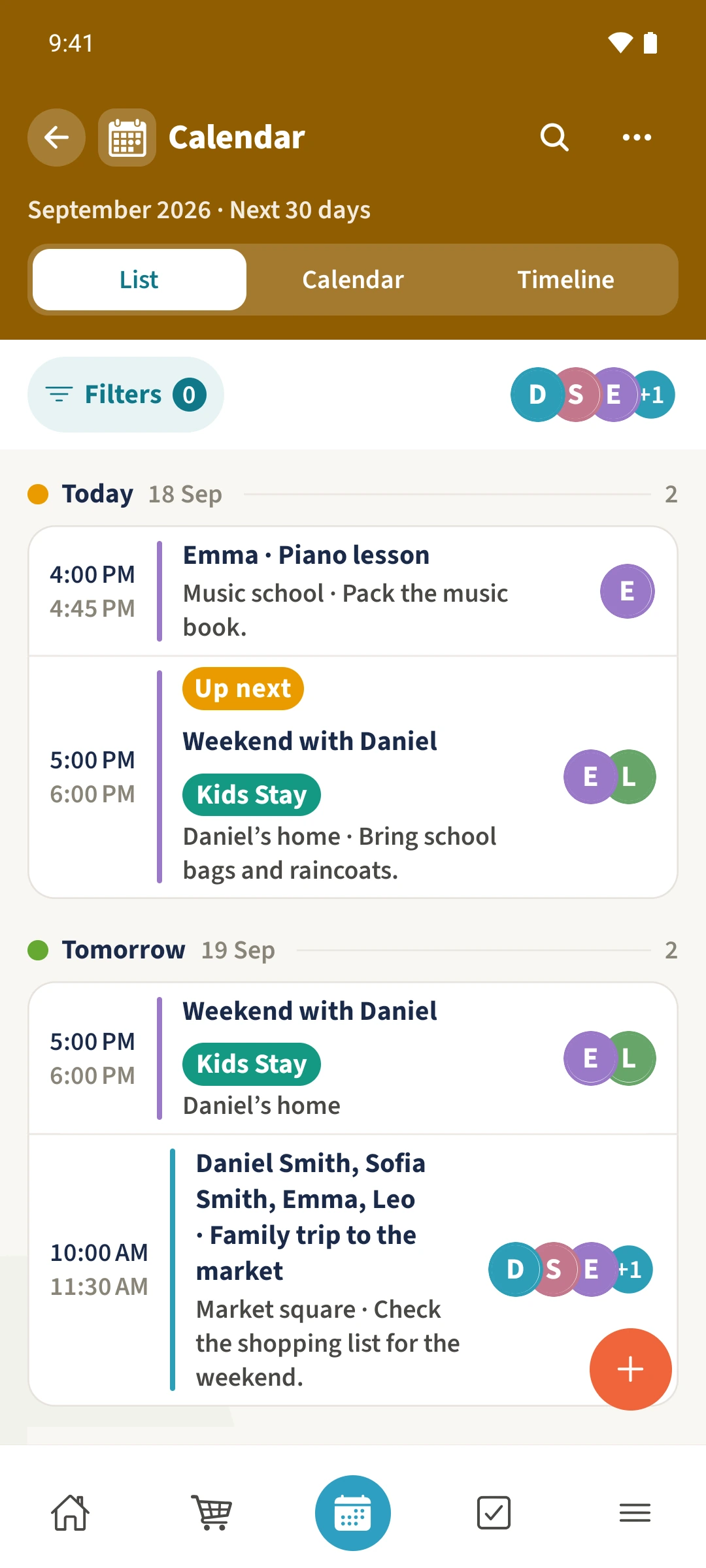
When several children and both parents have plans, finding everything one child needs can take several checks.
See the exampleFrom a daily problem to a clear plan
The starting point
When several children and both parents have plans, finding everything one child needs can take several checks.
A practical next step
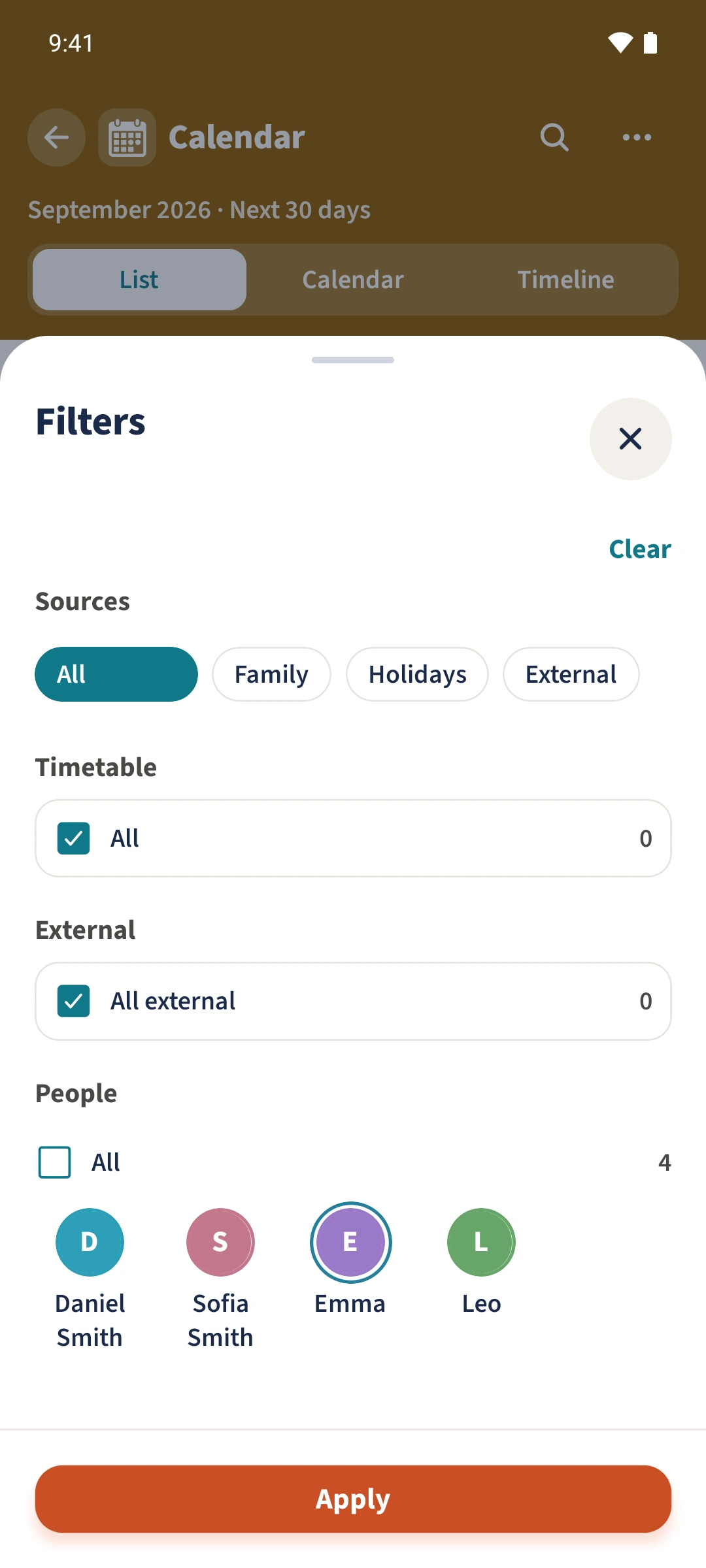
Select Emma to see her appointments, including family events that she is part of.
Calendar with Best4Family
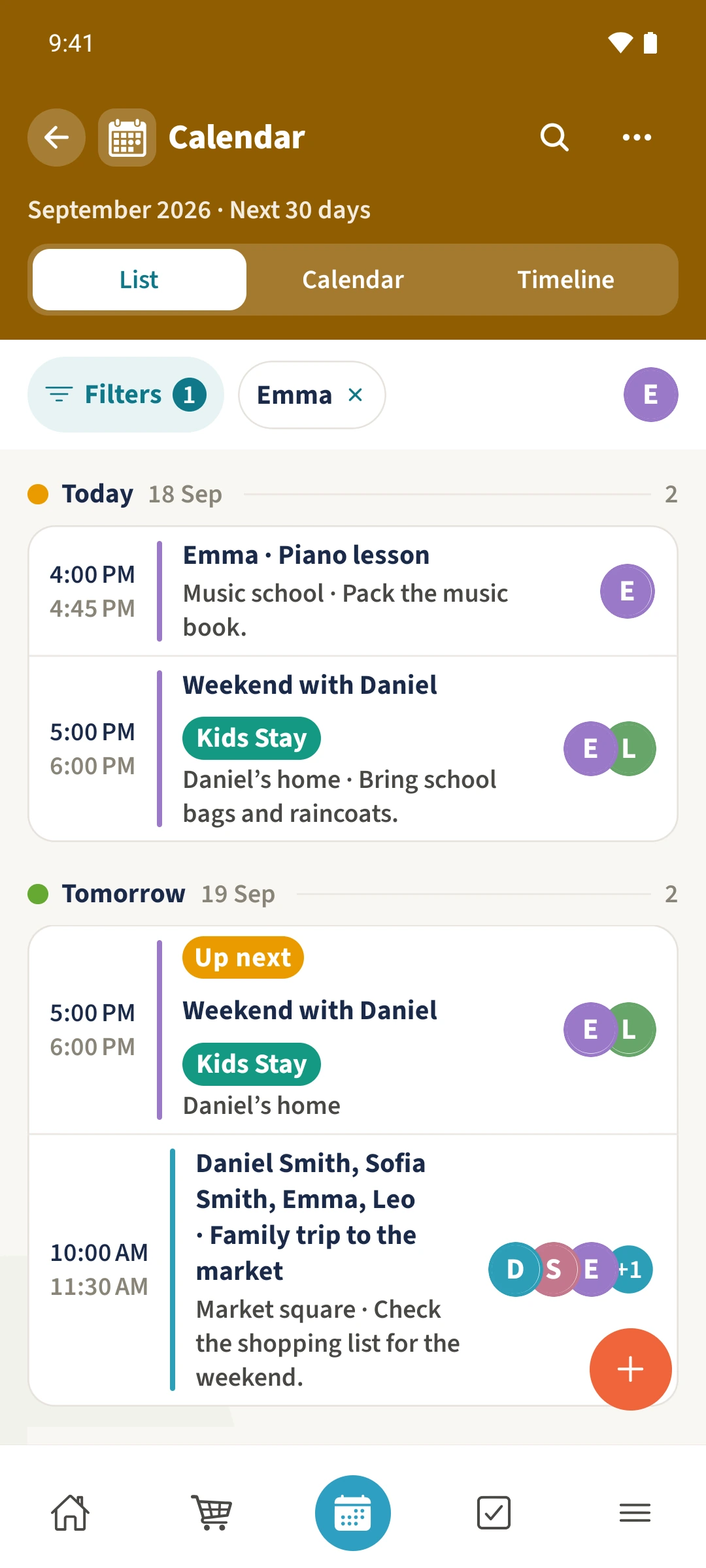
The people filter narrows the calendar to the selected person. Shared entries remain visible when that person is assigned to them. A filter chip shows which selection is active.
Get organised in a few steps
- 1
Start with the full list
Open Calendar and choose List. Check the people shown beside Filters before changing the selection.
- 2
Choose a person
Open Filters and select Emma under People. Leave the other people unselected to focus on her appointments.
- 3
Apply and check the result
Tap Apply. Check the Emma filter chip and her remaining appointments, including entries shared with other family members.
- 4
Return to all appointments
Remove the Emma chip, or reopen Filters, tap Clear and then Apply. This restores the full selection.
The essentials at a glance
Part 01
Calendar entries can be filtered by person.
Part 02
Shared appointments remain visible for a selected participant.
Part 03
The active selection is shown as a filter chip.