
Plan child stays and handovers
Emma and Leo are spending the weekend with Daniel. Keep the stay and both journeys together.
Before you start
A weekend marked in the calendar can still leave questions about pickup, return times and what the children need to bring.
Choose the children and host
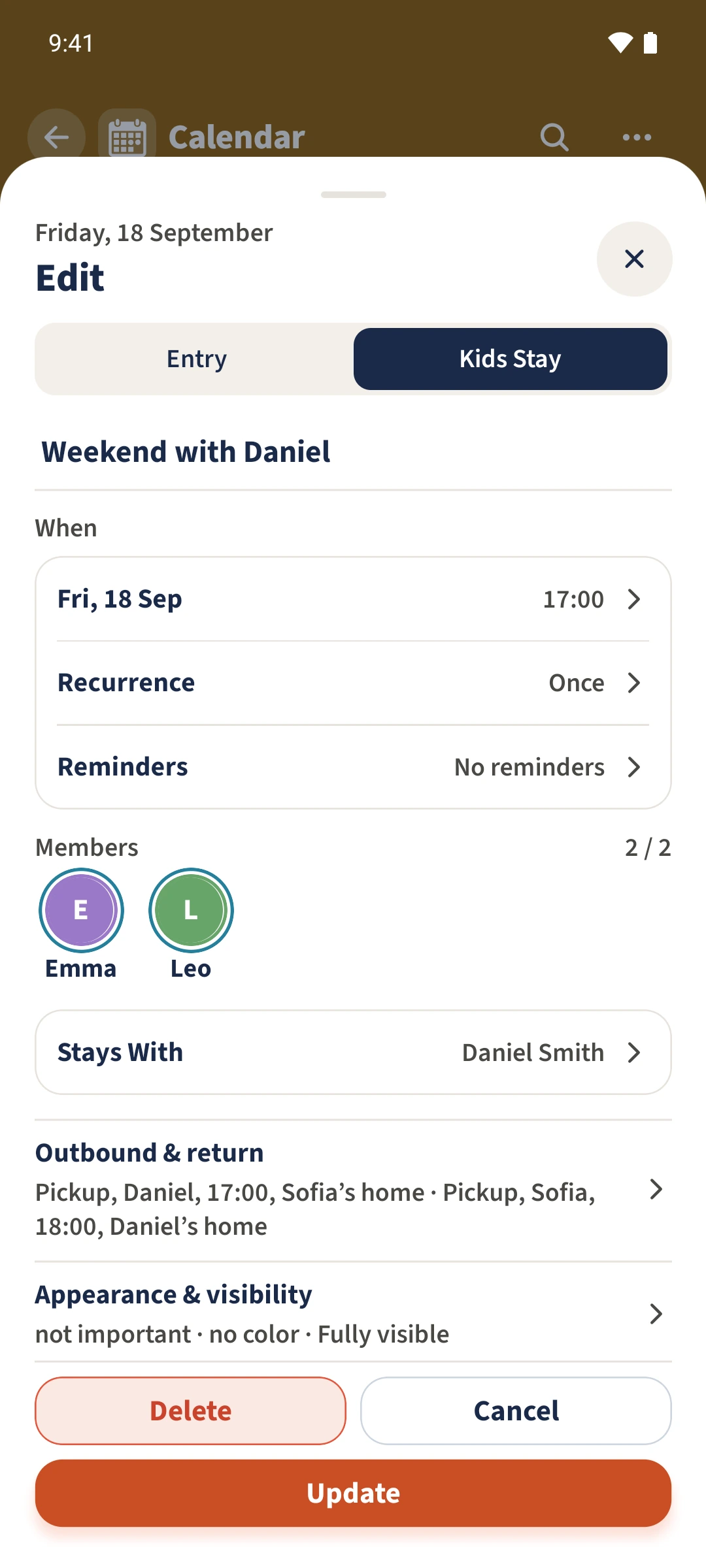
Open Calendar, tap the plus and choose Kids Stay. Enter a title, select Emma and Leo and choose Daniel under Stays With. To change an existing stay, open it and choose Edit.
Set the dates and times
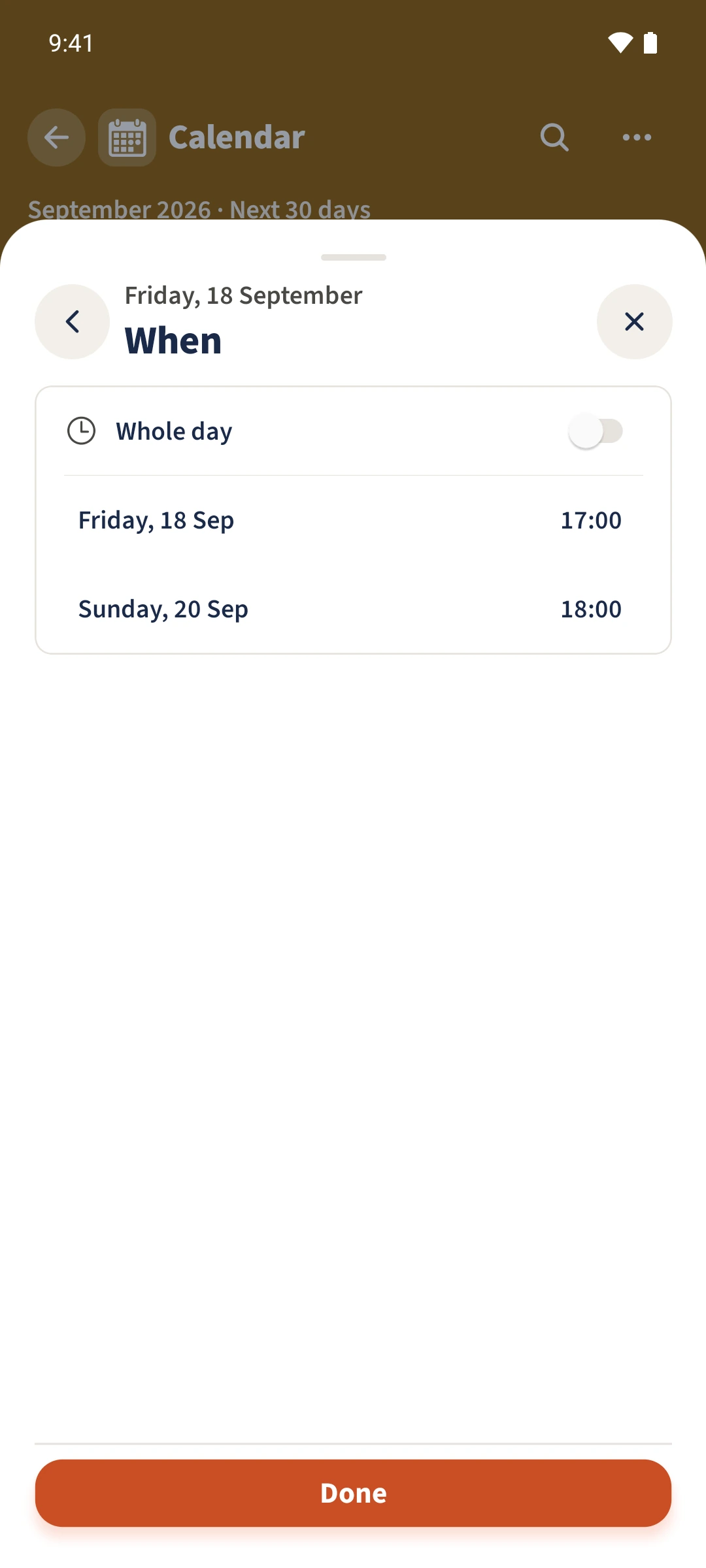
Open the date row under When. The example starts on Friday at 17:00 and ends on Sunday at 18:00. Confirm the dates to return to the form.
Plan both handovers
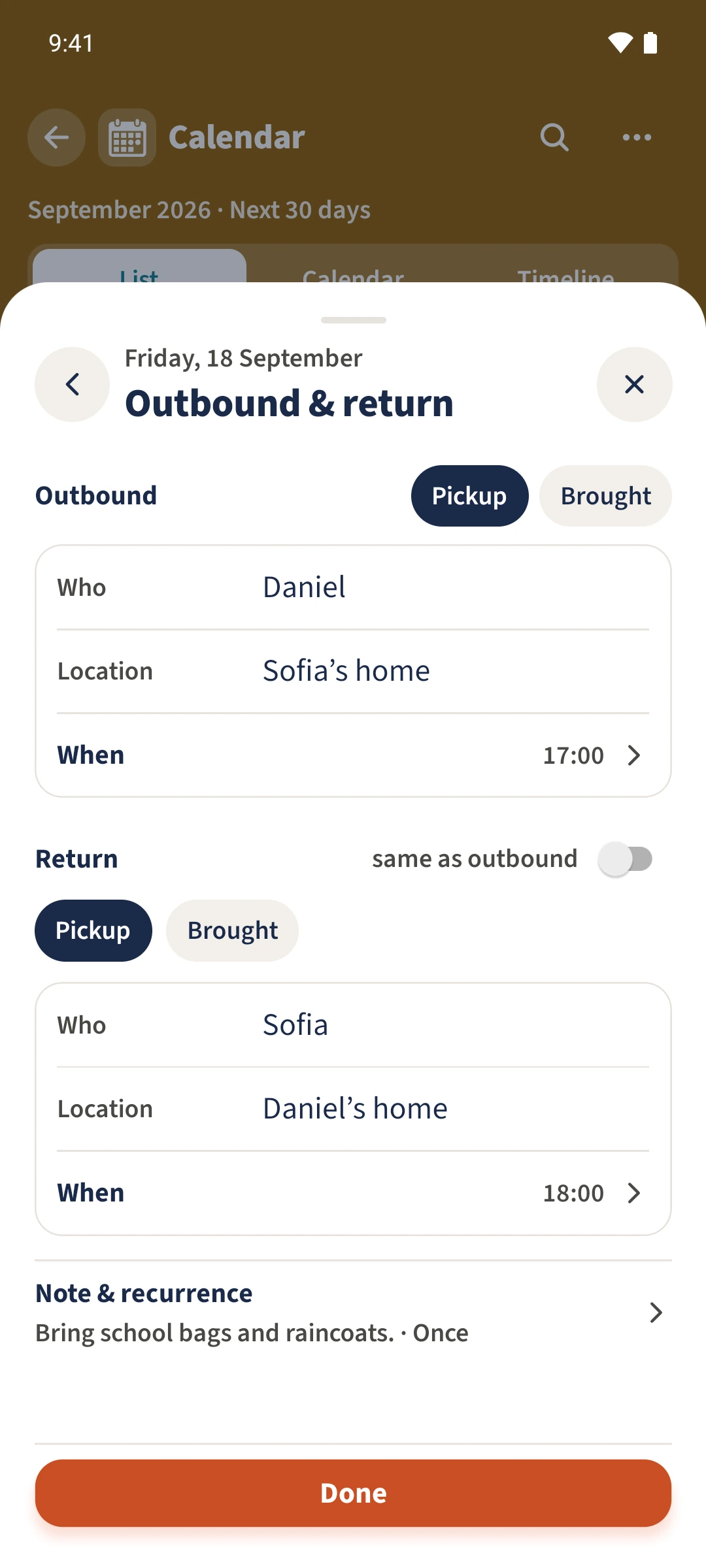
Open Outbound & return. Choose pickup or drop-off and enter the person, place and time for each journey. Check the return separately.
Save and check the details
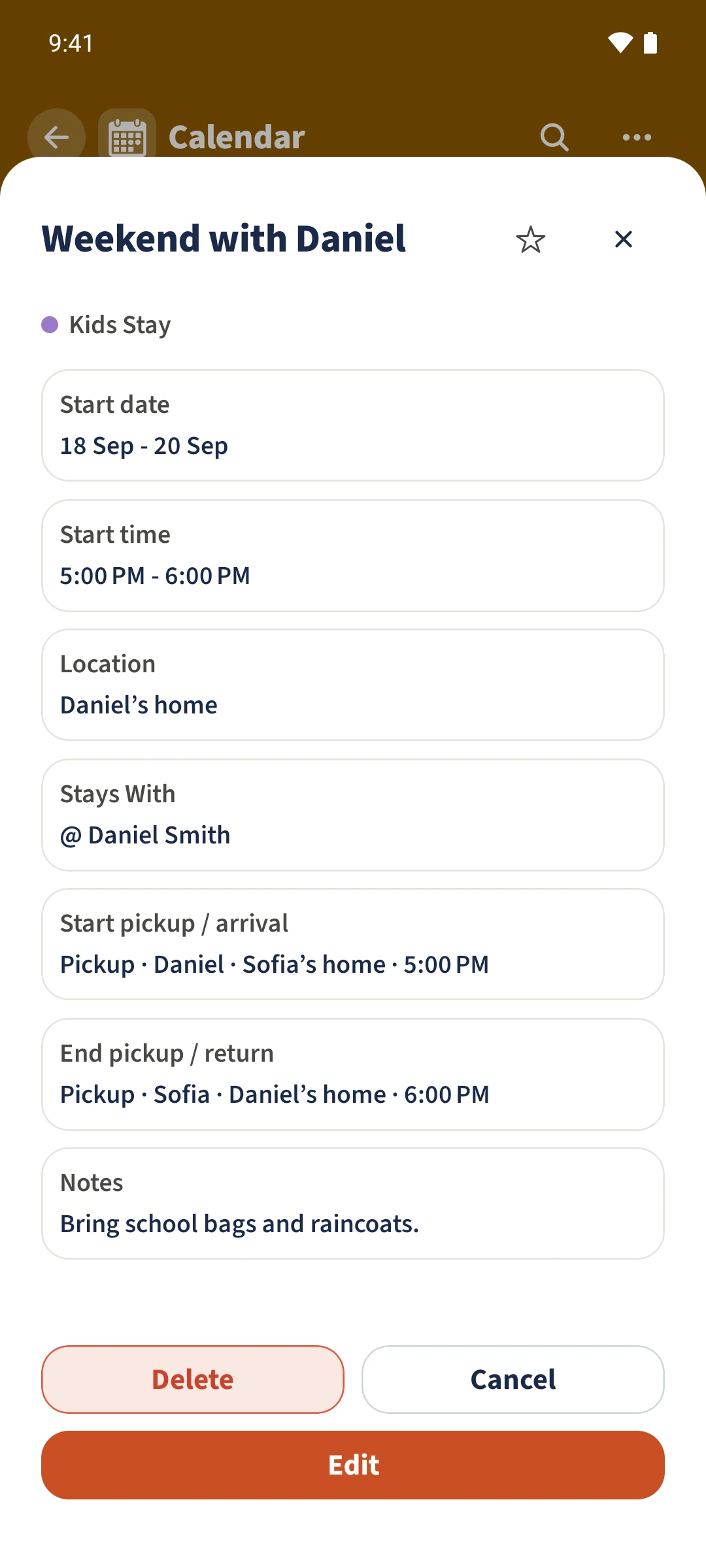
Save the entry, then open it in Calendar. Check the dates, overnight host, both handovers and the note about school bags and raincoats.
All done
Choose Kids Stay, select the children and set the host under Stays With. Set the start and end, add both journeys under Outbound & return, then open the saved entry to check the plan.