Give family tasks a clear owner
Returning library books and signing a school form are easier to remember when each task names the people responsible.
Your family plans in one place
A task mentioned in conversation can leave everyone unsure who will do it or whether it is already finished.
 How Best4Family helps
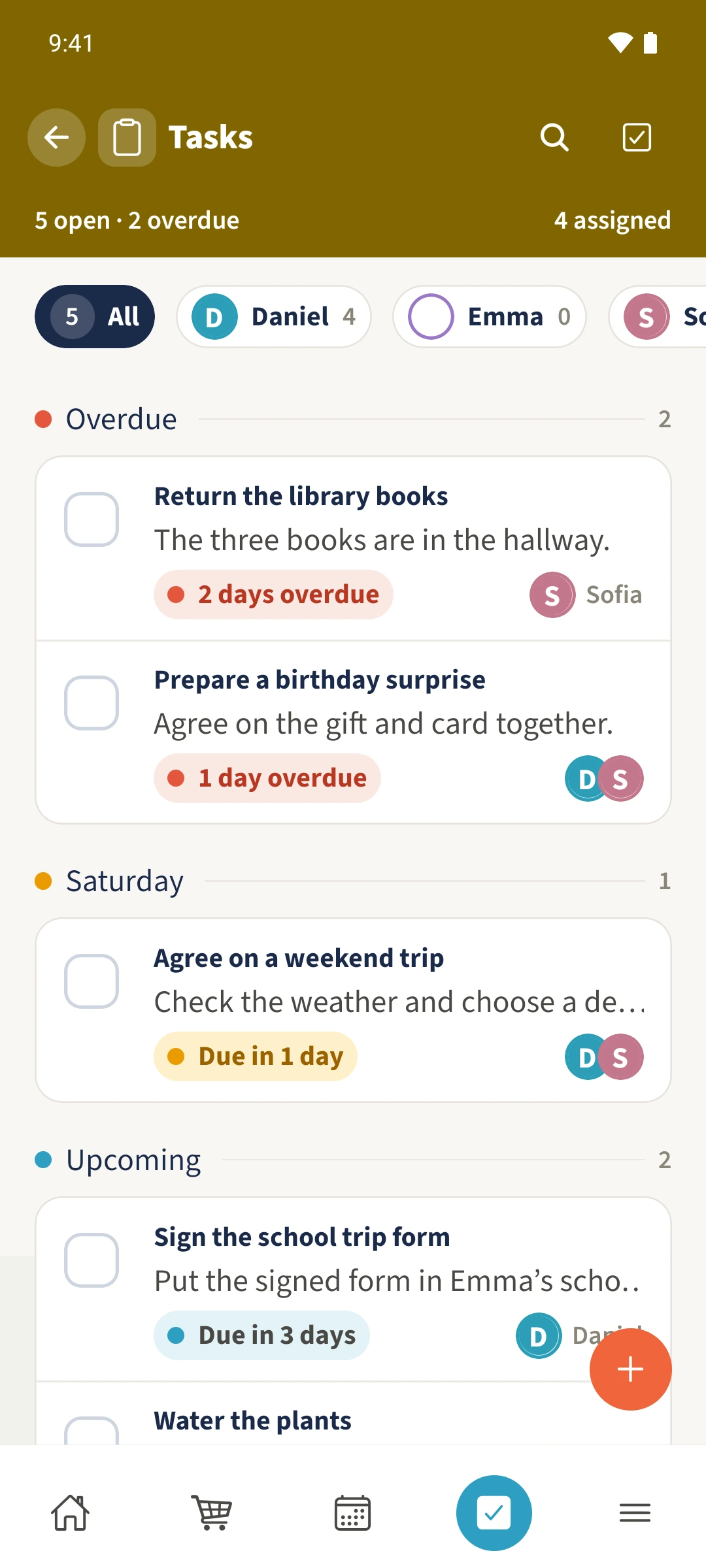
Open Tasks and use the plus to create a task. Select the people responsible under Assign to. The list groups open tasks by due date and shows their people. Tap a task title to open its details and completion actions.
Get organised in a few steps
- 01
Describe the task
Open Tasks in the bottom navigation and tap the plus. Enter a specific title and, if useful, a description such as where to find the library books.
- 02
Choose the people responsible
Select the relevant people under Assign to. Check marks show the selection and the count shows how many members are assigned. You can select more than one person.
- 03
Choose a due date and priority
Choose Today, Tomorrow or Date. More settings includes the Low, Medium, High and Urgent priorities. Return with Done and save the task.
- 04
Record completion
Tap the task title and choose Complete. Add a comment if useful and confirm with Complete task. Expand Completed in the list to find finished tasks; use the people above the list to filter by assignee.